HP Photosmart C5300 Series All-in-One Printer Setup Guide
Summary
Discover everything you need to know about your HP Photosmart All-in-One printer. This comprehensive manual guides new users through the complete setup process, detailing essential functions like printing, scanning, and copying. It provides clear instructions for connecting via USB, CD, or network cable, supporting both Windows and Mac operating systems. Your guide includes quick start tutorials and directs you to official HP support resources, ensuring effortless operation every time.
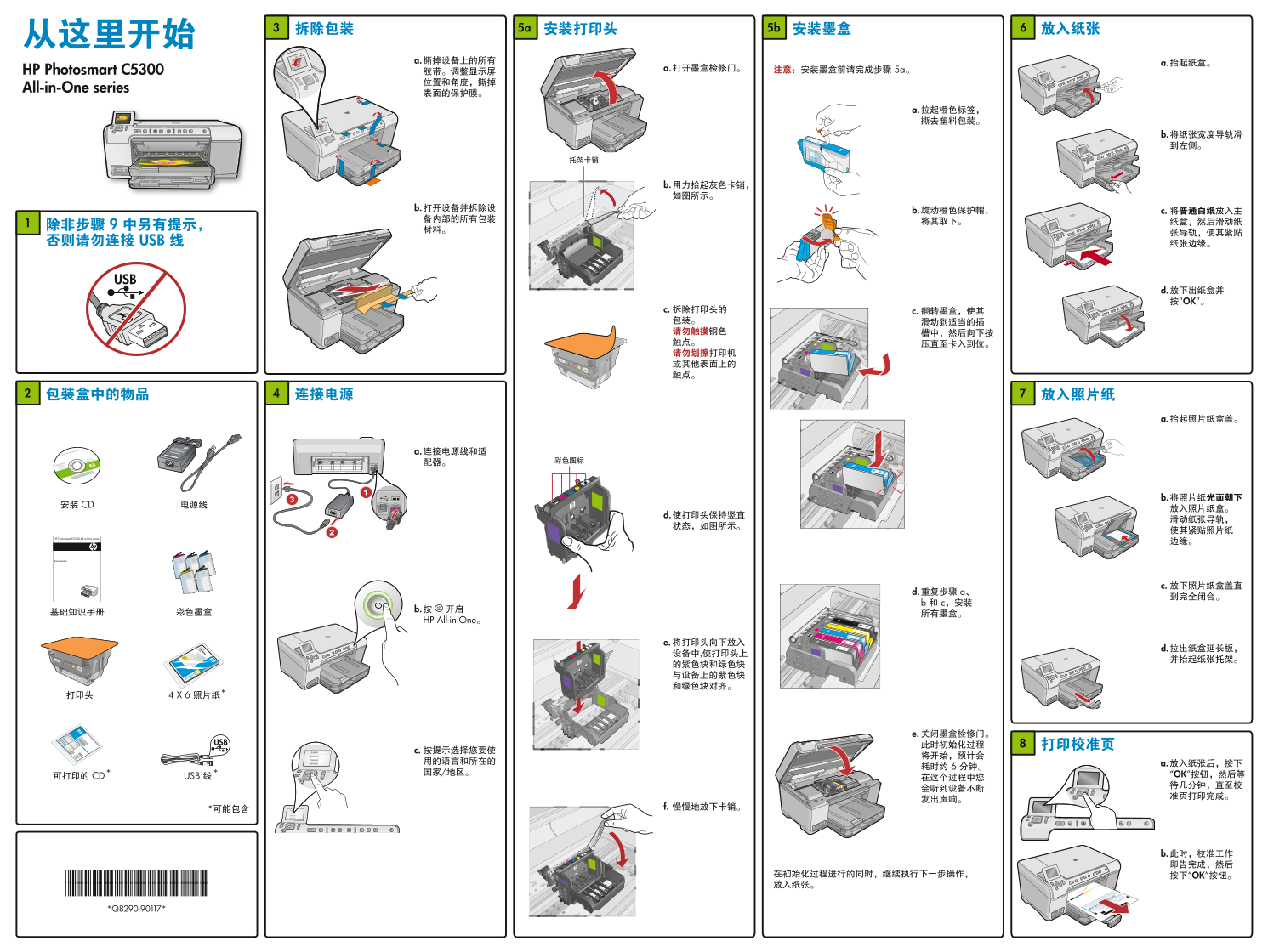
Page 1 Text Content
HP Photosmart C5300 a. 5a
All-in-One series
d. “ OK ”
b. HP All-in-One
* CD * USB “ OK ”
“ OK ”
Page Summary Contents For HP Photosmart C5300 Series All-in-One Printer Setup Guide
Manual Details
| Brand | HP |
|---|---|
| Pages | 2 |
| File Size | 5.65 MB |
| Published | June 15, 2026 |
Enter the captcha to get the download link:

Frequently Asked Questions
How do I get started and set up my HP All-in-One printer?
You can use the Quick Start Guide included, or visit www.hp.com/support for installation software and detailed instructions.
What operating systems are compatible with this printer model?
The manual indicates support for both Windows and Mac OS computers.
What connection media does the printer utilize?
The printer supports connectivity via USB, and physical CDs may also be used with certain functions.
Where can I find technical help or troubleshoot printing issues?
You are advised to visit www.hp.com/support or utilize the provided support tutorials for assistance.