HP Color LaserJet Pro MFP M282-M285 - Reference Guide
Summary
The HP Color LaserJet Pro MFP M282-M285 is a powerful, multifunction laser printer designed for modern digital workspaces. This guide provides comprehensive setup instructions, helping users seamlessly connect and operate their device. It covers essential topics including utilizing the touchscreen panel, downloading necessary drivers via 123.hp.com, executing high-quality color scanning, and connecting wirelessly through Wi-Fi Direct or the HP Smart mobile app. Perfect for home offices and professionals needing robust, easy-to-manage printing solutions, it also includes detailed troubleshooting steps to ensure continuous operation.
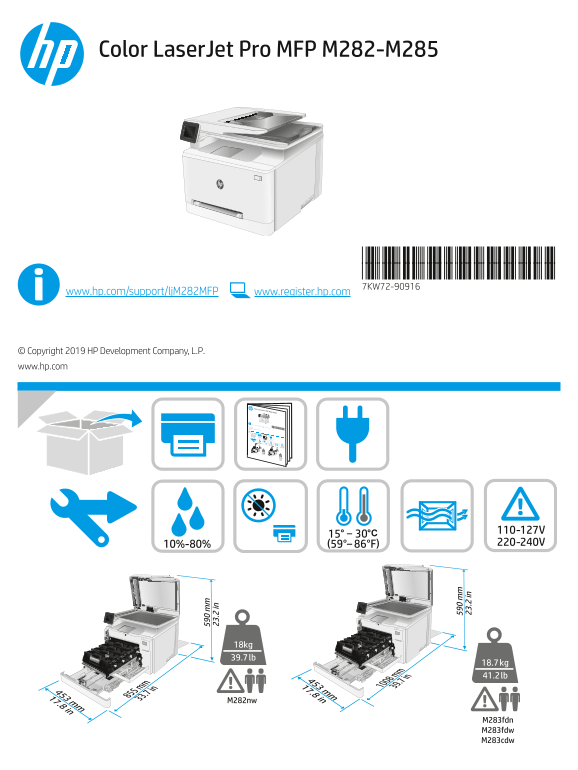
Page 1 Text Content
Color Laser Jet Pro MFP M282-M285
*7KW72-90916* *7KW72-90916* 7KW72-90916
www.hp.com/support/lj M282MFP www.register.hp.com
© Copyright 2019 HP Development Company, L.P. www.hp.com
Color Laser Jet Pro MFP M282-M285
www.hp.com/support/lj M282MFP *G3Q74-90978*
Lea esto primero © Copyright 2019 HP Development Company, L.P. www.register.hp.com
www.hp.com
Lea esto primero © Copyright 2019 HP Development Company, L.P. www.hp.com www.hp.com/support/lj M282MFP Color Laser Jet Pro MFP M282-M285 www.register.hp.com *G3Q74-90978*
M282nw M283fdn M283fdw M283cdw
M282nw
M283fdn M283fdw M283cdw
Page Summary Contents For HP Color LaserJet Pro MFP M282-M285 - Reference Guide
Manual Details
| Brand | HP |
|---|---|
| Pages | 12 |
| File Size | 2.71 MB |
| Published | June 15, 2026 |
Enter the captcha to get the download link:

Frequently Asked Questions
How do I connect the printer wirelessly?
Use the touchscreen: touch the Wireless icon, then "Network Wi-Fi off," followed by "Setting." Select your network name.
Where can I download required software and drivers?
Visit www.hp.com/support/ljM282MFP or use 123.hp.com/laserjet specific to your operating system.
What steps should I take if I lose wireless connectivity?
Confirm the printer is within 30 meters (100 feet) of the access point, and consider resetting network settings in the device menu.
How do I perform a software installation?
Visit 123.hp.com/laserjet or hp.com/support/ljM282MFP, download the file, and follow all on-screen instructions to complete the setup.