Hewlett-Packard HP Color LaserJet Pro M453- series, M454 - Color LaserJet Pro M454 Quick Start Guide
Summary
This comprehensive guide provides step-by-step instructions for setting up your HP Color LaserJet Pro M454. It covers everything from initial hardware configuration and network connection setup (wired or wireless), to software installation using tools like HP Easy Start. Users will also find detailed support on advanced features, including Wi-Fi Direct mobile printing, custom IP addressing, and troubleshooting tips. Perfect for both new domestic users and IT professionals needing complete guidance for seamless deployment in home or enterprise environments.
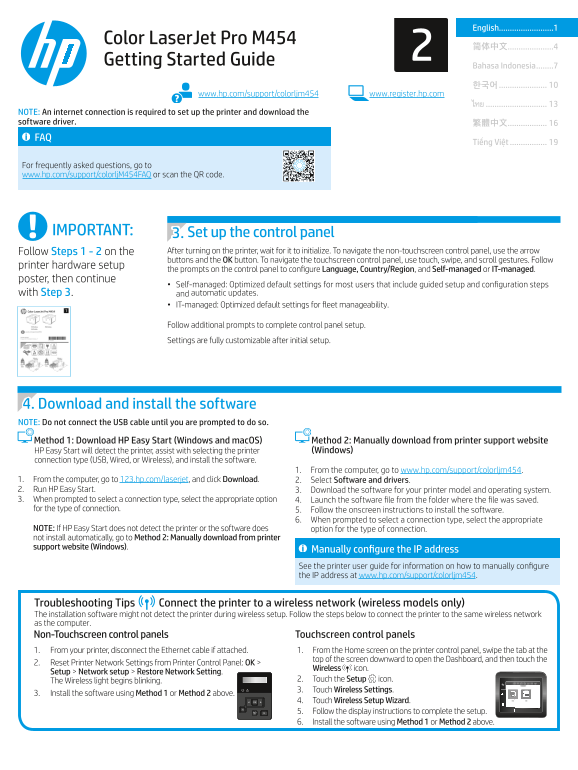
Page 1 Text Content
English.........................1
Color Laser Jet Pro M454
Getting Started Guide
Bahasa Indonesia ........7
www.hp.com/support/colorljm454 www.register.hp.com
NOTE: An internet connection is required to set up the printer and download the software driver. 繁體中文.................. FAQ
Tiếng Việt .................
For frequently asked questions, go to www.hp.com/support/colorlj M454FAQ or scan the QR code.
IMPORTANT: 3. Set up the control panel
Follow Steps 1 - 2 on the After turning on the printer, wait for it to initialize. To navigate the non-touchscreen control panel, use the arrow buttons and the OK button. To navigate the touchscreen control panel, use touch, swipe, and scroll gestures. Follow
printer hardware setup
the prompts on the control panel to configure Language, Country/Region, and Self-managed or IT-managed.
poster, then continue
• Self-managed: Optimized default settings for most users that include guided setup and configuration steps
with Step 3. and automatic updates.
• IT-managed: Optimized default settings for fleet manageability.
Follow additional prompts to complete control panel setup. Settings are fully customizable after initial setup.
4. Download and install the software NOTE: Do not connect the USB cable until you are prompted to do so. Method 1: Download HP Easy Start (Windows and mac OS) Method 2: Manually download from printer support website
HP Easy Start will detect the printer, assist with selecting the printer (Windows)
connection type (USB, Wired, or Wireless), and install the software.
1. From the computer, go to www.hp.com/support/colorljm454.
1. From the computer, go to 123.hp.com/laserjet, and click Download. 2. Select Software and drivers. 2. Run HP Easy Start. 3. Download the software for your printer model and operating system. 3. When prompted to select a connection type, select the appropriate option 4. Launch the software file from the folder where the file was saved. for the type of connection. 5. Follow the onscreen instructions to install the software.
6. When prompted to select a connection type, select the appropriate
NOTE: If HP Easy Start does not detect the printer or the software does option for the type of connection. not install automatically, go to Method 2: Manually download from printer support website (Windows).
Manually configure the IP address See the printer user guide for information on how to manually configure the IP address at www.hp.com/support/colorljm454.
Troubleshooting Tips Connect the printer to a wireless network (wireless models only) The installation software might not detect the printer during wireless setup. Follow the steps below to connect the printer to the same wireless network as the computer. Non-Touchscreen control panels Touchscreen control panels 1. From your printer, disconnect the Ethernet cable if attached. 1. From the Home screen on the printer control panel, swipe the tab at the
top of the screen downward to open the Dashboard, and then touch the
2. Reset Printer Network Settings from Printer Control Panel: OK >
Wireless icon.
Setup > Network setup > Restore Network Setting.
The Wireless light begins blinking. 2. Touch the Setup icon. 3. Touch Wireless Settings.
3. Install the software using Method 1 or Method 2 above.
4. Touch Wireless Setup Wizard. 5. Follow the display instructions to complete the setup. 6. Install the software using Method 1 or Method 2 above.
Page Summary Contents For Hewlett-Packard HP Color LaserJet Pro M453- series, M454 - Color LaserJet Pro M454 Quick Start Guide
Manual Details
| Brand | HP |
|---|---|
| Pages | 24 |
| File Size | 10.55 MB |
| Published | May 29, 2026 |
Enter the captcha to get the download link:

Frequently Asked Questions
How must I connect my printer for initial setup?
An internet connection is required to set up the printer and download the necessary software drivers.
Which method should be used for installing printer software?
You can use HP Easy Start or manually download software from the printer support website.
How do I connect to a wireless network if setup fails?
Reset Printer Network Settings via the control panel: OK > Setup > Network setup > Restore Network Setting.
What is the easiest way to print from my mobile phone?
Use the HP Smart app, or use Wi-Fi Direct for printing without needing a router connected.