Page 1
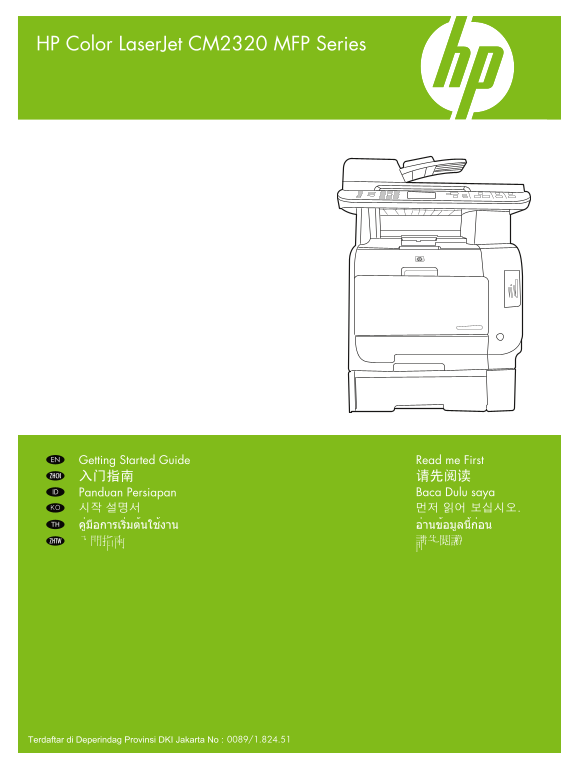
HP Color Laser Jet CM2320 MFP Series Getting Started Guide Read me First EN 入门指南 请先阅读ZHCN Panduan Persiapan Baca Dulu saya ID 시작 설명서 먼저 읽어 보십시오.KO คู่มือการเริ่มต้นใช้งาน อ่านข้อมูลนี้ก่อนTH 入門指南 請先閱讀...
Page 2
Copyright and License 版权与许可 © 2008 Copyright Hewlett-Packard Development Company, L.P. © 2008 版权所有 Hewlett-Packard Development Reproduction, adaptation or translation without prior written Company, L....
Page 3
In-box documentation and CD contents EN ZHCN 随附文档和 CD 内容 ID Dokumentasi dalam kemasan dan isi CD KO 제품과 함께 제공되는 설명서 및 CD 내용물 TH เอกสารและแผ่นซีดีที่ให้มาในกล่อง ZHTW 包裝盒說明文件及 CD 內容 EN Getting Started ...
Page 4
EN Prepare the site เตรียมสถานที่ติดตั้งTH 准备场所ZHCN 準備現場ZHTW Menyiapkan situs ID 설치 공간 확보KO EN Select a sturdy, well-ventilated, dust free area to position the product. ZHCN 选择一处通风良好并且免受灰尘侵扰的固定场所安放本产品...
Page 5
EN Unpack the product. นำเครื่องออกจากกล่องบรรจุTH 打开产品包装。ZHCN 拆開產品的包裝。ZHTW Buka kemasan produk.ID 제품을 개봉합니다.KO EN Insert the CD. Follow the setup instructions on the screen or in this guide. ZHCN 插入 ...
Page 6
EN Remove all orange shipping tape from the product. ZHCN 从产品上撕下所有橙色包装封条。 ID Lepaskan semua pita kemasan pengiriman warna oranye dari produk. KO 제품의 오렌지색 포장재를 모두 제거합니다. TH แกะวัสดุสีส้มทั้งหมดที่มาพร้...
Page 7
EN Record your Serial and Product number for product registration. ZHCN 记下用于产品注册的序列号和产品编号。 ID Catat nomor Seri dan Produk untuk pendaftaran produk. KO 제품 등록을 위한 일련 번호 및 제품 번호를 기록해 둡니다. TH จดบันทึกหมาย...
Page 8
EN For models with color graphical display, rotate the display. ZHCN 对于具有彩色图形显示屏的型号,请转动显示屏。 ID Untuk model dengan layar grafik berwarna, putar layarnya. KO 컬러 그래픽 디스플레이가 있는 모델의 경우 해당 디스플레이를 들어 올립니다. T...
Page 9
EN Install optional tray 3. ZHCN 安装可选纸盘 3。 ID Pasang baki 3 opsional. KO 용지함 3(선택사양)을 설치합니다. TH ติดตั้งถาดเสริม 3 ZHTW 安裝選購紙匣 3。 EN Open paper tray. ZHCN 打开纸盘。 ID Buka baki kertas. KO 용지함을 엽니다. TH เปิ...
Page 10
EN Adjust the paper guides against the paper and reinsert tray. ZHCN 根据纸张大小调整纸张导槽,然后重新插入纸盘。 ID Sesuaikan pemandu kertas pada kertas kemudian masukkan kembali bakinya. KO 용지에 맞게 용지 조정대를 조정하고 용지함을 다시 밀어...
Page 11
EN Turn on the product. ZHCN 打开本产品的电源。 ID Nyalakan produk. KO 제품의 전원을 켭니다. TH เปิดเครื่อง ZHTW 開啟本產品電源。 EN Set language and location on the control panel. ZHCN 在控制面板上设置语言和位置。 ID Atur bahasa dan lokasi...
Page 12
EN Connect the network cable. Verify a network light is illuminated on the network port. ZHCN 连接网络电缆。检查网络端口上的网络指示灯是否亮起。 ID Hubungkan kabel jaringan. Pastikan lampu jaringan menyala pada port jaringan....
Page 13
EN Print a Configuration Report. Press Setup, select Reports, press OK, select Configuration Report, press OK to test printing. ZHCN 打印配置报告。按下设置,选择报告,按下 OK,选择配置报告,按下 OK 来测试打印。 ID Cetak Laporan Konfigu...
Page 14
EN Install the software TH ติดตั้งซอฟต์แวร์ ZHCN 安装软件 ZHTW 安裝軟體 ID Menginstal perangkat lunak KO 소프트웨어 설치 EN Go to step 22 for USB installation. ZHCN USB 安装请转至步骤 22。 ID Maju ke langkah 22 untuk pengin...
Page 15
EN USB installation การติดตั้ง USBTH USB 安装ZHCN USB 安裝ZHTW Penginstalan USBID USB 설치KO EN Install the software from the CD. Follow the onscreen instructions. ZHCN 从 CD 安装软件。按照屏幕上的说明进行操作。 ID Menginstal...
Page 16
EN USB installation is complete. Print a test page. ZHCN USB 安装已完成。打印一份测试页。 ID Penginstalan USB selesai. Cetak halaman uji. KO USB 설치가 완료되었습니다. 테스트 페이지를 인쇄합니다. TH การติดตั้ง USB เสร็จสมบูรณ์ พิมพ์หน้า...
Page 17
EN Network installation TH การติดตั้งเครือข่าย ZHCN 网络安装 ZHTW 網路安裝 ID Penginstalan Jaringan KO 네트워크 설치 EN Find the IP address on the Configuration report. ZHCN 在配置报告中找到 IP 地址。 ID Temukan alamat IP pad...
Page 18
EN Install the software from the CD. Follow the onscreen instructions. ZHCN 从 CD 安装软件。按照屏幕上的说明进行操作。 ID Menginstal perangkat lunak dari CD. Ikuti petunjuk di layar. KO CD에서 소프트웨어를 설치합니다. 화면의 지침을 따릅니다. ...
Page 19
EN Fax Setup การตั้งค่าแฟกซ์TH 传真设置ZHCN 傳真設定ZHTW Pengaturan Faks ID 팩스 설정KO EN If you completed the software installation, your fax system has been setup. If you did not complete the software installa...
Page 20
EN Product documentation เอกสารของเครื่องพิมพ์TH 产品文档ZHCN 產品說明文件ZHTW Dokumentasi Produk ID 제품 설명서KO EN The electronic User Guide and other documentation is on the CD that came with the product or in t...
Page 21
EN Solve problems การแก้ไขปัญหาTH 解决问题ZHCN 解決問題ZHTW Menyelesaikan masalah ID 문제 해결KO EN Print a Menu Map; Press Setup, select Reports, then select Menu structure and press ok. Use the Menu map as a qu...
Page 22
ZHTW 列印功能表地圖;按「設定」,選擇「報告」,並且選擇「功能表結構」,然後按「OK」。以「功能表」地圖作為快速參 考,使用控制面版變更設定,例如:傳真鈴聲音量、傳真特殊鈴聲、相片及影印設定。
Page 24
© 2008 Hewlett-Packard Development Company, L.P. www.hp.com *CC434-90934* *CC434-90934* CC434-90934