HP Color LaserJet CM6049f MFP Series - Getting Started Guide - HP Color LaserJet CM6049f
Summary
Essential guide for setting up and maintaining your HP Color LaserJet CM6049f MFP Multifunction Printer. This manual provides step-by-step instructions for initial setup, covering essential configurations like language settings, email profiles, and physical operation checks. Users will learn how to verify print functions, manage firmware updates, and follow best practices regarding preflight preparation for optimal installation at the client site. Perfect for new owners requiring thorough information to ensure flawless printer deployment.
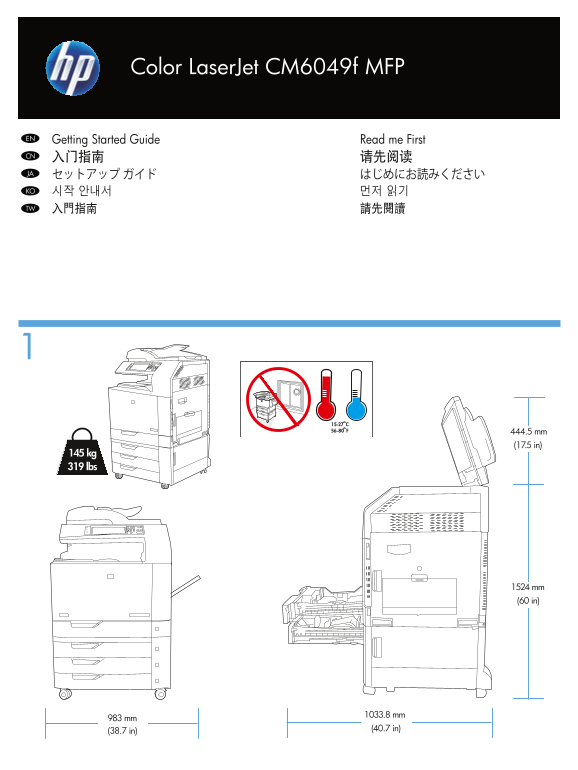
Page 1 Text Content
Color Laser Jet CM6049f MFP
Read me First Getting Started Guide EN 请先阅读入门指南CN はじめにお読みくださいセットアップ ガイドJA 먼저 읽기시작 안내서KO 請先閱讀入門指南TW
444.5 mm (17.5 in)
145 kg 319 lbs
1524 mm (60 in)
1033.8 mm
983 mm
(40.7 in)
(38.7 in)
Page Summary Contents For HP Color LaserJet CM6049f MFP Series - Getting Started Guide - HP Color LaserJet CM6049f
Manual Details
| Brand | HP |
|---|---|
| Pages | 12 |
| File Size | 1.76 MB |
| Published | June 05, 2026 |
Enter the captcha to get the download link:

Frequently Asked Questions
How do I set up essential initial settings on the device?
Follow the display prompts to configure the control panel language, date, time, email settings, and optional fax settings.
How can I verify that the print function is working before installation?
Print a configuration page by navigating the control panel to Administration > Information > Configuration/Status Pages > Configuration Page, then touching Print.
What must I do when preparing the unit for shipment after preflight checks?
Lock the flatbed-carriage scanner lock, secure the castors during transit, and keep the number of printed pages below 50 to minimize wear.