# A B C D E F G H I J K L M N O P Q R S T U V W X Y Z

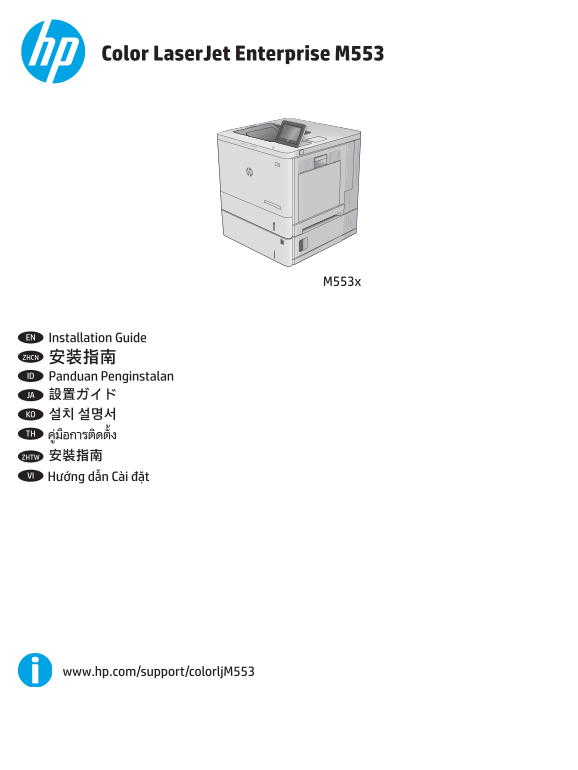
HP Color LaserJet Enterprise M553 Series HP Color LaserJet Enterprise M553x - Installation Guide

Summary

Master your new color laser printer with this comprehensive setup guide. It walks first-time users through the entire unboxing and initialization process, covering everything from optimal placement and powering on to essential networking configurations. Easily learn how to connect via USB or network cable, perform initial settings like time zone adjustment, and download all necessary drivers and software directly from HP support sites for flawless operation in any professional setting.
📄 Preview PAGE OF 20

Page 1 Text Content

Color Laser Jet Enterprise M553

EN Installation Guide ZHCN 安装指南 ID Panduan Penginstalan JA 設置ガイド KO 설치 설명서 TH

ZHTW 安裝指南 VI

www.hp.com/support/colorlj M553

Page Summary Contents For HP Color LaserJet Enterprise M553 Series HP Color LaserJet Enterprise M553x - Installation Guide

Page 1 Color Laser Jet Enterprise M553 EN Installation Guide ZHCN 安装指南 ID Panduan Penginstalan JA 設置ガイド KO 설치 설명서 TH ZHTW 安裝指南 VI www.hp.com/support/colorlj M553
Page 2 EN Select a sturdy, well-ventilated, dust-free area, away from direct sunlight to position the product. ZHCN 选择一个稳固、通风良好、无尘且远离直射日光的区域放置产品。 ID Untuk meletakkan produk, pilih tempat yang kokoh, berventi...
Page 3 EN Remove all tape and packing material from outside the product. ZHCN 从产品外部取下所有胶带和包装材料。 ID Lepas semua perekat dan materi kemasan dari bagian luar produk. プリンタ外部に付いているテープと梱包材をすべて取り除 JA きます。 제품 겉면의 테이...
Page 5 EN If you are connecting to a network, connect the network cable now. Caution! Do not connect the USB cable now. ZHCN 如果要连接到网络,则现在连接网络电缆。注意! 现在请勿连接 USB 电缆。 ID Jika Anda menyambung ke jaringan, sambung...
Page 6 ZHCN 1. 用电源线将本产品连接到接地的交流电源插座。2. 打开产品电源。3. 在控制面板上,设置语言、日期/时 间格式和时区。 注:要对联网产品进行高级配置,请参阅产品 CD 上的《用户指南》。 注意:确保电源符合产品的额定电压要求。额定电压标注在产品标签上。本产品使用 100-127 伏(交流) 或 220-240 伏(交流)电压,频率为 50/60 赫兹。为防止损坏产品,请仅使用产品随附...
Page 8 EN Windows: Do not connect the USB cable until prompted during the software installation in the next step. Mac: Connect the USB cable now. ZHCN Windows:直到软件安装过程的下一步中出现提示后,再连接 USB 电缆。 Mac:现在连接 USB 电缆。 ...
Page 9 EN Download or locate the driver software installation files ZHCN 下载或找到驱动程序软件安装文件 Method 1: Download from HP Easy Start (Windows and OS X) 方法 1:从 HP Easy Start 下载(Windows 和 OS X) 1. Go to 123.hp.com/l...
Page 10 ID Men-download atau mencari file instalan perangkat lunak JA ドライバ ソフトウェアのインストール ファイルをダウンロ driver ードする、または見つける 方法 1: HP Easy Start からダウンロードする (Windows およ Metode 1: Download dari HP Easy Start (Windows...
Page 11 KO 드라이버 소프트웨어 설치 파일 다운로드 또는 찾기 TH 방법 1: HP Easy Start에서 다운로드 (Windows 및 OS X) 1. 123.hp.com/laserjet으로 이동한 다음 다운로드를 클릭합니다. 2. 화면의 안내에 따라 설치 파일을 다운로드하고 실행합니다. 3. 화면의 안내에 따라 소프트웨어 설치를 실행합니다. 방법 2: 제품 지원...
Page 12 ZHTW 下載或找出驅動程式軟體安裝檔 VI 方法 1:從 HP Easy Start 下載(Windows 和 OS X) 1. 前往 123.hp.com/laserjet,然後按一下 Download(下載)。 2. 依照螢幕上的指示下載並啟動安裝檔。 3. 依照螢幕上的指示執行軟體安裝。 方法 2:從產品支援網站下載(Windows 和 OS X) 1. 前往 www.hp.com/sup...
Page 13 www.hp.com/support/colorlj M553 EN Set up HP e Print via email Use HP e Print via email to print documents by sending them as an email attachment to the product’s email address from any email enabled ...
Page 14 EN To use HP e Print via email, the product must meet these requirements: • The product must be connected to a wired or wireless network and have Internet access. • HP Web Services must be enabled on ...
Page 15 ID Untuk menggunakan HP e Print via email, produk harus memenuhi persyaratan ini: • Produk harus disambungkan ke jaringan kabel atau nirkabel dan memiliki akses Internet. • HP Web Services (Layanan We...
Page 16 ZHTW 若要使用 HP e Print via email,產品必須符合以下要求: • 產品必須連線到有線或無線網路,且必須能夠存取網際網路。 • HP Web 服務必須在產品上啟用,而且產品必須向 HP Connected 註冊 啟用 HP Web 服務 1. 開啟 HP Embedded Web Server (EWS): a. 4 行控制面板:檢視控制面板顯示幕以查看 IP 位址。 觸控螢...
Page 20 www.hp.com Copyright and License 版权与许可 © 2016 Copyright HP Development Company, L.P. © 2016 Copyright HP Development Company, L.P. Reproduction, adaptation or translation without prior written permiss...

Manual Details

Brand HP
Pages 20
File Size 6.65 MB
Published May 22, 2026
88 views

Enter the captcha to get the download link:

captcha

Frequently Asked Questions

Where should I place the printer?

Select a sturdy, well-ventilated, dust-free area that is away from direct sunlight.

What type of power source is required for this device?

The product uses either 100-127 Vac or 220-240 Vac and 50/60 Hz. Only use the provided power cable to prevent damage.

When should I connect the USB cable after setup?

If you are on Mac, connect it now; if you are on Windows, wait until prompted during software installation in the next step.

How do I download the correct driver software?

You can download files from HP Easy Start or visit www.hp.com/support/colorljM553 and select 'Software and Drivers'.