Dell Dimension 5100 Installation Diagrams
Summary
Dell desktop computer setup guide (May 2005) covering video connector selection (DVI card vs VGA card vs integrated video), keyboard/mouse connection, network cable, modem telephone cable, power connection, and optional sound card/speaker setup with front/back USB 2.0 and headphone connectors.
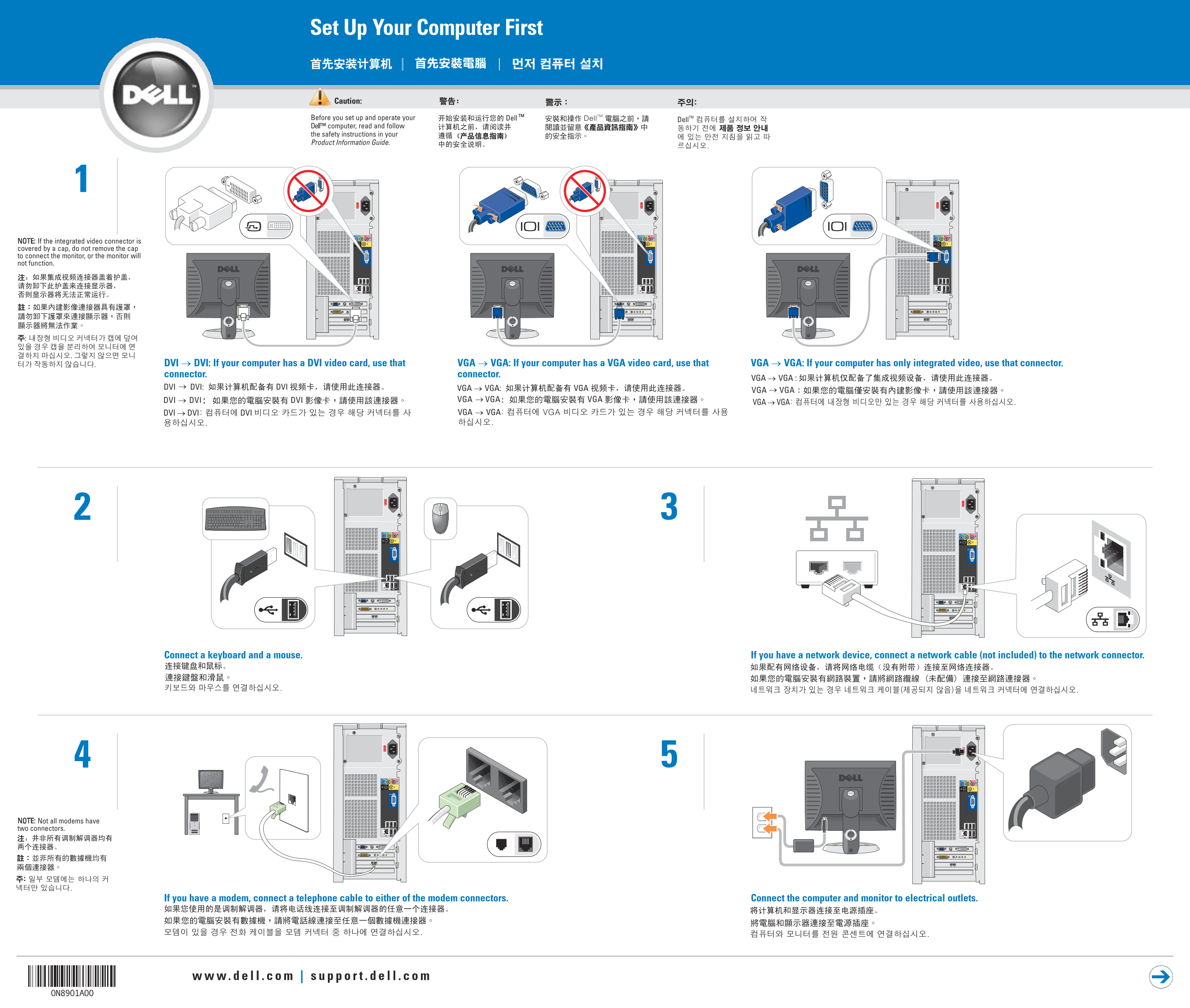
Page 1 Text Content
Set Up Your Computer First
Before you set up and operate your Dell™ computer, read and follow the safety instructions in your Product Information Guide.
NOTE: If the integrated video connector is covered by a cap, do not remove the cap to connect the monitor, or the monitor will not function.
DVI → DVI: If your computer has a DVI video card, use that VGA → VGA: If your computer has a VGA video card, use that VGA → VGA: If your computer has only integrated video, use that connector. connector. connector.
Connect a keyboard and a mouse. If you have a network device, connect a network cable (not included) to the network connector.
NOTE: Not all modems have two connectors.
If you have a modem, connect a telephone cable to either of the modem connectors. Connect the computer and monitor to electrical outlets.
Page Summary Contents For Dell Dimension 5100 Installation Diagrams
Manual Details
| Brand | Dell |
|---|---|
| Pages | 2 |
| File Size | 2.62 MB |
| Published | July 03, 2026 |
Enter the captcha to get the download link:

Frequently Asked Questions
What should I do if my integrated video connector is capped?
Do not remove the cap; otherwise, your monitor will not function.
How should I connect power and peripherals initially?
Connect a keyboard and mouse, network cables (if applicable), and plug both the computer and monitor into electrical outlets.
Which video connector should I use if my computer has integrated video only?
Use the dedicated integrated video connector provided on the machine.