Dell AP-220- MNT-W1 Wall Mounting Template Owner's Manual
Summary
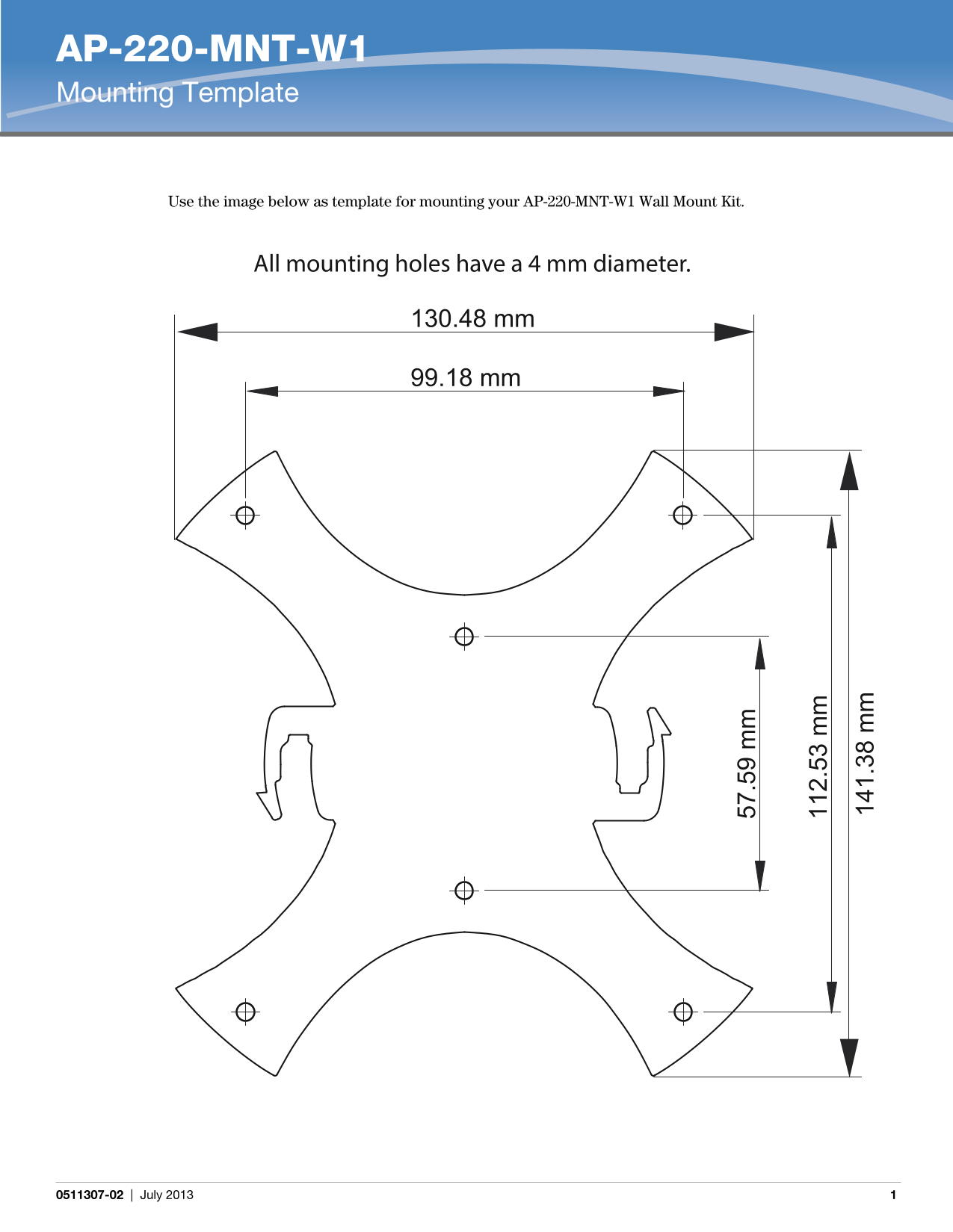
AP-220-MNT-W1 Mounting Template provides a dimensional template for wall-mounting AP-220 series wireless access points. The template specifies mounting hole positions with 4 mm diameter and precise spacing measurements. Target users include network installation technicians and facilities personnel mounting wireless access points on walls in commercial environments.
Page 1 Text Content
AP-220-MNT-W1 Mounting Template
Use the image below as template for mounting your AP-220-MNT-W1 Wall Mount Kit.
All mounting holes have a 4 mm diameter.
130.48 mm
99.18 mm
0511307-02 | July 2013
Page Summary Contents For Dell AP-220- MNT-W1 Wall Mounting Template Owner's Manual
Page 1
AP-220-MNT-W1 Mounting Template Use the image below as template for mounting your AP-220-MNT-W1 Wall Mount Kit. All mounting holes have a 4 mm diameter. 130.48 mm 99.18 mm 0511307-02 | July 2013
Manual Details
| Brand | Dell |
|---|---|
| Pages | 1 |
| File Size | 68.74 KB |
| Published | June 29, 2026 |
8 views
Enter the captcha to get the download link:

Frequently Asked Questions
What is required for installing the AP-220-MNT-W1 Wall Mount Kit?
Use the provided mounting template as a guide for proper installation.
What is the standard diameter for the mounting holes?
All mounting holes are designed with a 4 mm diameter.
Which specific hardware does this mounting template apply to?
This template is used specifically for the AP-220-MNT-W1 model.