Dell W1 Wall Mounting Template Owner's Manual
Summary
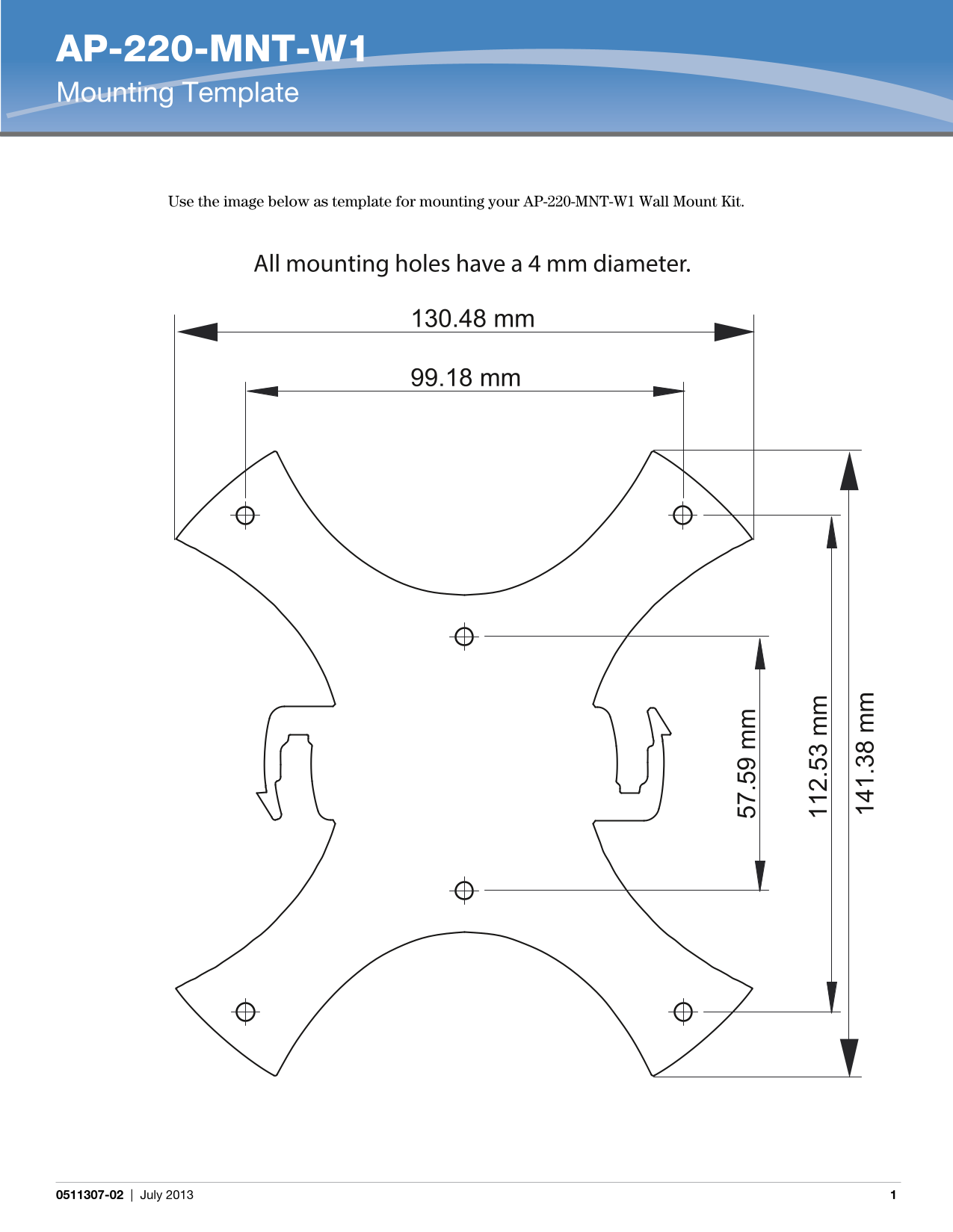
Mounting template for the AP-220-MNT-W1 Wall Mount Kit. The document provides precise dimensional measurements for mounting hole placement including distances between holes in millimeters. All mounting holes have a 4 mm diameter. The template is designed to be used as a physical guide for drilling holes when installing the wall mount kit. Target users are network installers and IT technicians mounting Aruba AP-220 series wireless access points to walls in enterprise wireless deployments.
Page 1 Text Content
AP-220-MNT-W1 Mounting Template
Use the image below as template for mounting your AP-220-MNT-W1 Wall Mount Kit.
All mounting holes have a 4 mm diameter.
130.48 mm
99.18 mm
0511307-02 | July 2013
Page Summary Contents For Dell W1 Wall Mounting Template Owner's Manual
Manual Details
| Brand | Dell |
|---|---|
| Pages | 1 |
| File Size | 68.69 KB |
| Published | June 27, 2026 |
Enter the captcha to get the download link:

Frequently Asked Questions
What are the mounting specifications for the AP-220-MNT-W1?
Use the provided template image. All mounting holes have a 4 mm diameter.
How is the AP-220-MNT-W1 Wall Mount Kit installed?
Use the supplied template to guide installation, ensuring all hardware fits through the 4 mm diameter holes.