D-Link VP Remote User's Manual
Summary
This comprehensive guide provides complete operational instructions for the VP Remote control unit, designed specifically for D-Link DVC 1000/1100 videophones. The manual details proper setup, including step-by-step battery installation and safety precautions. It covers accessing key features, testing the remote functionality, troubleshooting common issues, and outlining warranty policies. Essential reading for all users to ensure optimal performance and extend the life of their D-Link video communication system.
Page 1 Text Content
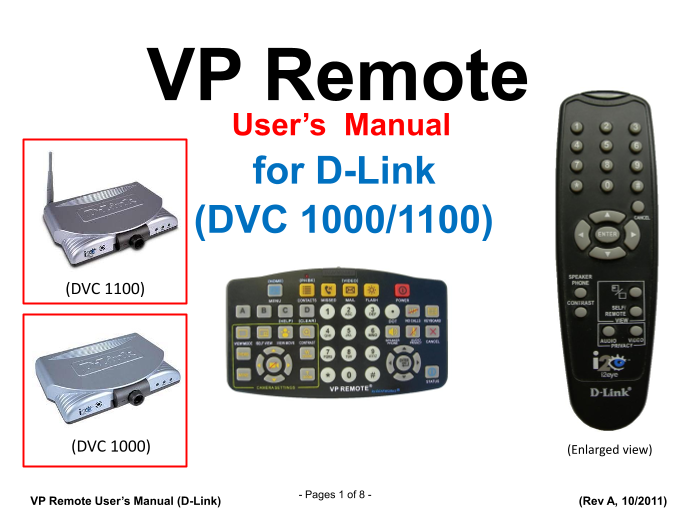
VP Remote User’s Manual for D-Link (DVC 1000/1100) (DVC 1100)
(DVC 1000) (Enlarged view)
Pages 1 of 8 -
VP Remote User’s Manual (D-Link) (Rev A, 10/2011)
Page Summary Contents For D-Link VP Remote User's Manual
Manual Details
| Brand | D-Link |
|---|---|
| Pages | 8 |
| File Size | 493.62 KB |
| Published | May 31, 2026 |
Enter the captcha to get the download link:

Frequently Asked Questions
How many batteries does the VP Remote require?
It uses two AA batteries of the Alkaline type.
What should I not mix when installing batteries?
Do not mix different types (like Alkaline and Carbon Zinc), or old with fresh batteries.
What troubleshooting step should I follow if the videophone doesn't respond to commands?
Repeat Step 1 of operation, or check for weak/incorrectly inserted batteries.
How long is the warranty period on the VP Remote?
It is warranted against defects in materials and workmanship for one year from the date of purchase.