# A B C D E F G H I J K L M N O P Q R S T U V W X Y Z

D-Link DGS-1008P Manual

Summary

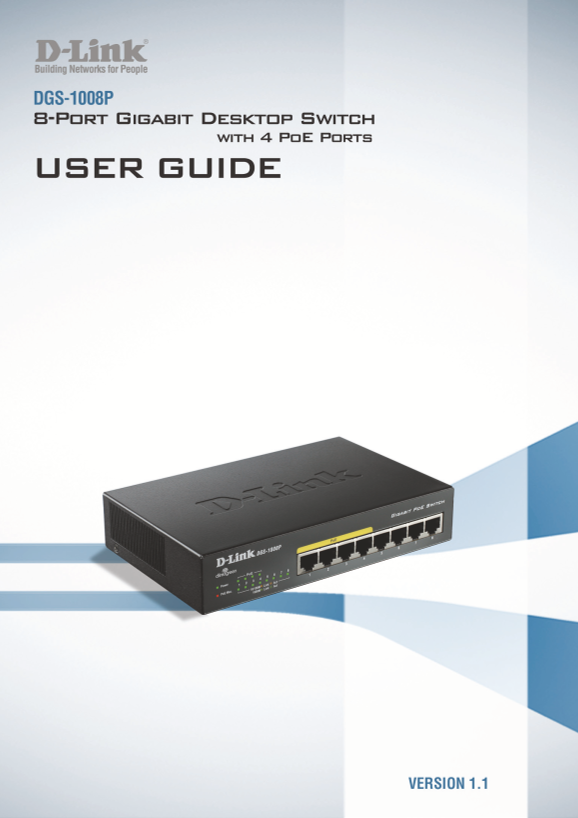
This advanced 8-port PoE Smart Switch provides robust local network connectivity with Gigabit speeds and integrated power delivery for up to four devices. The guide serves as a comprehensive resource, offering step-by-step hardware installation instructions alongside deep dives into smart features like QoS, Cable Diagnostics, and power-saving modes. Ideal for networking enthusiasts or professionals requiring reliable, high-performance PoE infrastructure management in commercial environments.
📄 Preview 📖 Table of Contents Contents PAGE OF 11

Page Summary Contents For D-Link DGS-1008P Manual

Page 2 FCC Warning This equipment has been tested and found to comply with the regulations for a Class B digital device, pursuant to Part 15 of the FCC Rules. These limits are designed to provide reasonable ...
Page 3 Table of Contents D-Link Web Smart Switch User Manual Table of Contents Table of Contents .................................................................................................................
Page 4 About This Guide D-Link Web Smart Switch User Manual About This Guide This guide provides instructions to install the D-Link 8-port Gigabit Ethernet Po E Switch DGS-1008P. Terms/Usage In this guide, t...
Page 5 1 Product Introduction D-Link Web Smart Switch User Manual 1 Product Introduction The DGS-1008P Switch provides 8 Gigabit Ethernet ports, of which 4 ports supporting Power over Ethernet (Po E) for Po ...
Page 6 1 Product Introduction D-Link Web Smart Switch User Manual Port Link/Act/Speed LED (1-8): The Port LED indicates the link status of corresponding ports. Blinking indicates that the Switch is either se...
Page 7 2 Hardware Installation D-Link Web Smart Switch User Manual 2 Hardware Installation This chapter provides unpacking and installation information for the D-Link DGS-1008P. Step 1: Unpacking Open the sh...
Page 8 3 Understanding The Switch Features D-Link Web Smart Switch User Manual 3 Understanding The Switch Features Cable Diagnostics DGS-1008P will scan all ports when device booting up. The diagnosis result...
Page 9 3 Understanding The Switch Features D-Link Web Smart Switch User Manual Power Saving DGS-1008P supports 2 power saving modes of Ethernet ports. The switch ports will auto detect the status of the link...
Page 10 Appendix A - Technical Specifications D-Link Web Smart Switch User Manual Appendix A - Technical Specifications Hardware Specifications Key Components / Performance Po E Features Switching Capacity: 1...

Manual Details

Brand D-Link
Pages 11
File Size 1.13 MB
Published June 05, 2026
35 views

Enter the captcha to get the download link:

captcha

Frequently Asked Questions

How do I check the status of a link without actively using power?

The switch ports can automatically activate a power saving function when the port link is down or when no PC is connected.

What is the maximum total power budget available for PoE devices?

The total PoE budget is 52 watts, with an average of 13 watts per PoE port.

Can the switch adjust power usage based on cable length?

Yes, it detects RJ-45 cable lengths and reduces power output when the connection is less than 10m.

What are the physical requirements for rack mounting this device?

Proper consideration must be given to maintaining airflow, preventing uneven mechanical loading, and ensuring reliable earthing.