D-Link DES-1050G Manual
Summary
This comprehensive guide is for setting up and optimizing the DES-1050G network switch. Discover how to install this robust Gigabit Ethernet device, whether mounting it in a rack or using the desktop stand. The manual provides step-by-step instructions on connecting power (AC 100-240V), understanding auto-detecting ports, and interpreting detailed LED indicators for seamless network monitoring. Ideal for IT professionals needing a reliable, "plug and play" solution to expand their wired data connectivity efficiently.
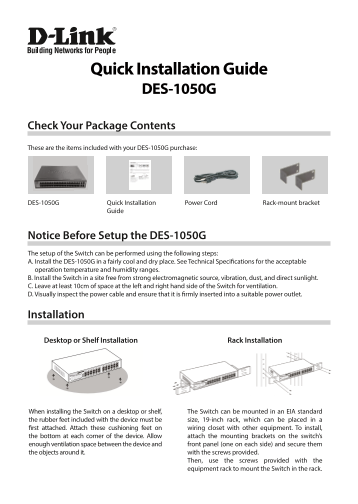
Page 1 Text Content
Quick Installation Guide DES-1050G
Check Your Package Contents These are the items included with your DES-1050G purchase:
DES-1050G Quick Installation Power Cord Rack-mount bracket
Guide
Notice Before Setup the DES-1050G The setup of the Switch can be performed using the following steps: A. Install the DES-1050G in a fairly cool and dry place. See Technical Specifications for the acceptable operation temperature and humidity ranges. B. Install the Switch in a site free from strong electromagnetic source, vibration, dust, and direct sunlight. C. Leave at least 10cm of space at the left and right hand side of the Switch for ventilation. D. Visually inspect the power cable and ensure that it is firmly inserted into a suitable power outlet.
Installation
Desktop or Shelf Installation Rack Installation
When installing the Switch on a desktop or shelf, The Switch can be mounted in an EIA standard the rubber feet included with the device must be size, 19-inch rack, which can be placed in a first attached. Attach these cushioning feet on wiring closet with other equipment. To install, the bottom at each corner of the device. Allow attach the mounting brackets on the switch’s enough ventilation space between the device and front panel (one on each side) and secure them the objects around it. with the screws provided.
Then, use the screws provided with the equipment rack to mount the Switch in the rack.
Page Summary Contents For D-Link DES-1050G Manual
Manual Details
| Brand | D-Link |
|---|---|
| Pages | 4 |
| File Size | 471.08 KB |
| Published | June 05, 2026 |
Enter the captcha to get the download link:

Frequently Asked Questions
How much space should I leave around the DES-1050G when installing it?
Leave at least 10cm of space at the left and right side for proper ventilation.
What network speeds can the Ethernet ports support?
The ports support 10Mbps, 100Mbps, or 1000Mbps, operating in half- and full-duplex modes.
Does the DES-1050G automatically adjust to different network connections?
Yes, it supports automatic MDI/MDIX crossover detection, making it 'plug and play.'
What do the LED indicators show regarding connectivity?
The Link/Act LEDs light up for a secure link or blink when data is being received or transmitted.