D-Link DES-1008P Switch User's Guide
Summary
The DES-1008P is a compact, 8-port PoE desktop switch designed for home and small business environments needing expanded network access. It is ideal for simplifying connectivity by powering multiple modern devices—such as IP cameras, wireless Access Points, and VoIP phones—via four robust 802.3af PoE ports (totaling 56W). This manual details how to use this plug-and-play switch to seamlessly connect essential electronics like printers and computers while eliminating the need for frequent power outlet access.
Page 1 Text Content
CONNECT Po E DEVICES TO YOUR NETWORK
up to
56 Watts of Po E (Power over Ethernet)
8-PORT DESKTOP SWITCH WITH 4 Po E PORTS CONNECT MORE HIGH-POWERED IP
TRANSMIT POWER & DATA THROUGH ONE CABLE QUICK, SIMPLE PLUG & PLAY
CAMERAS, IP PHONES & WIRELESS
USING 802.3af Po E STANDARD INSTALLATION
ACCESS POINTS
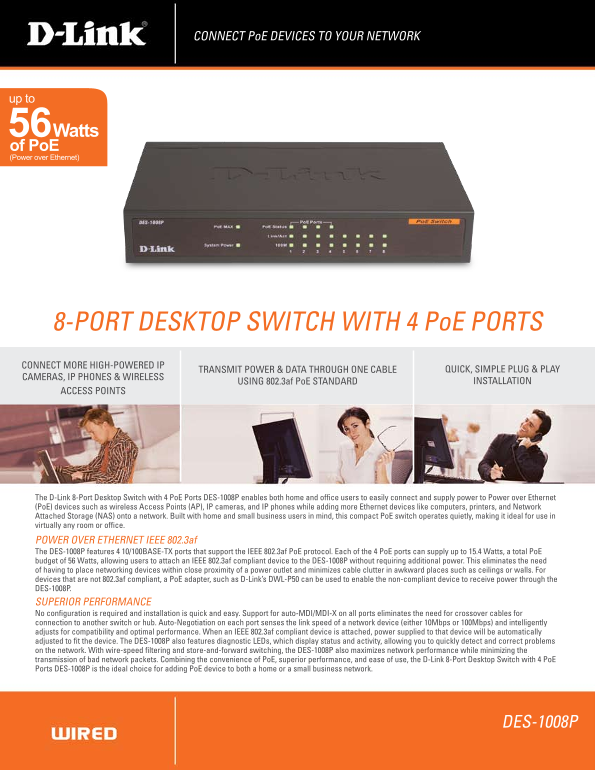
The D-Link 8-Port Desktop Switch with 4 Po E Ports DES-1008P enables both home and office users to easily connect and supply power to Power over Ethernet (Po E) devices such as wireless Access Points (AP), IP cameras, and IP phones while adding more Ethernet devices like computers, printers, and Network Attached Storage (NAS) onto a network. Built with home and small business users in mind, this compact Po E switch operates quietly, making it ideal for use in virtually any room or office.
POWER OVER ETHERNET IEEE 802.3af The DES-1008P features 4 10/100BASE-TX ports that support the IEEE 802.3af Po E protocol. Each of the 4 Po E ports can supply up to 15.4 Watts, a total Po E budget of 56 Watts, allowing users to attach an IEEE 802.3af compliant device to the DES-1008P without requiring additional power. This eliminates the need of having to place networking devices within close proximity of a power outlet and minimizes cable clutter in awkward places such as ceilings or walls. For devices that are not 802.3af compliant, a Po E adapter, such as D-Link’s DWL-P50 can be used to enable the non-compliant device to receive power through the DES-1008P. SUPERIOR PERFORMANCE No configuration is required and installation is quick and easy. Support for auto-MDI/MDI-X on all ports eliminates the need for crossover cables for connection to another switch or hub. Auto-Negotiation on each port senses the link speed of a network device (either 10Mbps or 100Mbps) and intelligently adjusts for compatibility and optimal performance. When an IEEE 802.3af compliant device is attached, power supplied to that device will be automatically adjusted to fit the device. The DES-1008P also features diagnostic LEDs, which display status and activity, allowing you to quickly detect and correct problems on the network. With wire-speed filtering and store-and-forward switching, the DES-1008P also maximizes network performance while minimizing the transmission of bad network packets. Combining the convenience of Po E, superior performance, and ease of use, the D-Link 8-Port Desktop Switch with 4 Po E Ports DES-1008P is the ideal choice for adding Po E device to both a home or a small business network.
DES-1008P
Page Summary Contents For D-Link DES-1008P Switch User's Guide
Manual Details
| Brand | D-Link |
|---|---|
| Pages | 2 |
| File Size | 242.36 KB |
| Published | May 30, 2026 |
Enter the captcha to get the download link:

Frequently Asked Questions
Is the DES-1008P difficult to set up?
No, it is plug-and-play with no configuration required. It also supports auto-MDI/MDI-X on all ports.
What PoE standard and power budget does this switch use?
It features 4 ports supporting the IEEE 802.3af protocol, providing a total maximum PoE budget of 56 Watts.
How do I connect devices that aren't 802.3af compatible?
You can use an external PoE adapter—for example, D-Link’s DWL-P50—to enable the non-compliant device to receive power through the DES-1008P.
Does the switch require proximity to a main electrical outlet for connected devices?
No, utilizing Power over Ethernet (PoE) eliminates the need to place networking devices near a standard electrical outlet.