# A B C D E F G H I J K L M N O P Q R S T U V W X Y Z

D-Link DGS-1026MP Manual

Summary

Optimize your network setup with this essential guide for D-Link switches. This comprehensive manual provides step-by-step instructions for mounting, powering, and connecting your hardware, ensuring maximum reliability and performance. Topics cover detailed technical specifications, proper rack installation techniques, and integrating advanced features like Power over Ethernet (PoE). If you are an IT professional or network administrator tasked with building robust data infrastructure, this resource details everything from basic connectivity to adhering to safety standards, allowing for a seamless deployment of your networking equipment.
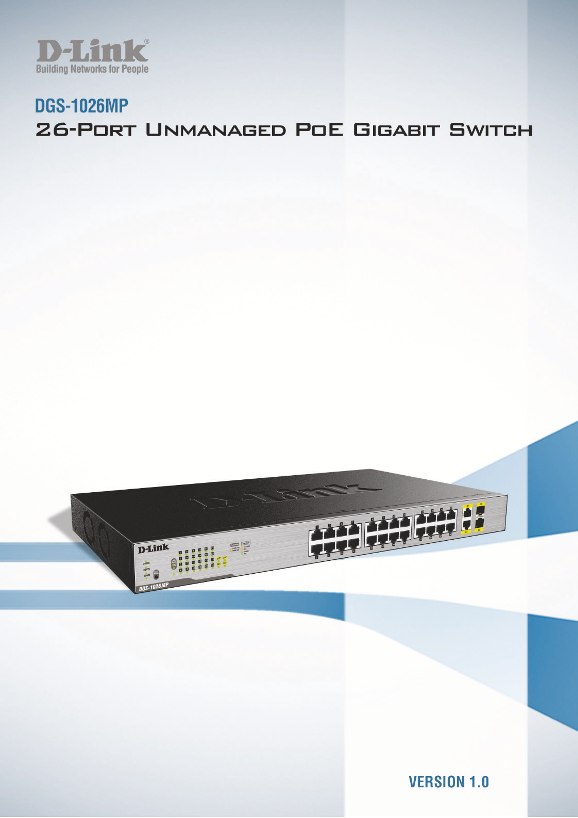
📄 Preview 📖 Table of Contents Contents PAGE OF 13

Page Summary Contents For D-Link DGS-1026MP Manual

Page 2 D-Link Switch User Manual Table of Contents About This Guide ..............................................................................................................................................
Page 3 D-Link Switch User Manual About This Guide This guide provides instructions to install the D-Link DGS-1026MP 26-Port Unmanaged Po E Gigabit Switch. Terms/Usage In this guide, the term “Switch” (first ...
Page 4 D-Link Switch User Manual Product Introduction The DGS-1026MP is an unmanaged switch with 24 10/100/1000 Mbps ports and 2 Gigabit combo uplink ports. The first 24 10/100/1000 Mbps ports of the DGS-102...
Page 5 D-Link Switch User Manual Item Description Kensington The DGS-1026MP adds additional value by providing users with a simple, reliable, built- Security Lock in security solution to prevent theft in the...
Page 6 D-Link Switch User Manual Hardware Installation This chapter provides more detailed instructions for grounding and installing the DGS-1026MP. CAUTION: Ensure the power cable is disconnected before ins...
Page 7 D-Link Switch User Manual Attaching the Rubber Feet The DGS-1026MP comes with a strip of four adhesive rubber pads that can be placed on the bottom of the device to prevent the Switch from damaging th...
Page 8 D-Link Switch User Manual Powering on the Switch To power on the Switch, connect the provided power cable to the power socket on the back of the Switch, and connect the adapter side of the cord to a s...
Page 9 D-Link Switch User Manual Connect to a Hub or Switch Use a straight or crossover cable to connect the Switch to another switch or hub. Figure 9 – Connecting the Switch to another switch or hub Connect...
Page 10 D-Link Switch User Manual Understanding the Switch’s Features Power Over Ethernet (Po E) The DGS-1026MP supports many Po E features to guarantee the safety and stability of the Switch and the connecte...
Page 11 D-Link Switch User Manual Appendix A - Technical Specifications Hardware Specifications Key Components / Performance Operation Humidity: 0% to 95% RH Storage Humidity: 0% to 95% RH Switching Capacity:...
Page 12 D-Link Switch User Manual Appendix B - Regulatory Statements FCC Warning This equipment has been tested and found to comply with the regulations for a Class A digital device, pursuant to Part 15 of th...

Manual Details

Brand D-Link
Pages 13
File Size 1.52 MB
Published June 05, 2026
40 views

Enter the captcha to get the download link:

captcha

Frequently Asked Questions

What should I do if my switch generates radio frequency energy?

If not installed and used according to this guide, it may cause harmful interference; users in residential areas are required to correct interference at their own expense.

What temperature considerations are needed for rack installation?

The equipment must be placed in an environment compatible with the manufacturer's maximum rated ambient temperature (Tmax).

How should I connect a switch in a multi-unit cabinet?

Ensure sufficient airflow is not compromised and observe necessary mechanical loading guidelines to prevent hazardous conditions.

Is reliable grounding important when mounting in a rack?

Yes, the document states that reliable earthing of rack-mounted equipment must be maintained, paying attention to connections other than direct branch circuits.