D-Link D-Link Wireless N 150 Home Router User Guide
Summary
Boost your home connectivity with this high-performance Wireless N 150 router. Ideal for modern homes, it shares fast internet via broadband modems while automatically securing your network using advanced features like sPI firewall and WPa2 encryption. This guide details everything you need to achieve crystal-clear installation in minutes, thanks to the setup Wizard and Wi-Fi Protected Setup™. Designed for users needing seamless compatibility across multiple wired and wireless devices.
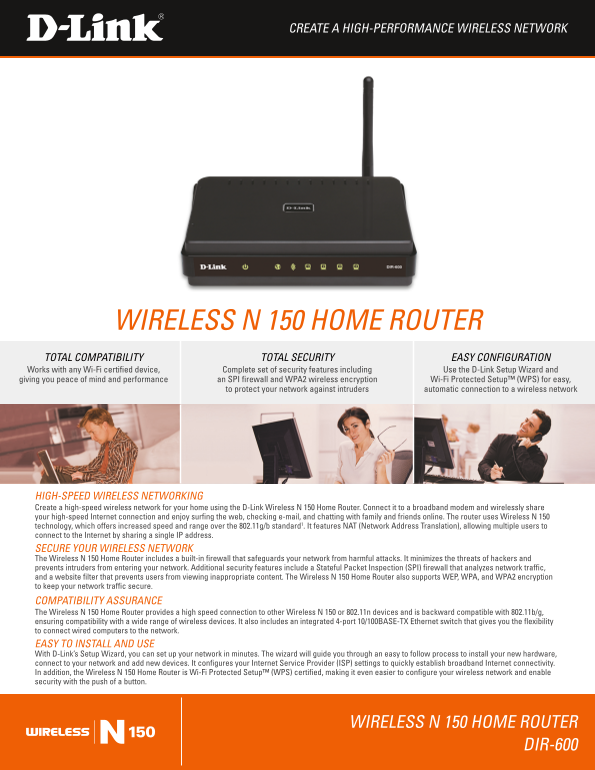
Page 1 Text Content
Create a Hig H-Performa NCe Wireless Net Work
Wireless N 150 Home router tot Al Com PAti Bilit Y tot Al se Curit Y e As Y Co NFi Gur Atio N
Works with any Wi-fi certified device, Complete set of security features including use the D-link setup Wizard and giving you peace of mind and performance an s Pi firewall and WPa2 wireless encryption Wi-fi Protected setup™ (WPs) for easy,
to protect your network against intruders automatic connection to a wireless network
Hig H-s Pee D Wireless Net Worki Ng Create a high-speed wireless network for your home using the D-link Wireless N 150 Home router. Connect it to a broadband modem and wirelessly share your high-speed internet connection and enjoy surfing the web, checking e-mail, and chatting with family and friends online. the router uses Wireless N 150 technology, which offers increased speed and range over the 802.11g/b standard1. it features Nat (Network address translation), allowing multiple users to connect to the internet by sharing a single i P address. se Cure Your Wireless Net Work the Wireless N 150 Home router includes a built-in firewall that safeguards your network from harmful attacks. it minimizes the threats of hackers and prevents intruders from entering your network. additional security features include a stateful Packet inspection (s Pi) firewall that analyzes network traffic, and a website filter that prevents users from viewing inappropriate content. the Wireless N 150 Home router also supports We P, WPa, and WPa2 encryption to keep your network traffic secure. Com Pati Bilit Y assura NCe the Wireless N 150 Home router provides a high speed connection to other Wireless N 150 or 802.11n devices and is backward compatible with 802.11b/g, ensuring compatibility with a wide range of wireless devices. it also includes an integrated 4-port 10/100Base-t X ethernet switch that gives you the flexibility to connect wired computers to the network. eas Y to i Nstall a ND use With D-link’s setup Wizard, you can set up your network in minutes. the wizard will guide you through an easy to follow process to install your new hardware, connect to your network and add new devices. it configures your internet service Provider (is P) settings to quickly establish broadband internet connectivity. in addition, the Wireless N 150 Home router is Wi-fi Protected setup™ (WPs) certified, making it even easier to configure your wireless network and enable security with the push of a button.
Wireless N 150 Home router
Dir-600
Page Summary Contents For D-Link D-Link Wireless N 150 Home Router User Guide
Manual Details
| Brand | D-Link |
|---|---|
| Pages | 2 |
| File Size | 795.91 KB |
| Published | May 30, 2026 |
Enter the captcha to get the download link:

Frequently Asked Questions
Is this router compatible with older devices?
Yes, it is backward compatible with 802.11b/g and supports 802.11n technology.
How do I set up the broadband connection?
Use D-link's setup Wizard to guide you through installing the hardware and configuring the ISP settings.
What security features guard my network?
Security includes a stateful Packet inspection (sPi) firewall, built-in firewalls, WPA/WPA2 encryption, and optional website filtering.