D-Link DKVM-4U User Guide
Summary
The D-Link DKVM-4U is a professional 4-port KVM switch designed to consolidate the control of multiple PCs (including servers) using just one monitor, keyboard, and mouse set. This solution is perfect for office environments or computer rooms where space efficiency and streamlined management are critical. The manual guides you through setting up and operating this device, detailing features like hotkey/push-button switching, automatic PC scanning, support for high resolutions (VGA/SVGA), and connectivity for up to four client computers.
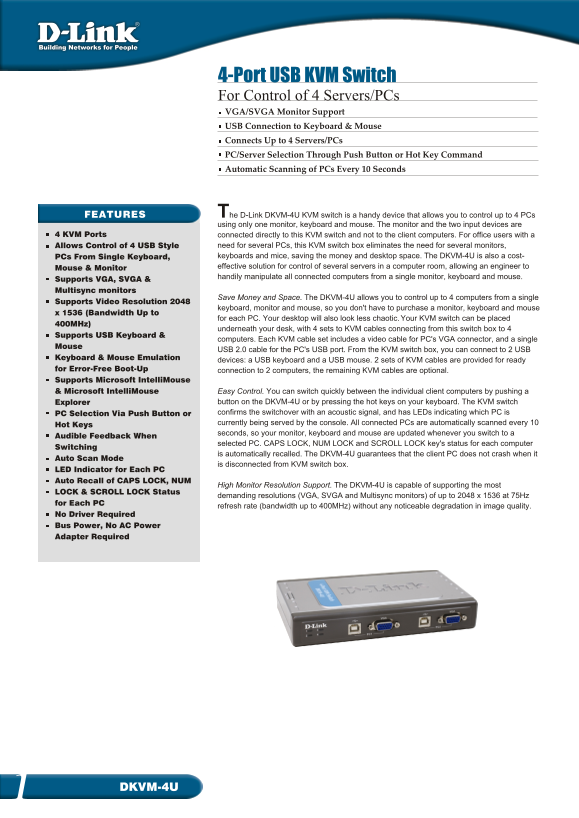
Page 1 Text Content
4-Port USB KVM Switch For Control of 4 Servers/PCs VGA/SVGA Monitor Support USB Connection to Keyboard & Mouse Connects Up to 4 Servers/PCs PC/Server Selection Through Push Button or Hot Key Command Automatic Scanning of PCs Every 10 Seconds
The FEATURES D-Link DKVM-4U KVM switch is handy device that allows you to control up to PCs using only one monitor, keyboard and mouse. The monitor and the two input devices are
4 KVM Ports connected directly to this KVM switch and not to the client computers. For office users with a
Allows Control of 4 USB Style need for several PCs, this KVM switch box eliminates the need for several monitors, PCs From Single Keyboard, keyboards and mice, saving the money and desktop space. The DKVM-4U is also a cost- Mouse & Monitor effective solution for control of several servers in a computer room, allowing an engineer to handily manipulate all connected computers from a single monitor, keyboard and mouse.
Supports VGA, SVGA & Multisync monitors
Save Money and Space. The DKVM-4U allows you to control up to 4 computers from a single
Supports Video Resolution 2048
keyboard, monitor and mouse, so you don't have to purchase a monitor, keyboard and mouse
x 1536 (Bandwidth Up to
for each PC. Your desktop will also look less chaotic. Your KVM switch can be placed
400MHz)
underneath your desk, with 4 sets to KVM cables connecting from this switch box to 4
Supports USB Keyboard &
computers. Each KVM cable set includes a video cable for PC's VGA connector, and a single
Mouse
USB 2.0 cable for the PC's USB port. From the KVM switch box, you can connect to 2 USB
Keyboard & Mouse Emulation
devices: a USB keyboard and a USB mouse. 2 sets of KVM cables are provided for ready
for Error-Free Boot-Up connection to 2 computers, the remaining KVM cables are optional. Supports Microsoft Intelli Mouse & Microsoft Intelli Mouse Easy Control. You can switch quickly between the individual client computers by pushing a
Explorer button on the DKVM-4U or by pressing the hot keys on your keyboard. The KVM switch PC Selection Via Push Button or confirms the switchover with an acoustic signal, and has LEDs indicating which PC is currently being served by the console. All connected PCs are automatically scanned every 10
Hot Keys
seconds, so your monitor, keyboard and mouse are updated whenever you switch to a
Audible Feedback When
selected PC. CAPS LOCK, NUM LOCK and SCROLL LOCK key's status for each computer
Switching
is automatically recalled. The DKVM-4U guarantees that the client PC does not crash when it
Auto Scan Mode
is disconnected from KVM switch box.
LED Indicator for Each PC Auto Recall of CAPS LOCK, NUM
High Monitor Resolution Support. The DKVM-4U is capable of supporting the most
LOCK & SCROLL LOCK Status
demanding resolutions (VGA, SVGA and Multisync monitors) of up to 2048 x 1536 at 75Hz
for Each PC
refresh rate (bandwidth up to 400MHz) without any noticeable degradation in image quality.
No Driver Required Bus Power, No AC Power Adapter Required
DKVM-4U1
Page Summary Contents For D-Link DKVM-4U User Guide
Manual Details
| Brand | D-Link |
|---|---|
| Pages | 2 |
| File Size | 353.80 KB |
| Published | May 30, 2026 |
Enter the captcha to get the download link:

Frequently Asked Questions
What types of monitors does this KVM switch support?
It supports VGA, SVGA, and Multisync monitors up to 2048 x 1536 at 75Hz.
Does the DKVM-4U require an AC power adapter for operation?
No, it operates using bus power, eliminating the need for a dedicated external AC power adapter.
How can I switch between the four connected computers?
You can manually switch using a push button or by utilizing specific hot key combinations on your keyboard.
Does the KVM switch provide status updates on client PCs?
Yes, it includes LED Indicators and provides audible feedback for each PC. It also auto-recalls status keys like CAPS LOCK and NUM LOCK.