D-Link DKT-110 User Guide
Summary
Establish your secure wireless home network with this comprehensive Starter Kit. This system allows users to effortlessly share high-speed broadband internet across multiple devices using the D-Link Wireless G Router and USB adapter. The manual guides you through easy setup using the Click’n Connect Wizard and details essential features, including advanced firewall protection, WPA2 encryption, and MAC filtering for robust security. It is perfectly suited for homeowners, small businesses, or anyone needing reliable, simple wireless connectivity across their home network.
Page 1 Text Content
CREATE A WIRELESS NETWORK
WIRELESS G STARTER KIT TOTAL COMPATIBILITY TOTAL SECURITY TOTAL SIMPLICITY
Works with any Wi-Fi certified Complete set of security features including Active With USB you can use the adapter on both device, giving you peace of mind and Firewall and WPA2 to protect your network laptop or desktop PCs. With Click’n Connect , performance against outside intruders you can just use the CD and get online fast
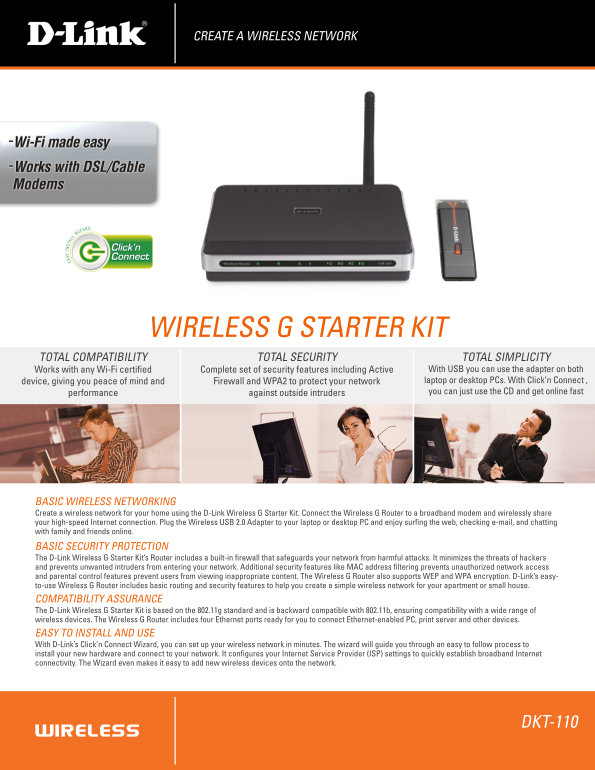
BASIC WIRELESS NETWORKING Create a wireless network for your home using the D-Link Wireless G Starter Kit. Connect the Wireless G Router to a broadband modem and wirelessly share your high-speed Internet connection. Plug the Wireless USB 2.0 Adapter to your laptop or desktop PC and enjoy surfing the web, checking e-mail, and chatting with family and friends online. BASIC SECURITY PROTECTION The D-Link Wireless G Starter Kit’s Router includes a built-in firewall that safeguards your network from harmful attacks. It minimizes the threats of hackers and prevents unwanted intruders from entering your network. Additional security features like MAC address filtering prevents unauthorized network access and parental control features prevent users from viewing inappropriate content. The Wireless G Router also supports WEP and WPA encryption. D-Link’s easy- to-use Wireless G Router includes basic routing and security features to help you create a simple wireless network for your apartment or small house. COMPATIBILITY ASSURANCE The D-Link Wireless G Starter Kit is based on the 802.11g standard and is backward compatible with 802.11b, ensuring compatibility with a wide range of wireless devices. The Wireless G Router includes four Ethernet ports ready for you to connect Ethernet-enabled PC, print server and other devices. EASY TO INSTALL AND USE With D-Link’s Click’n Connect Wizard, you can set up your wireless network in minutes. The wizard will guide you through an easy to follow process to install your new hardware and connect to your network. It configures your Internet Service Provider (ISP) settings to quickly establish broadband Internet connectivity. The Wizard even makes it easy to add new wireless devices onto the network.
DKT-110
Page Summary Contents For D-Link DKT-110 User Guide
Manual Details
| Brand | D-Link |
|---|---|
| Pages | 2 |
| File Size | 1.99 MB |
| Published | May 28, 2026 |
Enter the captcha to get the download link:

Frequently Asked Questions
How do I set up the wireless network?
Use D-Link’s Click’n Connect Wizard to guide you through setting up your wireless network in minutes. It configures ISP settings and makes adding new devices easy.
What standards is the kit compatible with?
The kit supports the 802.11g standard, which is backward compatible with 802.11b to ensure wide connectivity.
How can I protect my network from intruders?
The router includes a built-in firewall and advanced security features like MAC address filtering and WPA2 encryption for protection.
Is the adapter compatible with all PCs?
DWA-111 works with laptops or desktop PCs that have an available USB 2.0 port, requiring external power.