D-Link DI-808HV User Guide
Summary
The DI-808HV is an 8-Port Broadband VPN Router designed for users needing to share high-speed cable or DSL internet connections across multiple wired devices. This comprehensive guide provides step-by-step instructions on installing and configuring your network, ensuring smooth connectivity from your modem to all linked computers. Whether you are connecting a new home office or expanding your existing LAN setup, the manual walks through physical plug-in procedures, initial web access settings, and necessary network configuration details, making professional broadband management simple for any user.
Page 1 Text Content
This product can be set up using
DI-808HV
any current web browser, i.e.,
Internet Explorer 6 or Netscape 8-Port Broadband
Navigator 6.2.3.
VPN Router
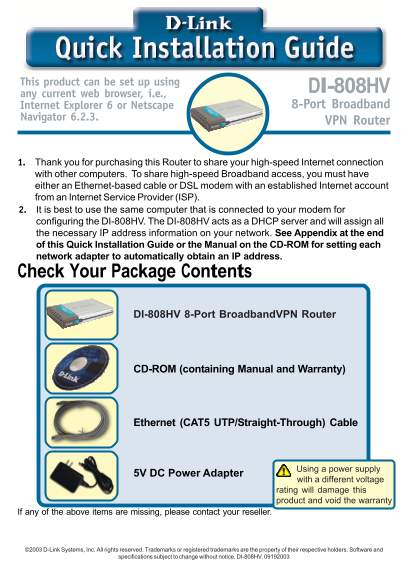
1. Thank you for purchasing this Router to share your high-speed Internet connection with other computers. To share high-speed Broadband access, you must have either an Ethernet-based cable or DSL modem with an established Internet account from an Internet Service Provider (ISP). 2. It is best to use the same computer that is connected to your modem for configuring the DI-808HV. The DI-808HV acts as a DHCP server and will assign all the necessary IP address information on your network. See Appendix at the end of this Quick Installation Guide or the Manual on the CD-ROM for setting each network adapter to automatically obtain an IP address. Check Your Package Contents
DI-808HV 8-Port Broadband VPN Router
CD-ROM (containing Manual and Warranty)
Ethernet (CAT5 UTP/Straight-Through) Cable
Using a power supply
5V DC Power Adapter
with a different voltage rating will damage this product and void the warranty
If any of the above items are missing, please contact your reseller.
©2003 D-Link Systems, Inc. All rights reserved. Trademarks or registered trademarks are the property of their respective holders. Software and
specifications subject to change without notice. DI-808HV. 09192003
Page Summary Contents For D-Link DI-808HV User Guide
Manual Details
| Brand | D-Link |
|---|---|
| Pages | 12 |
| File Size | 2.96 MB |
| Published | May 28, 2026 |
Enter the captcha to get the download link:

Frequently Asked Questions
What type of power adapter must I use for the DI-808HV?
You must use a 5V DC Power Adapter; using a different voltage rating will damage this product and void the warranty.
How do I initially connect the router to my cable or DSL modem?
Power on the DI-808HV while the modem is off, connecting an Ethernet cable from the modem to the WAN PORT.
What kind of Ethernet cables can be used in the LAN Ports?
The LAN Ports are Auto MDI/MDIX, so you can use either a straight-through or crossover Ethernet cable.
Which IP address should I type into my browser for setup?
Open your web browser and navigate to http://192.168.0.1. Use 'admin' as the username and leave the password blank.