D-Link DIS-5024T Switch User's Manual
Summary
The D-Link DIS-5024T is a robust 24-Port Gigabit Smart Switch designed for comprehensive local area network setup. Featuring high-speed auto-negotiating ports and optional Mini GBIC slots, it powers reliable networking infrastructure. This quick guide provides professional users with step-by-step instructions covering physical installation, optimal placement, rack mounting, connectivity details, and full configuration management via Web GUI or SmartConsole. Ideal for IT professionals and network integrators needing reliable, managed switch performance.
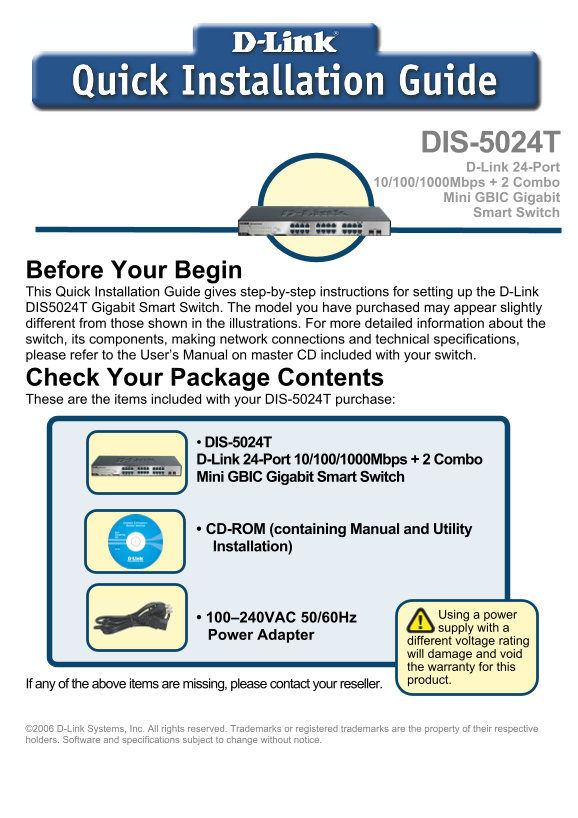
Page 1 Text Content
DIS-5024T D-Link 24-Port 10/100/1000Mbps Combo Mini GBIC Gigabit Smart Switch
Before Your Begin This Quick Installation Guide gives step-by-step instructions for setting up the D-Link DIS5024T Gigabit Smart Switch. The model you have purchased may appear slightly different from those shown in the illustrations. For more detailed information about the switch, its components, making network connections and technical specifications, please refer to the User’s Manual on master CD included with your switch. Check Your Package Contents These are the items included with your DIS-5024T purchase:
DIS-5024T D-Link 24-Port 10/100/1000Mbps Combo Mini GBIC Gigabit Smart Switch
CD-ROM (containing Manual and Utility Installation)
Using power
• 100–240VAC 50/60Hz
supply with
Power Adapter
different voltage rating will damage and void the warranty for this product.
If any of the above items are missing, please contact your reseller.
©2006 D-Link Systems, Inc. All rights reserved. Trademarks or registered trademarks are the property of their respective holders. Software and specifications subject to change without notice.
Page Summary Contents For D-Link DIS-5024T Switch User's Manual
Manual Details
| Brand | D-Link |
|---|---|
| Pages | 10 |
| File Size | 4.56 MB |
| Published | May 28, 2026 |
Enter the captcha to get the download link:

Frequently Asked Questions
What is the acceptable power supply voltage for setup?
The DIS-5024T uses 100–240VAC at 50/60Hz power, and using a different rating will void the warranty.
How should I physically set up the switch in an office space?
Place it in a dry, cool site away from strong electromagnetic fields, vibration, dust, or direct sunlight. Leave 10cm of space at the front and rear for ventilation.
What does Auto-MDI/MDI-X functionality do?
It eliminates the need to worry about using standard or crossover cables; you can use either one on any port.
How do I monitor the connection status instantly?
The LED indicators provide instant status, showing 'Link/Act' for a successful Ethernet network connection and blinking when transmitting or receiving data.