# A B C D E F G H I J K L M N O P Q R S T U V W X Y Z

Roland ADA-7000 8-Channel Audio D/D-A Converter Owner's Manual

Summary

The Roland ADA-7000 is an 8-channel Analog to Digital/Digital to Analog (AD/DA) Converter designed to expand your professional audio capabilities. Easily add additional analog input and output channels when connecting to a compatible digital mixer or recording unit via R-BUS. This comprehensive manual provides critical information on safe operation, installation guidelines, electrical setup details, and troubleshooting for professionals seeking reliable signal expansion in their studio equipment.
📄 Preview 📖 Table of Contents Contents PAGE OF 24

Page 1 Text Content

8-Channel AD/DA Converter

ADA-7000 Owner’s Manual Thank you for purchasing the Roland ADA-7000 8-Channel AD/DA Converter.

By connecting the ADA-7000 to a Roland digital mixer or Roland digital recorder that has an R-BUS connector, you can expand to an additional 8 channels of analog input/output.

Before using this unit, carefully read the sections entitled: “IMPORTANT SAFETY INSTRUCTIONS” (p. 2), “USING THE UNIT SAFELY” (p. 3), and “IMPORTANT NOTES” (p. 5). These sections provide important information concerning the proper operation of the unit. Additionally, in order to feel assured that you have gained a good grasp of every feature provided by your new unit, Owner’s Manual should be read in its entirety. The manual should be saved and kept on hand as a convenient reference.

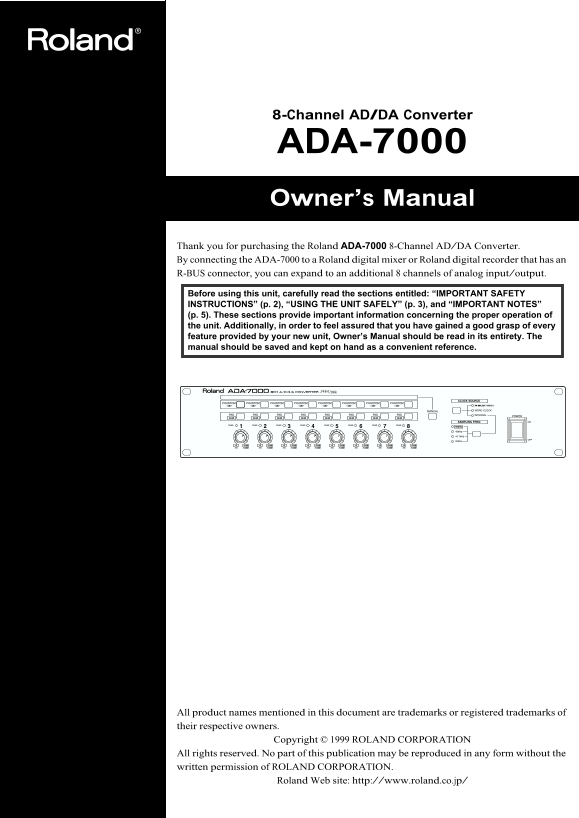
fig.0(frontpanel)

All product names mentioned in this document are trademarks or registered trademarks of their respective owners.

Copyright © 1999 ROLAND CORPORATION

All rights reserved. No part of this publication may be reproduced in any form without the written permission of ROLAND CORPORATION.

Roland Web site: http://www.roland.co.jp/

Page Summary Contents For Roland ADA-7000 8-Channel Audio D/D-A Converter Owner's Manual

Page 1 8-Channel AD/DA Converter ADA-7000 Owner’s Manual Thank you for purchasing the Roland ADA-7000 8-Channel AD/DA Converter. By connecting the ADA-7000 to a Roland digital mixer or Roland digital recorde...
Page 2 The lightning flash with arrowhead symbol, within an CAUTION equilateral triangle, is intended to alert the user to the RISK OF ELECTRIC SHOCK DO NOT OPEN presence of uninsulated “dangerous voltage” w...
Page 3 USING THE UNIT SAFELY USING THE UNIT SAFELY Used for instructions intended to alert The symbol alerts the user to important instructions the user to the risk of death or severe or warnings.The specifi...
Page 4 USING THE UNIT SAFELY In households with small children, an adult should provide supervision until the child is capable of following all the rules essential for the safe operation of the unit. Protect...
Page 5 IMPORTANT NOTES 291b In addition to the items listed under “IMPORTANT To avoid disturbing your neighbors, try to keep the unit’s SAFETY INSTRUCTIONS” and “USING THE UNIT volume at reasonable levels. Y...
Page 6 Table of Contents Front and Rear Panels.......................................................................................7 Front Panel................................................................
Page 7 Front and Rear Panels Front Panel fig.1 In some cases, it may be possible to make settings on the device connected via R-BUS to disable front panel operations. PHANTOM Buttons 1–8 When connecting the ...
Page 8 Front and Rear Panels MANUAL Button Selects whether operation of the front panel PHANTOM buttons / PAD buttons / INPUT sensitivity knobs will be enabled or disabled. If you want to enable operation of...
Page 9 Front and Rear Panels Rear Panel fig.2 AC IN Connect the included power cable here. To avoid malfunction, connect only the power supply cord that was supplied with the unit. WORD CLOCK IN/OUT Connecto...
Page 10 Front and Rear Panels TERMINATOR Switch: Turn this on if the ADA-7000 is the last device in the word clock signal chain. Normally you will leave this turned on. Turn this off only if you are using a r...
Page 11 An Example of Connection As an example, we will explain how to connect a Roland VM-7200 mixing processor. To prevent malfunction and/or damage to speakers or other devices, always turn down the volume...
Page 12 Turning the Power On Once the connections have been completed (p. 11), turn on power to your various devices in the order specified. By turning on devices in the wrong order, you risk causing malfunct...
Page 13 Block Diagram fig.5 R-BUS (RMDB2) XLR/TRS PAD SENS INPUT OUTPUT (+4 d Bu) PAD SENS INPUT RCA OUTPUT (-10 d Bu) R-BUS CLOCK 96 k Hz WORD CLOCK 48 k Hz INTERNAL 75 Ω 44.1 k Hz CLOCK 32 k Hz ON PLL TERMI...
Page 14 Concerning Copyright The law prohibits the unauthorized recording, public performance, broadcast, sale, or distribution etc. of a work (CD recording, video recording, broadcast, etc.) whose copyright ...
Page 15 Troubleshooting If the ADA-7000 does not function correctly, please check the following points before you suspect a malfunction. If checking these points does not resolve the problem, please contact R...
Page 16 Supplementary Notes How to connect the VM-7000 series and the ADA-7000 To connect the VM-7200/7100 and the ADA-7000 via R-BUS, VM-24E I/O Expansion Board (sold separately) is needed. By installing the...
Page 17 Supplementary Notes If the system software of the VM-C7200/C7100 is version 1.10 or later; If the system software of the VM-C7200/C7100 is version 1.10 or later, following functions are supported. Clo...
Page 18 Supplementary Notes How to connect the VM-3100Pro and the ADA-7000 Connection Connect the VM-3100Pro and the ADA-7000 with the R-BUS cable attached in the ADA-7000 box. Booting up Turn the power on th...
Page 19 Supplementary Notes ADA-7000 setting Check if the clock source on the ADA-7000 is set to R-BUS. When the ADA-7000 is booted up, the clock source is set to R-BUS. Refer to ADA-7000 Owner’s Manual p. 6 ...
Page 20 Specifications 8-channel AD/DA Converter ADA-7000 Signal Processing Power Consumption AD Conversion: 24 bits, 64 times oversampling 19 W DA Conversion: 24 bits, 128 times oversampling Dimensions Sampl...
Page 21 Information When you need repair service, call your nearest Roland Service Center or authorized Roland distributor in your country as shown below. SINGAPORE PANAMA ITALY ISRAEL AFRICA Swee Lee Company...
Page 23 For EU Countries This product complies with the requirements of European Directives EMC 89/336/EEC and LVD 73/23/EEC. For the USA FEDERAL COMMUNICATIONS COMMISSION RADIO FREQUENCY INTERFERENCE STATEME...
Page 24 02015012 ’01-11-E1-21KS

Manual Details

Brand Roland
Pages 24
File Size 437.45 KB
Published June 02, 2026
75 views

Enter the captcha to get the download link:

captcha

Frequently Asked Questions

How many analog I/O channels does the ADA-7000 converter provide?

The roller provides an additional 8 channels of analog input and output.

What care should be taken if power is spilled on or objects fall into the apparatus?

Do not operate normally. For service, consult an electrician.

Who is qualified to perform servicing on this unit?

All servicing must be referred to qualified service personnel.

If my AC mains lead color does not match the plug marking, what should I do?

Connect GREEN-AND-YELLOW wire to E terminal (or symbol), BLUE wire to N terminal, and BROWN wire to L terminal.