# A B C D E F G H I J K L M N O P Q R S T U V W X Y Z

Roland DB-900 D-Bass Amplifier Owner's Manual

Summary

Introducing comprehensive operating guidelines for the Roland DB-900 bass amplifier. This essential manual is designed for new owners, detailing everything you need to know for safe and expert use. Coverage includes critical safety warnings, step-by-step setup instructions, understanding all panel controls, proper connectivity, and leveraging advanced features like Multi-Memory storage (Memory A/B). Read the entire guide to master every aspect of your powerful bass amplifier.
📄 Preview 📖 Table of Contents Contents PAGE OF 20

Page 1 Text Content

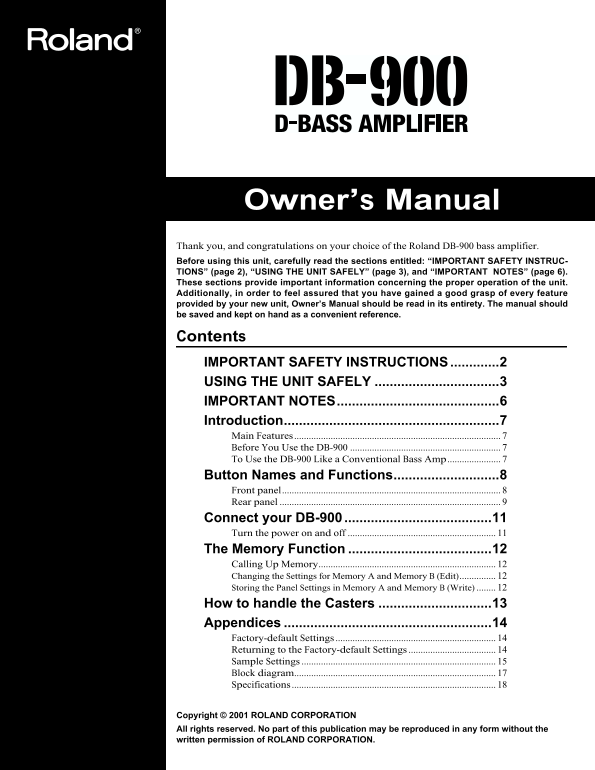
Owner’s Manual Thank you, and congratulations on your choice of the Roland DB-900 bass amplifier. Before using this unit, carefully read the sections entitled: “IMPORTANT SAFETY INSTRUC-

TIONS” (page 2), “USING THE UNIT SAFELY” (page 3), and “IMPORTANT NOTES” (page 6). These sections provide important information concerning the proper operation of the unit. Additionally, in order to feel assured that you have gained a good grasp of every feature provided by your new unit, Owner’s Manual should be read in its entirety. The manual should be saved and kept on hand as a convenient reference.

Contents IMPORTANT SAFETY INSTRUCTIONS.............2 USING THE UNIT SAFELY .................................3 IMPORTANT NOTES...........................................6 Introduction.........................................................7 Main Features

Before You Use the DB-900 To Use the DB-900 Like a Conventional Bass Amp...................... Button Names and Functions............................8 Front panel.......................................................................................... Rear panel Connect your DB-900 .......................................11 Turn the power on and off The Memory Function ......................................12 Calling Up Memory......................................................................... Changing the Settings for Memory A and Memory B (Edit) Storing the Panel Settings in Memory A and Memory B (Write) How to handle the Casters ..............................13 Appendices .......................................................14 Factory-default Settings Returning to the Factory-default Settings Sample Settings Block diagram................................................................................... Specifications

Copyright © 2001 ROLAND CORPORATION All rights reserved. No part of this publication may be reproduced in any form without the written permission of ROLAND CORPORATION.

Page Summary Contents For Roland DB-900 D-Bass Amplifier Owner's Manual

Page 1 Owner’s Manual Thank you, and congratulations on your choice of the Roland DB-900 bass amplifier. Before using this unit, carefully read the sections entitled: “IMPORTANT SAFETY INSTRUC- TIONS” (page ...
Page 2 SAVE THESE INSTRUCTIONS The lightning flash with arrowhead symbol, within an CAUTION equilateral triangle, is intended to alert the user to the RISK OF ELECTRIC SHOCK DO NOT OPEN presence of uninsulat...
Page 3 USING THE UNIT SAFELY Used for instructions intended to alert The symbol alerts the user to important instructions the user to the risk of death or severe or warnings.The specific meaning of the symbo...
Page 4 Do not force the unit’s power-supply cord to share an outlet with an unreasonable number of other Additional Precautions devices. Be especially careful when using extension cords—the total power used ...
Page 5 To avoid injury, avoid placing hands at points indicated Do not allow the cooling vents on either side of the unit to by the arrows in the following figure. become blocked. Obstructing the vents may r...
Page 6 101a The unit should be located so that its location or Never climb on top of, nor place heavy objects on position does not interfere with its proper venti- the unit. lation. Never handle the power co...
Page 7 Introduction Main Features FFP Technology 3-Band Equalizer................................ Equipped with a digital signal processor (DSP), the DB-900 is The DB-900 is equipped with a three-band equali...
Page 8 Button Names and Functions Front panel fig. 1 (control panel) Controls that can be stored in memory 1. Control Buttons 3. Amplifier You can store the settings of the controls in memory A or Thanks to ...
Page 9 Button Names and Functions 6. D-Chorus The setting of the MASTER knob is not stored in NOTE Thanks to dynamic band-splitting processing according to memory A or memory B. input signals, you can perfor...
Page 10 Button Names and Functions 11. Foot Switch CHORUS jack You can connect an optional foot switch (such as the FS-5L) This lets you switch the chorus effect on and off. to obtain pedal control over a var...
Page 11 Connect your DB-900 Refer to the following diagram and connect the DB-900 to the external equipment you are using. fig. 5 (connection with an external instrument) INPUTOUTPUT Effects Processor Foot sw...
Page 12 The Memory Function Calling Up Memory Storing the Panel Settings in Memory A and Memory B (Write) 1. Press the MEMORY A or MEMORY B button to choose the memory you want. You can store the settings for...
Page 13 How to handle the Casters Attaching and Removing the Casters You can attach or remove casters as shown in the following figure. Be sure to remove all casters when accidental movement may be dangerous ...
Page 14 Appendices Factory-default Settings Memory A: Modern Bass Versatile bass sound for both slapping and finger-picking. The MIDDLE LEVEL knob controls the definition. fig. 8 (setting 1) Memory B: Slap Ba...
Page 15 Appendices Samle Settings In addition to the default settings, the following sample settings (which are geared toward specific styles of playing) are also provided. Once you call up the following samp...
Page 16 Appendices Sample 2 Hold down the MEMORY B button while you switch on the power. fig.010 Then, select either the MEMORY A button or the MEMORY B button. MEMORY A: Chorus Bass Transparent chorus sound ...
Page 17 Appendices Block diagram fig. 7 (block diagram of jack locations) INPUT POWER DSP PREAMP SEND RETURN BALANCED DI INSERT LINE OUT
Page 18 Appendices Specifications Rated Power Output Indicators 320 W POWER INJECTION (2 colors) D-CHORUS Nominal Input Level (@1KHz) INPUT HIGH -30 d Bu/1 M Ω POWER INPUT LOW -20 d Bu/300 k Ω Connectors INPU...
Page 19 For EU Countries This product complies with the requirements of European Directives EMC 89/336/EEC and LVD 73/23/EEC. For the USA FEDERAL COMMUNICATIONS COMMISSION RADIO FREQUENCY INTERFERENCE STATEME...
Page 20 Information When you need repair service, call your nearest Roland Service Center or authorized Roland distributor in your country as shown below. SINGAPORE PANAMA ITALY ISRAEL AFRICA Swee Lee Company...

Manual Details

Brand Roland
Pages 20
File Size 878.89 KB
Published May 27, 2026
84 views

Enter the captcha to get the download link:

captcha

Frequently Asked Questions

How do I return the amplifier to its factory default settings?

Refer to Chapter 14 in the manual for instructions on resetting to factory-default settings.

What are crucial safety guidelines when operating this unit?

Always read all instructions, protect power cords from being pinched or walked on, and do not block any ventilation openings.

Can I save custom sound configurations for later recall?

Yes, you can store the panel settings using the 'Write' function into either Memory A or Memory B.