HP Scitex FB10000 Industrial Printer Geffen TS Error 66062
Summary
This diagnostic guide provides comprehensive troubleshooting steps for Error ID 60062: "Unable to fill the Magenta secondary tank." It is designed for maintenance technicians and field service personnel needing to resolve critical ink feeding issues in high-speed printing equipment. The manual covers potential causes, including clogged filters, obstructed tubing, failed command transmissions, and faulty pumps or switching valves, offering detailed actions to restore proper function and continuous operation.
Page 1 Text Content
Error ID: 60062 – IDS – Unable to fill the Magenta secondary tank (timed out) FB10000 Error Message Troubleshooting
FB10000 Error Message Troubleshooting Error ID: 60062 – IDS – Unable to fill the Magenta secondary tank (timed out)
Error Message:
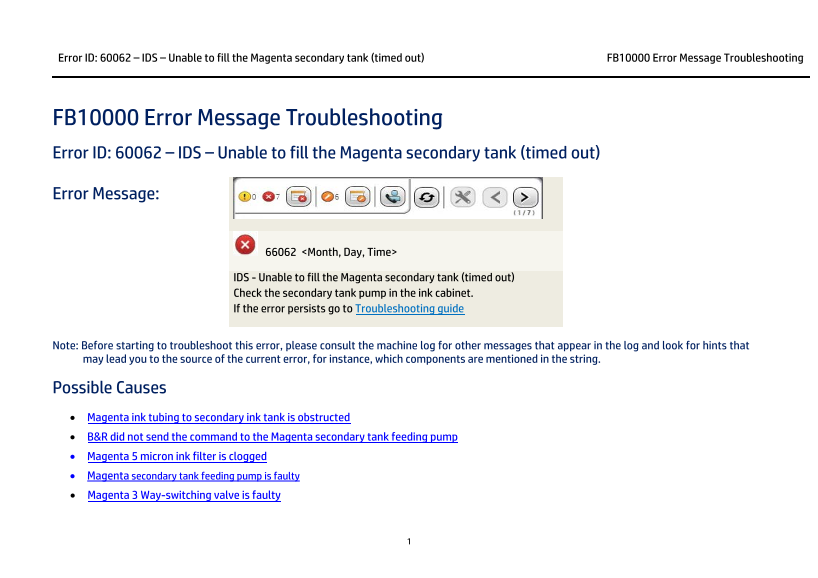
66062 <Month, Day, Time>
IDS - Unable to fill the Magenta secondary tank (timed out) Check the secondary tank pump in the ink cabinet. If the error persists go to Troubleshooting guide
Note: Before starting to troubleshoot this error, please consult the machine log for other messages that appear in the log and look for hints that may lead you to the source of the current error, for instance, which components are mentioned in the string.
Possible Causes • Magenta ink tubing to secondary ink tank is obstructed • B&R did not send the command to the Magenta secondary tank feeding pump • Magenta 5 micron ink filter is clogged • Magenta secondary tank feeding pump is faulty • Magenta 3 Way-switching valve is faulty
Page Summary Contents For HP Scitex FB10000 Industrial Printer Geffen TS Error 66062
Manual Details
| Brand | HP |
|---|---|
| Pages | 6 |
| File Size | 633.41 KB |
| Published | June 17, 2026 |
Enter the captcha to get the download link:

Frequently Asked Questions
What does Error ID 60062 indicate?
It indicates that the system was unable to fill the Magenta secondary tank within the timed interval.
How can I troubleshoot if the error is caused by clogging?
Inspect and repair any bent or damaged Magenta ink tubing, then check (and potentially replace) the 5 micron Magenta ink filter.
If the pumping mechanism seems fine, what software steps are needed?
In Control Tools, you must activate the required Magenta feeding ink command to initiate the process.
What hardware components should I check if the error persists after cleaning?
You need to inspect the secondary tank pump/wiring and verify the function of the Magenta 3 Way-switching valve.