HP Scitex FB10000 Industrial Printer Geffen TS Error 66021
Summary
This essential service guide provides expert troubleshooting for the IDS black ink level system when encountering low ink warnings. It comprehensively covers multiple potential causes—from simply replacing an empty supply tank to complex diagnostics of pump failures, fouled tubing, and faulty float sensors. Designed for technical service professionals and repair technicians, this manual delivers step-by-step resolutions, ensuring quick diagnosis and accurate repair across mechanical and electrical components.
Page 1 Text Content
Error ID: 60021 – IDS – Low ink level in Black main ink tank. FB10000 Error Messages Troubleshooting
FB10000 Error Messages Troubleshooting Error ID: 60021 – IDS – Low ink level in Black main ink tank.
Error Message:
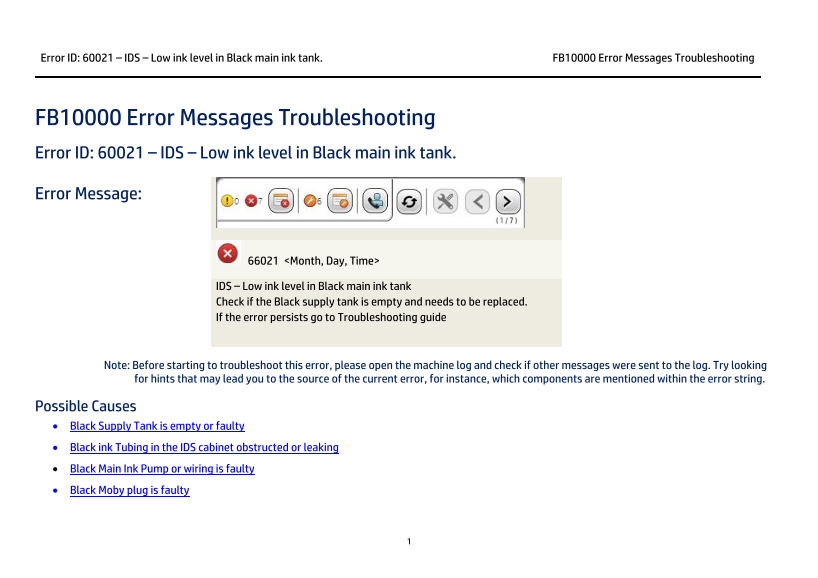
66021 <Month, Day, Time>
IDS – Low ink level in Black main ink tank Check if the Black supply tank is empty and needs to be replaced. If the error persists go to Troubleshooting guide
Note: Before starting to troubleshoot this error, please open the machine log and check if other messages were sent to the log. Try looking for hints that may lead you to the source of the current error, for instance, which components are mentioned within the error string.
Possible Causes • Black Supply Tank is empty or faulty • Black ink Tubing in the IDS cabinet obstructed or leaking • Black Main Ink Pump or wiring is faulty • Black Moby plug is faulty
Page Summary Contents For HP Scitex FB10000 Industrial Printer Geffen TS Error 66021
Manual Details
| Brand | HP |
|---|---|
| Pages | 7 |
| File Size | 479.94 KB |
| Published | June 15, 2026 |
Enter the captcha to get the download link:

Frequently Asked Questions
What causes the 'Low ink level in Black main ink tank' error?
Possible causes include an empty/faulty Black Supply Tank, obstructed or leaking tubing, a faulty Black Main Ink Pump or wiring, or a faulty Black Moby plug.
How can I check if the Black supply tank is full and working?
Visually inspect the container in the IDS cabinet. If it's low, replace it; otherwise, reconnect the Moby plug or, if necessary, replace the Supply Tank entirely.
What steps should be taken if the tubing might be damaged?
Inspect the entire route of the Black ink tubing for leaks, kinks, or obstructions. For pump/wiring issues, check cables (CX161-02720 and CX161-03030), run PrC diagnostics, and verify LED 6 coloring.
How do I troubleshoot faulty ink level float indication?
Open Control Tools -> Sub Systems -> Ink. If the ‘Fill’ indication is grey, manually slide the floats to check if colors change; replace the float if it doesn't respond properly.