HP Scitex FB10000 Industrial Printer Geffen TS Error 50018
Summary
This essential troubleshooting manual is designed for maintenance professionals servicing automated media handling systems equipped with FB10000 control modules. It provides detailed, step-by-step guidance to diagnose and resolve critical positioning failures, specifically addressing L1/L2 axes failing to reach their Home position (Error ID 50018). The guide covers crucial diagnostics including machine initialization procedures, advanced checks of limit sensor functionality, motor coupling inspection, wiring path verification, and overall B&R module integrity.
Page 1 Text Content
Error ID: 50018 – Media Handling – L1-axis did not reach its Home position. FB10000 Error Messages Troubleshooting
FB10000 Error Messages Troubleshooting Error ID: 50018 – Media Handling – L1-axis did not reach its Home position.
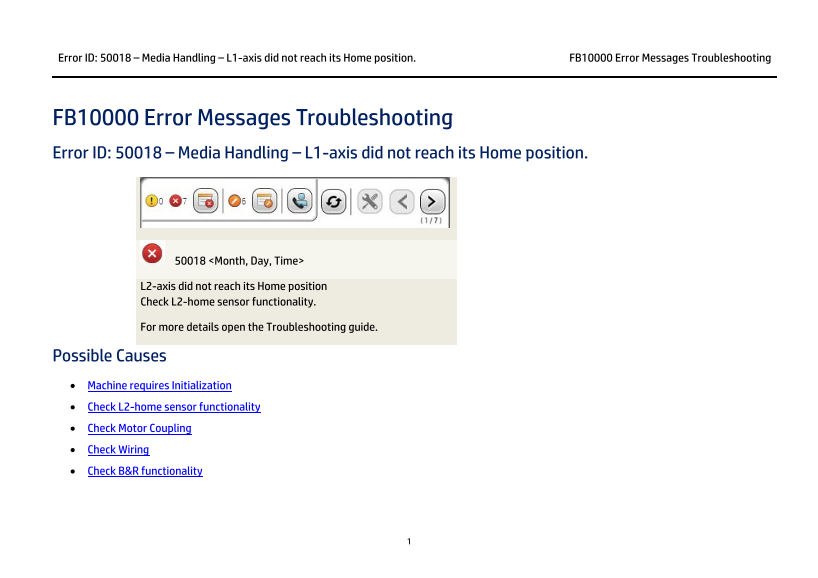
50018 <Month, Day, Time>
L2-axis did not reach its Home position Check L2-home sensor functionality.
For more details open the Troubleshooting guide.
Possible Causes • Machine requires Initialization • Check L2-home sensor functionality • Check Motor Coupling • Check Wiring • Check B&R functionality
Page Summary Contents For HP Scitex FB10000 Industrial Printer Geffen TS Error 50018
Manual Details
| Brand | HP |
|---|---|
| Pages | 3 |
| File Size | 111.85 KB |
| Published | June 17, 2026 |
Enter the captcha to get the download link:

Frequently Asked Questions
What should I do first for error 50018?
Tap Get Ready to perform INIT.
How to verify L2-home sensor functionality?
Check proper positioning, no damage, and proper function.
What motor coupling parts need inspection?
Inspect belt, pulley, and coupling to motor.
Which wiring should be checked?
Inspect paths between sensors and B&R modules.
How to check B&R module?
Examine wiring connections and module sanity.