HP Photosmart 1218 Series Photo Printers - (English)
Summary
Enhance the functionality of your Palm device with IrPrint. This comprehensive manual provides users with detailed instructions on adding printing capability to their applications, enabling the reliable creation and output of formatted documents, calendars, and task lists. It guides owners of Palm III, V, or VII models through system requirements, HotSync setup using a Windows PC, and step-by-step procedures for connecting your portable device to an infrared printer. Essential reading for optimizing mobile productivity and professional document printing.
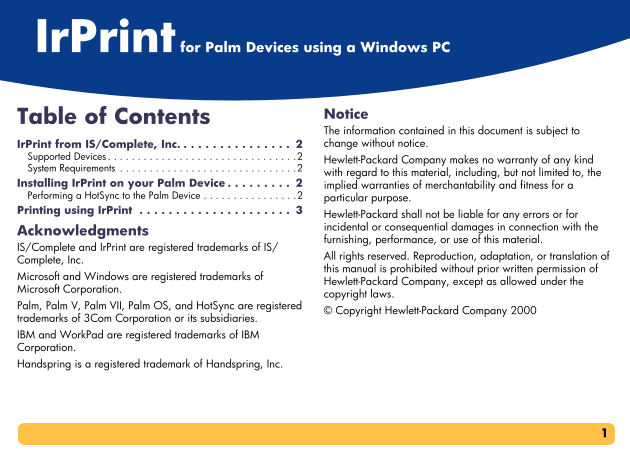
Page 1 Text Content
Ir Pr int for Palm Devices using a Windows PC
Notice
Table o Contents
The information contai ned in this document is subject to Ir Print from IS/ Complete, Inc. . . . . . . . . . . . . . . . 2 change without notice
Supported De vice . . . . . . . . . . . . . . . . . . . . . . . . . . . . . . . .2
Hewlett-Packard Comp any makes no warranty of any kind
System Requir eme nts . . . . . . . . . . . . . . . . . . . . . . . . . . . . . .2
with regard to this ma terial, including, but not limited to, the
Installing Ir P rin t on your Palm Device . . . . . . . . . 2 implied warranties of merchantability and fitness for a Performing a Hot S ync to the Palm Device . . . . . . . . . . . . . . . .2
particular purpose.
Printing usin g I r Print . . . . . . . . . . . . . . . . . . . . . 3
Hewlett-Packard shall not be liable for any errors or for incidental or conseque ntial damages in connection with the
Acknowle dg ments
furnishing, performanc e, or use of this material.
IS/Complete a nd I r Print are registered trademarks of IS/
All rights reserved. Rep roduction, adaptation, or translation of
Complete, Inc.
this manual is prohibit ed without prior written permission of
Microsoft and W in dows are registered trademarks of
Hewlett-Packard Comp any, except as allowed under the
Microsoft Corp ora tion.
copyright laws.
Palm, Palm V, P alm VII, Palm OS, and Hot Sync are registered
© Copyright Hewlett-P ackard Company 2000
trademarks of 3 Co m Corporation or its subsidiaries. IBM and Work Pad are registered trademarks of IBM Corporation. Handspring is a re gistered trademark of Handspring, Inc.
Page Summary Contents For HP Photosmart 1218 Series Photo Printers - (English)
Manual Details
| Brand | HP |
|---|---|
| Pages | 4 |
| File Size | 58.77 KB |
| Published | June 17, 2026 |
Enter the captcha to get the download link:

Frequently Asked Questions
What is required to use IrPrint with a Palm device?
You must first install the IrPrint application and connect the cradle to the desktop computer.
How do I initiate the printing process using my Palm device?
Open the selected program, tap the Menu icon, then tap IrPrint. Aim the Palm device's infrared lens at the printer.
What are the optimal conditions for wireless printing?
The Palm device should be within 3 feet (1 meter) and a 30-degree total angle from the printer. The path must be clear of obstacles.
Does IrPrint support all program views?
No. If the IrPrint command is missing in the menu, it means IrPrint does not support that specific category or view.