# A B C D E F G H I J K L M N O P Q R S T U V W X Y Z

HP LaserJet Managed MFP E62655 Series HP LaserJet Enterprise MFP M631, M632, M633, M634, M635, M636, M637, E62655, E62665, E62675 - With Stand 3x550-sheet trays Installation Guide

Summary

Essential guide accompanying printer accessories and paper trays. This manual provides comprehensive setup instructions for seamlessly integrating your new hardware component into your existing system. It covers essential troubleshooting steps for multiple operating systems—including detailed procedures for updating drivers, restarting print spools, and ensuring optimal connectivity on Windows 7 through 10 and macOS platforms. Perfect for users needing detailed technical support post-installation.
📄 Preview PAGE OF 20

Page 1 Text Content

J8J93A 1AB23A

www.support.hp.com

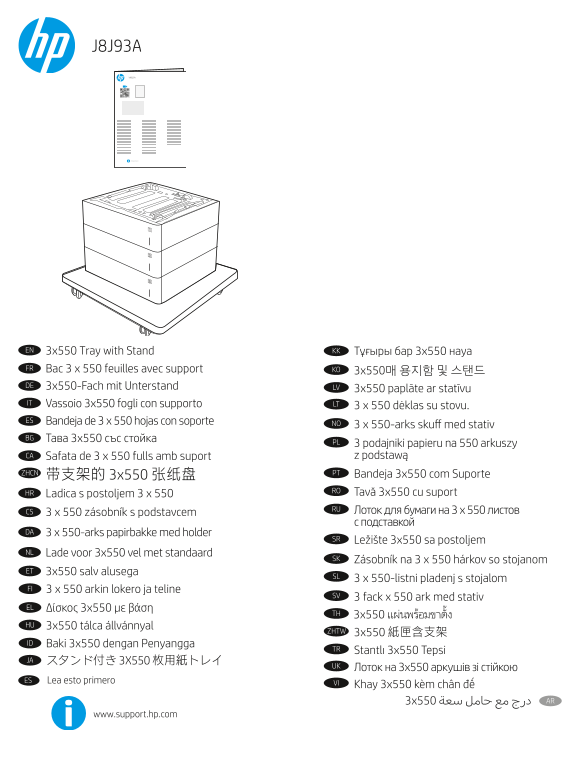
EN 3x550 Tray with Stand KK Тұғыры бар 3x550 науа FR Bac 3 x 550 feuilles avec support KO

DE 3x550-Fach mit Unterstand

LV 3x550 paplāte ar statīvu

IT Vassoio 3x550 fogli con supporto LT

3 x 550 dėklas su stovu.

ES Bandeja de 3 x 550 hojas con soporte

NO 3 x 550-arks skuff med stativ

BG Тава 3x550 със стойка

PL 3 podajniki papieru na 550 arkuszy

CA Safata de 3 x 550 fulls amb suport  z podstawą

ZHCN PT Bandeja 3x550 com Suporte

RO Tavă 3x550 cu suport

HR Ladica s postoljem 3 x 550

RU Лоток для бумаги на 3 x 550 листов

CS 3 x 550 zásobník s podstavcem

DA 3 x 550-arks papirbakke med holder

SR Ležište 3x550 sa postoljem

NL Lade voor 3x550 vel met standaard

SK Zásobník na 3 x 550 hárkov so stojanom

ET 3x550 salv alusega

SL 3 x 550-listni pladenj s stojalom

FI 3 x 550 arkin lokero ja teline

SV 3 fack x 550 ark med stativ

EL Δίσκος 3x550 με βάση

HU 3x550 tálca állvánnyal

ZHTW 3x550 紙匣含支架

ID Baki 3x550 dengan Penyangga

TR Stantlı 3x550 Tepsi

JA スタンド付き 3X550 枚用紙トレイ

UK Лоток на 3x550 аркушів зі стійкою

ES Lea esto primero

www.support.hp.com

Page Summary Contents For HP LaserJet Managed MFP E62655 Series HP LaserJet Enterprise MFP M631, M632, M633, M634, M635, M636, M637, E62655, E62665, E62675 - With Stand 3x550-sheet trays Installation Guide

Page 1 J8J93A 1AB23A www.support.hp.com EN 3x550 Tray with Stand KK Тұғыры бар 3x550 науа FR Bac 3 x 550 feuilles avec support KO DE 3x550-Fach mit Unterstand LV 3x550 paplāte ar statīvu IT Vassoio 3x550 fog...
Page 5 HE kept in this le for localization but remove in nal - HE and AR cannot be in same le
Page 7 EN If you are attaching the accessory before installing the printer software, this procedure is not necessary. If you are attaching the accessory after installing the printer software, perform the fol...
Page 8 IT Se si collega l’accessorio prima di aver installato il software della stampante, questa procedura non è necessaria. Se si collega l’accessorio dopo aver installato il software della stampante, comp...
Page 9 CA Si voleu connectar l’accessori abans d’instal·lar el programari de la impressora, aquest procés no és necessari. Si voleu connectar l’accessori després d’instal·lar el programari de la impressora, ...
Page 10 CS Při připojování příslušenství před instalací softwaru tiskárny můžete tento krok vynechat. Pokud připojujete příslušenství až po instalaci softwaru tiskárny, postupujte podle následujících pokynů: ...
Page 11 ET Kui kinnitate tarviku enne printeri tarkvara installimist, siis pole see protseduur vajalik. Kui kinnitate tarviku pärast printeri tarkvara installimist, toimige järgmiselt. mac OS Pärast tarviku p...
Page 12 HU Ha a nyomtató szoftverének telepítése előtt csatlakoztatja a tartozékot, nincs szükség erre az eljárásra. Ha a nyomtató szoftverének telepítése után csatlakoztatja a tartozékot, végezze el a követk...
Page 13 KK Қосалқы құралды принтердің бағдарламалық құралын орнатпастан бұрын тіркесеңіз, бұл процедура қажет емес. Қосалқы құралды принтердің бағдарламалық құралын орнатқаннан кейін тіркесеңіз, келесі қадамд...
Page 14 LT Jei priedą prijungiate prieš diegdami spausdintuvo programinę įrangą, ši procedūra nėra būtina. Jei priedą prijungiate įdiegę spausdintuvo programinę įrangą, atlikite toliau nurodytus veiksmus. „ma...
Page 15 PT Se você estiver fixando o acessório antes de ter instalado o software da impressora, este procedimento não será necessário. Se o acessório for fixado após a instalação do software da impressora, re...
Page 16 SR Ovaj postupak nije neophodan kada priključujete dodatak pre instaliranja softvera štampača. Kada priključujete dodatak posle instaliranja softvera štampača, pratite sledeće korake: mac OS: Lista in...
Page 17 SV Om du monterar tillbehöret innan du har installerat programvaran för skrivaren är den här proceduren inte nödvändig. Om du monterar tillbehöret efter att du installerat skrivarens programvara ska d...
Page 18 TR Aksesuarı, yazıcı yazılımını yüklemeden önce ekliyorsanız bu prosedür gerekli değildir. Aksesuarı, yazıcı yazılımını yükledikten sonra ekliyorsanız aşağıdaki adımları izleyin: mac OS: Yüklü seçenek...
Page 20 © Copyright 2020 HP Development Company, L.P.

Manual Details

Brand HP
Pages 20
File Size 7.06 MB
Published June 18, 2026
2 views

Enter the captcha to get the download link:

captcha

Frequently Asked Questions

Is it necessary to update device settings if the accessory is attached before software installation?

No, this procedure is not necessary if you attach the accessory before installing the printer software.

What steps should I follow to update device settings when using Windows 10?

Right-click on the screen, select Control Panel -> Devices and Printers. Right-click your printer and navigate to Properties > Device Settings tab, then select Update Now.

My HP PCL-6 V4 drivers won't support 'Update Now'; what should I do?

For these newer drivers, you must stop and restart the print spooler by searching for 'services', right-clicking Print Spooler, selecting Stop, and then Restarting it.