HP Deskjet F2200 Series Setup Guide
Summary
This comprehensive setup manual guides new users through operating their HP Deskjet F2200 All-in-One printer. It provides step-by-step instructions for the entire process, from initial unboxing and power connections to safely loading ink cartridges and paper into the system. The guide also covers detailed software installation procedures for both Windows and Mac operating systems, ensuring a smooth setup experience while providing key troubleshooting tips for advanced users.
Page 1 Text Content
HP Deskjet F2200 All-in-One series
설치 설명서 Setup Guide
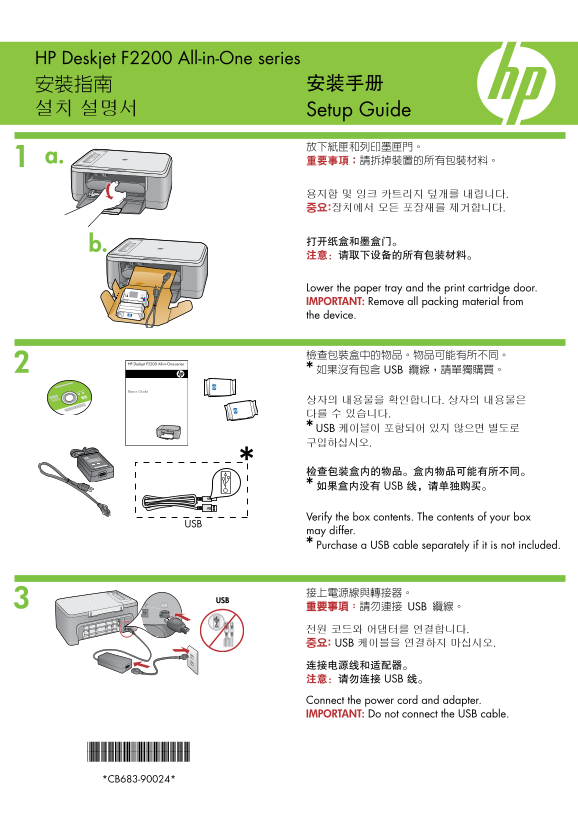
Lower the paper tray and the print cartridge door. IMPORTANT: Remove all packing material from the device.
檢查包裝盒中的物品。物品可能有所不同。 * 如果沒有包含 USB 纜線,請單獨購買。
상자의 내용물을 확인합니다. 상자의 내용물은 다를 수 있습니다. * USB 케이블이 포함되어 있지 않으면 별도로 구입하십시오.
检查包装盒内的物品。盒内物品可能有所不同。 * 如果盒内没有 USB 线,请单独购买。
Verify the box contents. The contents of your box
may differ. * Purchase a USB cable separately if it is not included.
重要事項:請勿連接 USB 纜線。
전원 코드와 어댑터를 연결합니다. 중요: USB 케이블을 연결하지 마십시오.
连接电源线和适配器。 注意:请勿连接 USB 线。 Connect the power cord and adapter. IMPORTANT: Do not connect the USB cable.
*CB683-90024* *CB683-90024* *CB683-90024*
Page Summary Contents For HP Deskjet F2200 Series Setup Guide
Manual Details
| Brand | HP |
|---|---|
| Pages | 8 |
| File Size | 2.59 MB |
| Published | June 18, 2026 |
Enter the captcha to get the download link:

Frequently Asked Questions
安装新打印机后,是否需要进行校准步骤?
是的。打印机械芯完成后,产品会自动打印校准页,以确保最佳打印质量。
连接电源和USB线时需要注意什么?
请勿连接USB数据线直接连接;安装时只需连接电源线和适配器即可。
如果打印机无法自动移动墨盒托架怎么办?
如果是这种情况,请立即断开打印机的电源插头,然后重新接好并开启设备。
遇到Windows系统“添加硬件”屏幕时应如何处理?
取消所有屏幕操作,首先拔下USB数据线,然后再插入软件CD进行安装。