HP DeskJet Ink Advantage 3700 Series Setup Guide
Summary
Introducing the HP DeskJet Ink Advantage 3700 All-in-One series—the ideal solution for everyday printing needs. This manual acts as your comprehensive guide for quick and seamless setup, ensuring you maximize this multi-function device right out of the box. Designed for new users, it provides step-by-step instructions on connecting via HP Smart software and full access to online resources. Whether you are performing initial setup or troubleshooting common issues, find reliable guides and video tutorials here to keep your printing tasks simple and efficient.
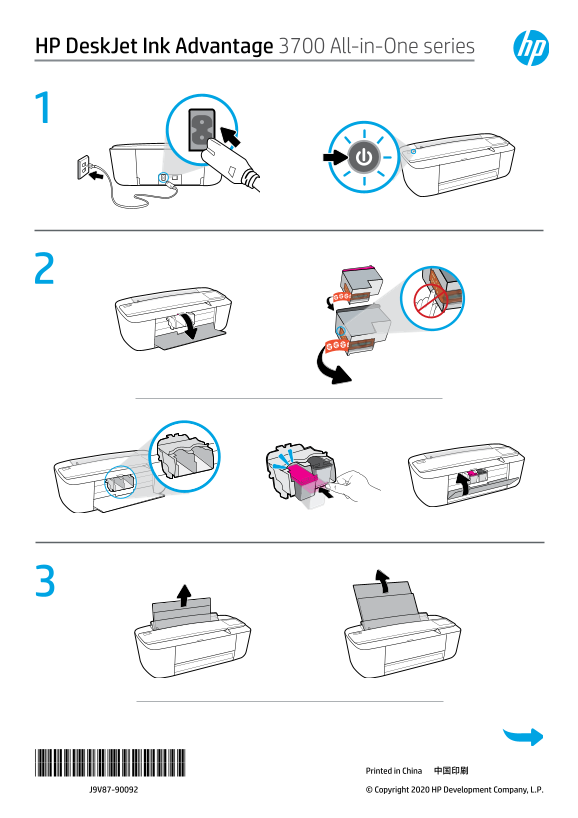
Page 1 Text Content
HP Desk Jet Ink Advantage 3700 All-in-One series
*J9V87-90092* *J9V87-90092* 中国印刷Printed in China
J9V87-90092 © Copyright 2020 HP Development Company, L.P.
Page Summary Contents For HP DeskJet Ink Advantage 3700 Series Setup Guide
Manual Details
| Brand | HP |
|---|---|
| Pages | 2 |
| File Size | 814.56 KB |
| Published | June 01, 2026 |
Enter the captcha to get the download link:

Frequently Asked Questions
How do I set up the new HP DeskJet 3700 all-in-one printer?
Download and use the HP Smart software to complete the printer setup.
What should I do if I have trouble getting started with the printer?
You can find setup information and videos online by visiting hp.com/support/printer-setup.