HP Deskjet Ink Advantage 4640 Series Install Poster
Summary
This manual provides comprehensive technical instructions and troubleshooting guides for the HP OfficeJet Pro 4600 All-in-One Series printer (model B4L08-90009). It covers setup, usage, maintenance, and connectivity options. Designed for home office users and small businesses, it ensures you can maximize your printing capabilities with expert guidance on wireless setup, ink management, and optimal performance.
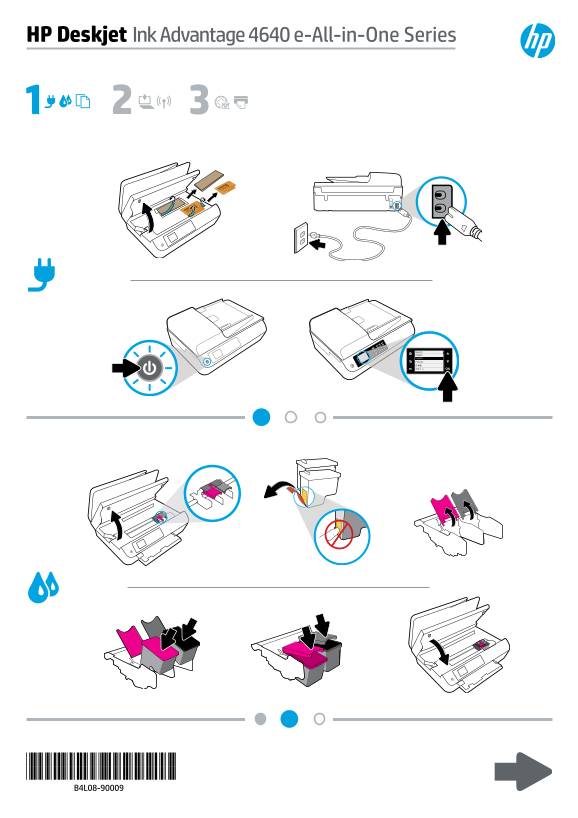
Page 1 Text Content
HP Deskjet Ink Advantage 4640 e -All-in-One Series
Page Summary Contents For HP Deskjet Ink Advantage 4640 Series Install Poster
Manual Details
| Brand | HP |
|---|---|
| Pages | 2 |
| File Size | 553.32 KB |
| Published | June 06, 2026 |
Enter the captcha to get the download link:

Frequently Asked Questions
What is the full model nomenclature of the printer?
The specific models identified are HP Deskjet Ink Advantage 4640 e, with listed numbers including B4L08-90009.
What core function does this unit perform?
It is categorized as an All-in-One Series device.
How can I connect the printer wirelessly?
Information regarding wireless printing support is available at www.hp.com/go/wirelessprinting.
Does the product integrate with specialized printing services?
Yes, it supports accessing print solutions via the ePrintCenter.