HP DeskJet Ink Advantage 5000 Series Setup Guide
Summary
Introducing the HP DeskJet Ink Advantage All-in-One series—your versatile printing solution. This guide provides step-by-step instructions for seamless setup, specifically designed for users setting up their printer via mobile or computer devices. You will learn how to use 123.hp.com to download the necessary HP Smart application and software, connect your device to a wireless network, properly install ink cartridges and paper, and register your new printer with ease. Get ready to print, scan, and simplify your workflow from day one.
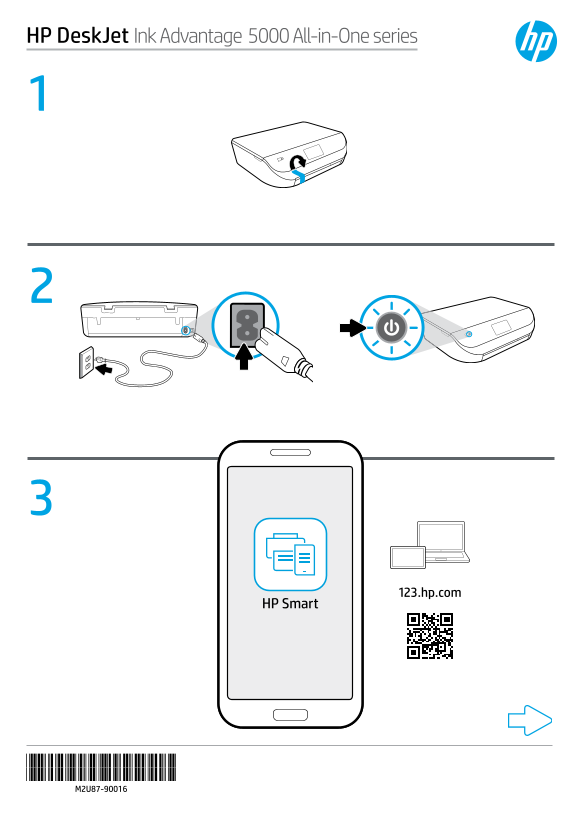
Page 1 Text Content
HP Desk Jet Ink Advantage 5000 All-in-One series
123.hp.com
HP Smart
Page Summary Contents For HP DeskJet Ink Advantage 5000 Series Setup Guide
Manual Details
| Brand | HP |
|---|---|
| Pages | 2 |
| File Size | 578.11 KB |
| Published | June 17, 2026 |
Enter the captcha to get the download link:

Frequently Asked Questions
How do I set up this printer?
Access 123.hp.com on a web browser (mobile or computer), scan the QR code, and download/install the HP Smart app or required software.
What is required for printing and scanning?
Both the mobile device and computer must have the HP Smart application or software installed via 123.hp.com to perform printing and scanning.
Where can I find support if I need help?
Visit www.hp.com/support/djia5000 for assistance with setup, troubleshooting, and general support.