HP Deskjet Ink Advantage 2510 Series Setup Guide
Summary
This comprehensive guide is designed for new and existing owners of the all-in-one printer, providing step-by-step instructions from unboxing to daily operation. It covers complete setup procedures, including cartridge loading, software installation via CD or online tools, and system connection management. Readers will find detailed troubleshooting guides for common issues like failed test pages, usage tips regarding ink maintenance, and operational functions such as scanning and copying. Use this manual to ensure simple, efficient, and reliable printing performance.
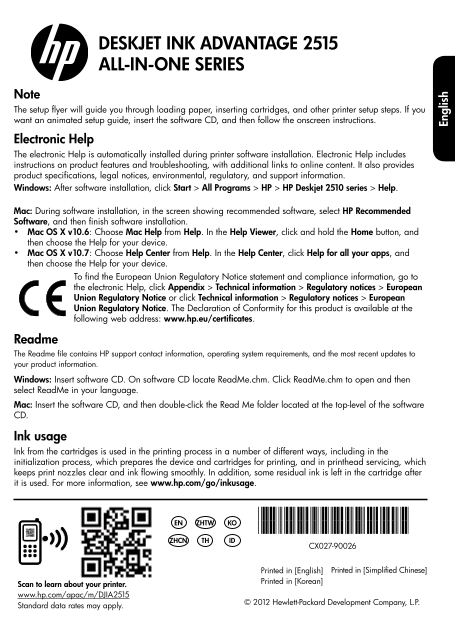
Page 1 Text Content
DESKJET INK ADVANTAGE 2515 ALL-IN-ONE SERIES
Note The setup flyer will guide you through loading paper, inserting cartridges, and other printer setup steps. If you want an animated setup guide, insert the software CD, and then follow the onscreen instructions.
Electronic Help The electronic Help is automatically installed during printer software installation. Electronic Help includes instructions on product features and troubleshooting, with additional links to online content. It also provides product specifications, legal notices, environmental, regulatory, and support information. Windows: After software installation, click Start > All Programs > HP > HP Deskjet 2510 series > Help.
Mac: During software installation, in the screen showing recommended software, select HP Recommended Software, and then finish software installation. Mac OS X v10.6: Choose Mac Help from Help. In the Help Viewer, click and hold the Home button, and then choose the Help for your device. Mac OS X v10.7: Choose Help Center from Help. In the Help Center, click Help for all your apps, and then choose the Help for your device.
To find the European Union Regulatory Notice statement and compliance information, go to the electronic Help, click Appendix > Technical information > Regulatory notices > European Union Regulatory Notice or click Technical information > Regulatory notices > European Union Regulatory Notice. The Declaration of Conformity for this product is available at the following web address: www.hp.eu/certificates.
Readme The Readme file contains HP support contact information, operating system requirements, and the most recent updates to your product information. Windows: Insert software CD. On software CD locate Read Me.chm. Click Read Me.chm to open and then select Read Me in your language. Mac: Insert the software CD, and then double-click the Read Me folder located at the top-level of the software CD.
Ink usage
En gl is
Ink from the cartridges is used in the printing process in a number of different ways, including in the initialization process, which prepares the device and cartridges for printing, and in printhead servicing, which keeps print nozzles clear and ink flowing smoothly. In addition, some residual ink is left in the cartridge after it is used. For more information, see www.hp.com/go/inkusage.
*CX027-90026*
EN ZHTW KO
*CX027-90026*
ZHCN TH ID
CX027-90026
Printed in [English] Printed in [Simplified Chinese]
Printed in [Korean]
Scan to learn about your printer. www.hp.com/apac/m/DJIA2515
© 2012 Hewlett-Packard Development Company, L.P.
Standard data rates may apply.
Page Summary Contents For HP Deskjet Ink Advantage 2510 Series Setup Guide
Manual Details
| Brand | HP |
|---|---|
| Pages | 24 |
| File Size | 6.71 MB |
| Published | June 18, 2026 |
Enter the captcha to get the download link:

Frequently Asked Questions
How can I access the animated setup guide?
Insert the software CD and follow the onscreen instructions.
What should I do if I cannot print a test page?
Make sure all USB cable connections are secure, verify that the printer is powered on, and check your system preferences to ensure it is set as the default printing device.
What does the Attention light indicate?
It indicates that there is a paper jam, the printer is out of paper, or another event requiring attention.
How do I completely remove power from the printer?
First, turn off the product, and then unplug the power cord to eliminate all power.