HP Designjet Z6PostScript Printer Series HP Designjet Z6 PostScript Printer - Assembly Instructions
Summary
This guide provides comprehensive assembly instructions for the HP DesignJet Z6 large-format printer, enabling versatile professional printing from any location. The manual covers detailed hardware setup—from stand assembly to printhead configuration—and guides you through robust software installation. Designed for professionals requiring reliable, high-volume output, it ensures seamless connectivity via LAN and mobile devices (laptop, iPad, iPhone), making large-scale document creation effortless.
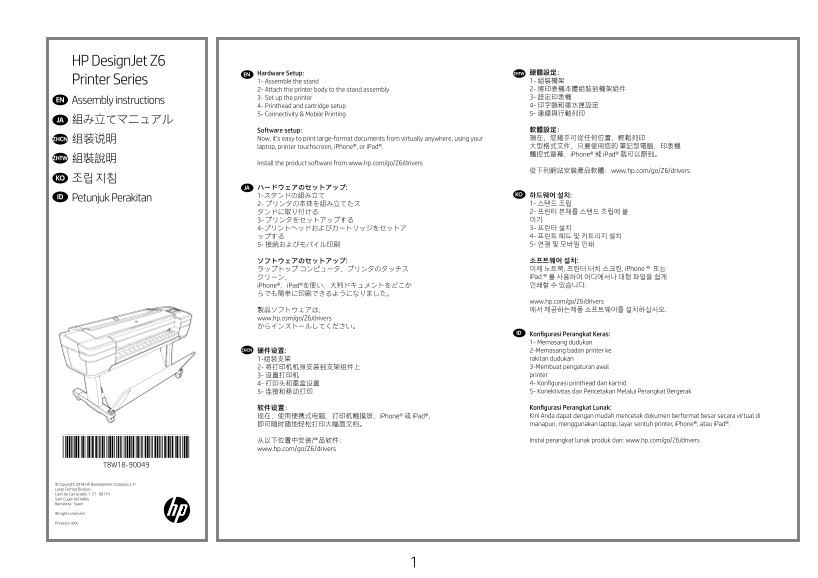
Page 1 Text Content
HP Design Jet Z6
EN Hardware Setup: ZHTW 硬體設定: Printer Series 1- Assemble the stand 1- 組裝機架 2- Attach the printer body to the stand assembly 2- 將印表機本體組裝到機架組件 3- Set up the printer 3- 設定印表機
EN Assembly instructions
4- Printhead and cartridge setup 4- 印字頭和墨水匣設定 5- Connectivity & Mobile Printing 5- 連線與行動列印
JA 組み立てマニュアル
Software setup: 軟體設定: ZHCN 组装说明 Now, it’s easy to print large-format documents from virtually anywhere, using your 現在,您幾乎可從任何位置,輕鬆列印 laptop, printer touchscreen, i Phone®, or i Pad®. 大型格式文件,只要使用您的 筆記型電腦、印表機 觸控式螢幕、i Phone® 或 i Pad® 就可以辦到。
ZHTW 組裝說明
Install the product software from www.hp.com/go/Z6/drivers
從下列網站安裝產品軟體:www.hp.com/go/Z6/drivers
KO 조립 지침
JA ハードウェアのセットアップ:
1-スタンドの組み立て KOID 하드웨어 설치:
Petunjuk Perakitan
ソフトウェアのセットアップ: 소프트웨어 설치: ラップトップ コンピュータ、プリンタのタッチス 이제 노트북, 프린터 터치 스크린, i Phone® 또는 クリーン、 i Pad®를 사용하여 어디에서나 대형 파일을 쉽게 i Phone®、i Pad®を使い、大判ドキュメントをどこか 인쇄할 수 있습니다.
www.hp.com/go/Z6/drivers 製品ソフトウェアは、 에서 제공하는제품 소프트웨어를 설치하십시오.
www.hp.com/go/Z6/drivers からインストールしてください。
ID Konfigurasi Perangkat Keras: 1- Memasang dudukan
ZHCN 硬件设置: 2-Memasang badan printer ke
1-组装支架 rakitan dudukan 2- 将打印机机身安装到支架组件上 3-Membuat pengaturan awal 3- 设置打印机 printer 4- 打印头和墨盒设置 4- Konfigurasi printhead dan kartrid 5- 连接和移动打印 5- Konektivitas dan Pencetakan Melalui Perangkat Bergerak
软件设置: Konfigurasi Perangkat Lunak: 现在,使用便携式电脑、打印机触摸屏、i Phone® 或 i Pad®, Kini Anda dapat dengan mudah mencetak dokumen berformat besar secara virtual di 即可随时随地轻松打印大幅面文档。 manapun, menggunakan laptop, layar sentuh printer, i Phone®, atau i Pad®.
从以下位置中安装产品软件: Instal perangkat lunak produk dari: www.hp.com/go/Z6/drivers
*T8W18-90049* www.hp.com/go/Z6/drivers
© Copyright 2018 HP Development Company, L.P. Large Format Division Camí de Can Graells 1-21 · 08174 Sant Cugat del Vallès Barcelona · Spain
All rights reserved
Printed in XXX
Page Summary Contents For HP Designjet Z6PostScript Printer Series HP Designjet Z6 PostScript Printer - Assembly Instructions
Manual Details
| Brand | HP |
|---|---|
| Pages | 28 |
| File Size | 10.75 MB |
| Published | June 15, 2026 |
Enter the captcha to get the download link:

Frequently Asked Questions
How much space is needed to install this printer?
You must allocate a minimum of 3 x 3 meters (118 x 118 inches) of empty floor space, and a LAN connection is required for internet connectivity.
Where can I download the necessary software and drivers?
Product drivers should be installed from www.hp.com/go/Z6/drivers.
What kind of paper do I need for printhead alignment?
Printhead alignment requires paper that is at least 15 inches (381mm) wide; roll paper is recommended.
How can I print large-format documents from a distance?
You can use your laptop, the printer touchscreen, iPhone®, or iPad® to easily print large documents from virtually anywhere.