HP DesignJet 4020 Printer Series - Assembly Instructions (Chinese Simplified)
Summary
The HP Designjet professional inkjet plotter delivers high-quality printing for graphic designers and studios. This manual guide provides essential setup instructions required by new users. It features step-by-step guides for connecting and installing the printer on both Windows and Mac operating systems. Users must first install the drivers—via the included DVD or online download—before physically connecting the unit to their computer, ensuring a smooth initial setup experience.
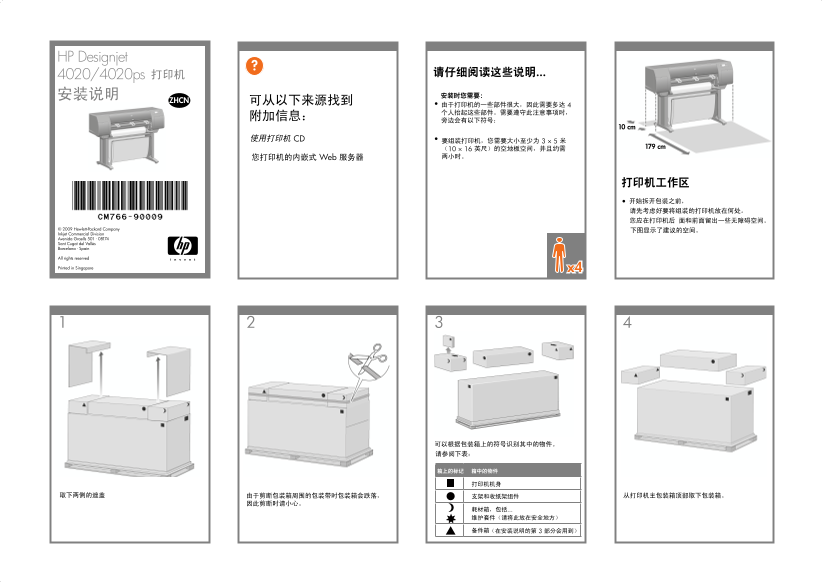
Page 1 Text Content
?HP Designjet
4020/4020ps
10 cm
179 cm
© 2009 Hewlett-Packard Company Inkjet Commercial Division Avenida Graells 501 · 08174 Sant Cugat del Vallès Barcelona · Spain
All rights reserved
Printed in Singapore x4
CM766-90009.indd 1 02/02/2009 17:46:40
Page Summary Contents For HP DesignJet 4020 Printer Series - Assembly Instructions (Chinese Simplified)
Manual Details
| Brand | HP |
|---|---|
| Pages | 18 |
| File Size | 10.02 MB |
| Published | June 16, 2026 |
Enter the captcha to get the download link:

Frequently Asked Questions
What is the correct initial setup procedure for connecting the printer?
Do not connect the computer to the printer immediately. You must first install the driver software using the HP Start Up Kit DVD.
How do I begin the installation process on a Windows PC?
Insert the Start Up Kit DVD. If nothing starts automatically, run autorun.exe located in the root folder of the DVD.
What steps should Mac users take for installation?
Open the DVD icon on your desktop and then launch the Mac OS X HP Designjet Installer following the onscreen prompts.
If the driver software installation fails, what is my alternative option?
You can re-install the software from these sites: http://www.hp.com/go/4020/drivers or http://www.hp.com/go/4020ps/drivers.