EverFocus EZ230E/EZ235E/EZ230E/EZ235E Manual/Instructions User Guide
Summary
This weatherproof, long-range IR color camera is engineered for robust outdoor surveillance in demanding settings like parking lots or shopping malls. Utilizing advanced 1/3” SONY HAD CCD technology, it provides superior low-light visibility day or night. The operating manual serves as a comprehensive guide for professionals, detailing the entire lifecycle: from precise installation steps and safe wire management to operational precautions and maintenance tips. Ideal for system integrators requiring reliable, high-performance surveillance solutions in extreme environments.
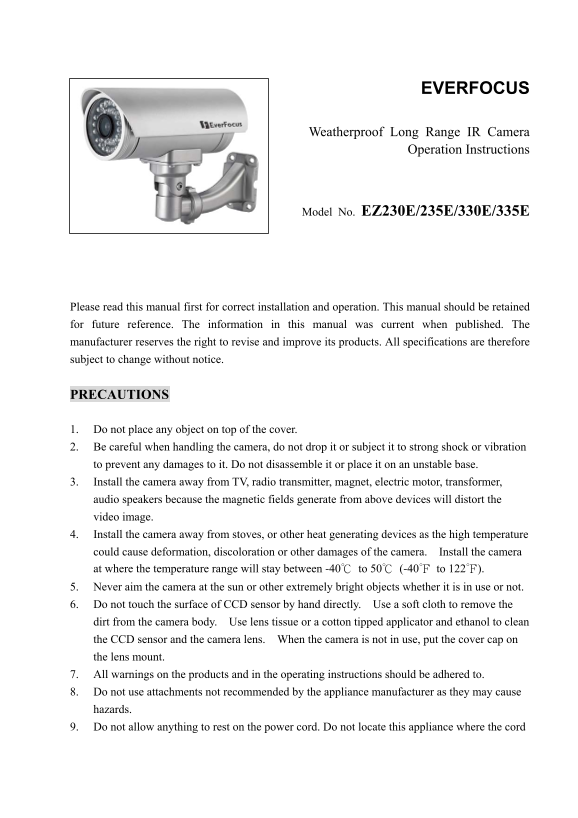
Page 1 Text Content
EVERFOCUS
Weatherproof Long Range IR Camera
Operation Instructions
Model No. EZ230E/235E/330E/335E
Please read this manual first for correct installation and operation. This manual should be retained for future reference. The information in this manual was current when published. The manufacturer reserves the right to revise and improve its products. All specifications are therefore subject to change without notice.
PRECAUTIONS
1. Do not place any object on top of the cover. 2. Be careful when handling the camera, do not drop it or subject it to strong shock or vibration to prevent any damages to it. Do not disassemble it or place it on an unstable base. 3. Install the camera away from TV, radio transmitter, magnet, electric motor, transformer, audio speakers because the magnetic fields generate from above devices will distort the video image. 4. Install the camera away from stoves, or other heat generating devices as the high temperature could cause deformation, discoloration or other damages of the camera. Install the camera at where the temperature range will stay between -40℃ to 50℃ (-40℉ to 122℉). 5. Never aim the camera at the sun or other extremely bright objects whether it is in use or not. 6. Do not touch the surface of CCD sensor by hand directly. Use a soft cloth to remove the dirt from the camera body. Use lens tissue or a cotton tipped applicator and ethanol to clean the CCD sensor and the camera lens. When the camera is not in use, put the cover cap on the lens mount. 7. All warnings on the products and in the operating instructions should be adhered to. 8. Do not use attachments not recommended by the appliance manufacturer as they may cause hazards. 9. Do not allow anything to rest on the power cord. Do not locate this appliance where the cord
Page Summary Contents For EverFocus EZ230E/EZ235E/EZ230E/EZ235E Manual/Instructions User Guide
Manual Details
| Brand | EverFocus |
|---|---|
| Pages | 15 |
| File Size | 520.78 KB |
| Published | May 19, 2026 |
Enter the captcha to get the download link:

Frequently Asked Questions
What is the recommended temperature operating range?
The camera should be installed where the temperature remains between -40℃ and 50℃.
How do I clean the CCD sensor and lens?
Use a soft cloth for general dirt, or lens tissue/cotton applicator with ethanol to clean the CCD sensor and the lens.
Where should the camera be installed to prevent image distortion?
Install it away from major sources like TVs, radios, magnetics, motors, speakers, and heat generators.
What is the maximum IR distance for different models?
EZ230E/EZ330E supports 30 meters/98 feet, while EZ235E/EZ335E supports up to 50 meters/164 feet.