# A B C D E F G H I J K L M N O P Q R S T U V W X Y Z

EverFocus EZ730 User Guide Manual

Summary

Master this professional-grade night vision camera system with our comprehensive operation manual. This guide is essential for technicians and installers seeking optimal performance of their surveillance setup. It provides detailed instructions on advanced features like motion detection, image optimization, color selection, and precise component mapping. The document covers everything from critical safety warnings and installation requirements to in-depth OSD menu navigation, ensuring you achieve stable, high-quality imaging day or night.
📄 Preview PAGE OF 14

Page 1 Text Content

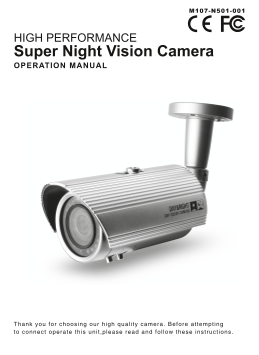
HIGH PERFORMANCE Super Night Vision Camera OPERATION MANUAL

Thank you for choosing our high qual ty camera. Before at tempt ing to connect operate th is uni ,p lease read and fol low these instruct ions.

Page Summary Contents For EverFocus EZ730 User Guide Manual

Page 1 HIGH PERFORMANCE Super Night Vision Camera OPERATION MANUAL Thank you for choosing our high qual ty camera. Before at tempt ing to connect operate th is uni ,p lease read and fol low these instruct io...
Page 2 CAUTION These servicing instructions are for use by qualified service personnel only. To reduce the risk of electric shock do not perform any servicing other than that contained in the operating instr...
Page 3 CONTENTS 1. CAUTIONS 2. IMPORTANT SAFETY INSTRUCTIONS 3. FEATURES 4. COMPONENTS 5. NAME AND FUNCTION 6. INSTALLATION 7. DIMENSIONS 8. SPECIFICATION 9. OSD MENU STRUCTURE
Page 4 1. CAUTIONS This device complies with Part 15 of the FCC Rules. Operation is subject to the following two conditions; 1. This device may not cause harmful interference. 2. This device must accept any ...
Page 5 1. CAUTIONS Correct Disposal of This Product (Waste Electrical & Electronic Equipment) (Applicable in the European Union and other European countries with separate collection systems) This marking...
Page 6 2. IMPORTANT SAFETY INSTRUCTION 1) Read these instructions. 2) Keep these instructions. 3) Heed all warnings. 4) Follow all instructions. 5) Do not use this apparatus near water. 6) Clean only with dr...
Page 7 3. FEATURES • 1/3 960H SONY EXview HAD CCD II • High Resolution of 700TV Lines • OSD Function • Multi Language (ENGLISH / JAPANESE / GERMAN / FRENCH / RUSSIAN / PORTUGUESE / SPANISH / CHINESE) • 2DNR...
Page 8 5. NAME AND FUNCTION ① Sunshield Fixing Bolt ② Sunshield ③ Mounting Bracket ④ LED : 20ea ⑤ Photo cell ⑥ Body ⑦ Body Fixing Ring ⑧ External Zoom and Focus adjustment
Page 9 6. INSTALLATION • MOUNTING POSITION After adjusting zoom and focus, to prevent water infiltration, firmly tighten the zoom and focus lever.
Page 10 6. INSTALLATION • MONITOR CONNECTION (1) DC12V DC12V POWER SUPPLY DC12V BNC FEMALE VIDEO IN (2) DUAL(DC12V/AC24V) DC12V /AC24V POWER SUPPLY DC12V/AC24V BNC FEMALE VIDEO IN When you install the camera,...
Page 11 7. DIMENSIONS M12 XP1.0
Page 12 8. SPECIFICATION Signal Format NTSC PAL Image Device 1/3˝ 960H SONY EXview HAD CCD II Scanning System 2 : 1 Interlace Scanning Frequency 15.734KHz(H), 59.94Hz(V) 15.625KHz(H), 50Hz(V) Total Pixels 102...
Page 13 9. OSD MENU STRUCTURE MAIN 1st Sub 2nd Sub 3rd Sub 4th Sub MENU MENU MENU MENU MENU MANUAL TYPE DC LENS MODE AUTO,OPEN,CLOSE SPEED (000 ~ 255) RETURN MODE SHUT,AUTO IRIS, SHUT+AUTO IRIS HIGH LUMINANCE...
Page 14 9. OSD MENU STRUCTURE MAIN 1st Sub 2nd Sub 3rd Sub 4th Sub MENU MENU MENU MENU MENU DETECT SENSE (000 ~ 255) BLOCK DISP OFF,ON,ENABLE (CONTROLER) MONITOR AREA ON,OFF 1/4, 2/4, 3/4, 4/4 MOTION ON NTSC:...

Manual Details

Brand EverFocus
Pages 14
File Size 1.51 MB
Published May 19, 2026
112 views

Enter the captcha to get the download link:

captcha

Frequently Asked Questions

What type of power supply is recommended for optimal camera operation?

A regulated DC12V 1A power supply is recommended; using an unregulated supply can cause damage and voids the warranty.

If I change settings in the OSD menu, how do I ensure they stick?

You must save all changes before exiting the OSD menu or else those changes will be discarded.

What should I avoid doing when operating this camera outdoors or indoors?

Never face the camera towards direct sunlight or any bright/reflective light to prevent picture smear and potential CCD damage.

What impedance level does the viewing monitor need for compatibility?

It is recommended that you use a monitor with a CCTV quality 75 video impedance level, adjusting it if needed.