EverFocus ED300 Operation Instructions
Summary
Securely install and operate the EVERFOCUS Color Dome Camera, a compact CCD surveillance unit designed for continuous monitoring and close-up viewing. This comprehensive guide provides essential instructions tailored for system installers and users. Inside, you will find step-by-step procedures covering flawless installation techniques, detailed operational guidelines, and crucial manual adjustments (Focus/Zoom) to ensure optimal image quality. Learn proper setup practices, power requirements, and best safety precautions to maximize performance in your security system.
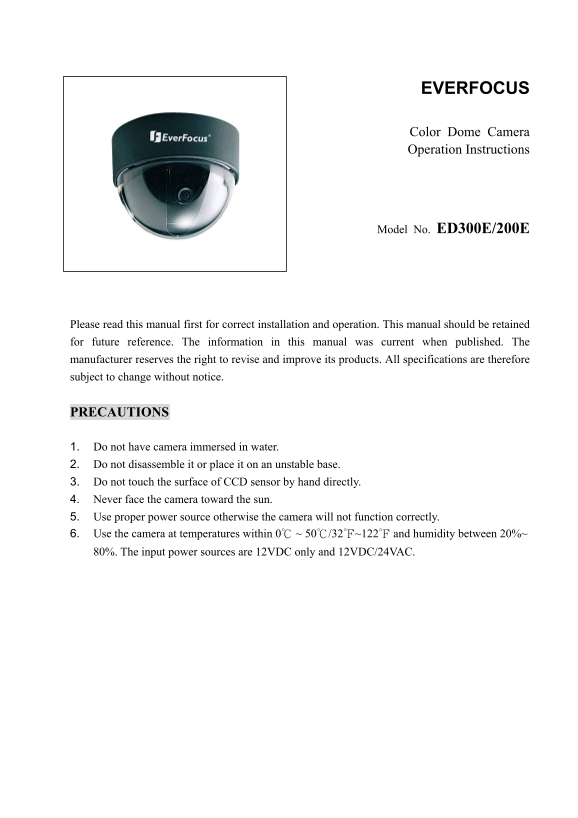
Page 1 Text Content
EVERFOCUS
Color Dome Camera Operation Instructions
Model No. ED300E/200E
Please read this manual first for correct installation and operation. This manual should be retained for future reference. The information in this manual was current when published. The manufacturer reserves the right to revise and improve its products. All specifications are therefore subject to change without notice.
PRECAUTIONS
1. Do not have camera immersed in water. 2. Do not disassemble it or place it on an unstable base. 3. Do not touch the surface of CCD sensor by hand directly. 4. Never face the camera toward the sun. 5. Use proper power source otherwise the camera will not function correctly. 6. Use the camera at temperatures within 0℃ ~ 50℃/32℉~122℉ and humidity between 20%~ 80%. The input power sources are 12VDC only and 12VDC/24VAC.
Page Summary Contents For EverFocus ED300 Operation Instructions
Manual Details
| Brand | EverFocus |
|---|---|
| Pages | 9 |
| File Size | 274.78 KB |
| Published | May 19, 2026 |
Enter the captcha to get the download link:

Frequently Asked Questions
What power sources are supported for the camera?
The camera supports 12VDC only and is compatible with 12VDC/24VAC.
How do I adjust the zoom or focus for a vari-focal lens?
Loosen the respective ring knob, turn it towards <W> (Zoom out) or <T> (Zoom in), then tighten the knob when finished.
What are the operating temperature and humidity ranges?
It operates between 0℃ ~ 50℃ and within 20%~ 80% humidity.
Which functions can be switched on or off using DIP switches?
You can switch ON/OFF the FL, Mirror, AGC (Auto Gain control), and D/N functions.