Dell Vostro 3350 Setup and Features Information Tech Sheet
Summary
Setup and features information guide for Dell Vostro 3350, 3450, 3550, 3555, and 3750 business laptop series. The document details front and back views, port locations including USB 3.0, HDMI, VGA, eSATA, audio connectors, fingerprint reader, memory card reader, and optional optical drives. It covers quick setup procedures, AC adapter connection, battery removal, and specifications for each model variant. These laptops target small business professionals requiring reliable, feature-rich portable computing with enterprise-grade security options.
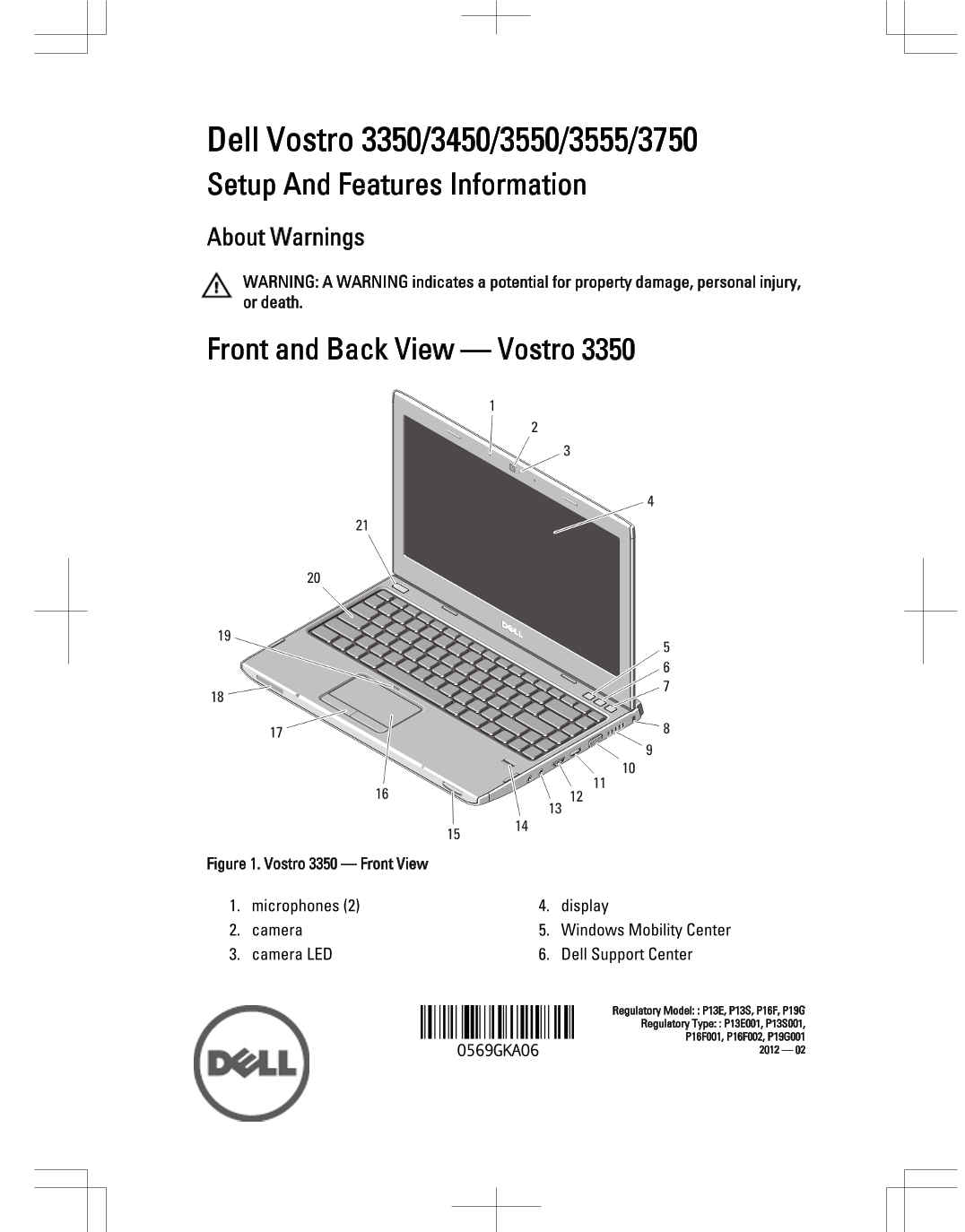
Page 1 Text Content
Dell Vostro 3350/3450/3550/3555/3750 Setup And Features Information About Warnings WARNING: A WARNING indicates a potential for property damage, personal injury, or death.
Front and Back View — Vostro 3350
Figure 1. Vostro 3350 — Front View
1. microphones (2) 4. display 2. camera 5. Windows Mobility Center 3. camera LED 6. Dell Support Center
Regulatory Model: : P13E, P13S, P16F, P19G Regulatory Type: : P13E001, P13S001,
Page Summary Contents For Dell Vostro 3350 Setup and Features Information Tech Sheet
Manual Details
| Brand | Dell |
|---|---|
| Pages | 16 |
| File Size | 1.52 MB |
| Published | June 27, 2026 |
Enter the captcha to get the download link:

Frequently Asked Questions
What precautions should I take regarding the laptop's airflow?
Do not block or accumulate dust in air vents, and never store the computer in a low-airflow environment like a closed briefcase while it is running.
If the fans are loud, does it mean the computer is broken?
No. The computer turning on its fan when it gets hot is normal and does not indicate a problem with the system.
What types of video ports are available across these Vostro models?
The units are equipped with both HDMI connectors and VGA connectors.