Dell Vostro 1310 Setup and Features Information Tech Sheet
Summary
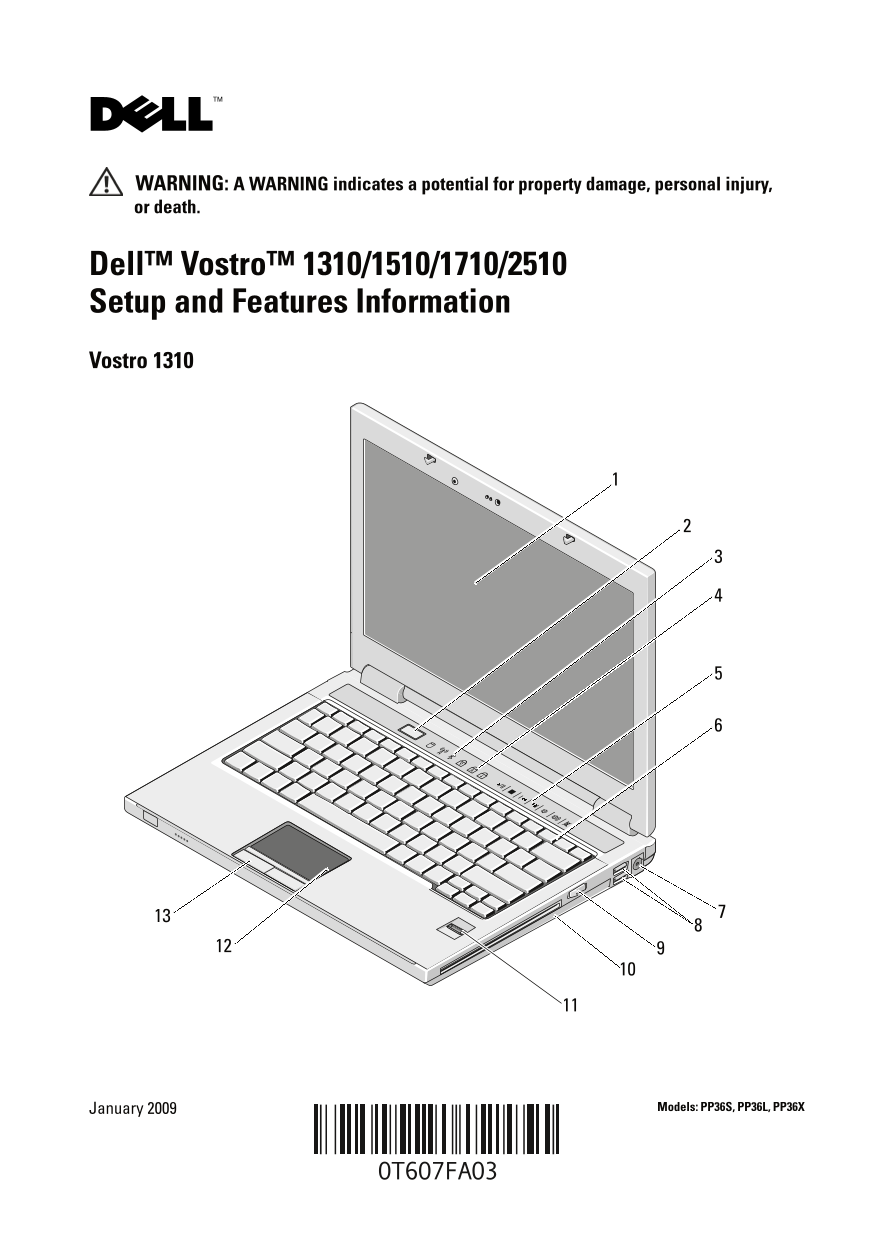
Dell Vostro 1310/1510/1710/2510 Setup and Features Information guide for Dell's Vostro business laptop series. Details physical features including display, media controls, keyboard, touch pad, fingerprint reader, and various connectors. Covers model-specific differences. Intended for small business owners and mobile professionals.
Page 1 Text Content
T607Fam3.fm Page 1 Friday, January 30, 2009 12:45 PM
WARNING: A WARNING indicates a potential for property damage, personal injury, or death.
Dell™ Vostro™ 1310/1510/1710/2510 Setup and Features Information Vostro 1310
January 2009 Models: PP36S, PP36L, PP36X
Page Summary Contents For Dell Vostro 1310 Setup and Features Information Tech Sheet
Manual Details
| Brand | Dell |
|---|---|
| Pages | 12 |
| File Size | 1.04 MB |
| Published | June 27, 2026 |
Enter the captcha to get the download link:

Frequently Asked Questions
What chassis colors are available for the Vostro 1510 and Vostro 2510?
Vostro 1510 is Black, and Vostro 2510 is Cherry Red.
What is recommended when connecting external devices or installing cards?
It is recommended that you turn on and shut down your computer at least once before installing any cards or connecting the computer to a docking device or other external device.
How should I safely disconnect the AC adapter cable?
Grasp the connector, not the cable itself, and pull firmly but gently to avoid damaging the cable.
What is the suitable operating temperature range for this computer?
The operating environmental temperature range is 0° to 35° C (32° to 95° F).
Can I connect network or USB devices when setting up the unit?
Yes, you can connect the AC adapter, network cable, and various USB/IEEE 1394 devices during setup.