Dell Vostro 3300 Setup Guide and Feature Tech Sheet
Summary
This setup guide covers Dell Vostro 3300/3400/3500/3700 business laptops. It provides system overview, front and rear view diagrams, component identification, and port descriptions including USB, VGA, e-SATA, and ExpressCard. It includes safety warnings about cooling vent obstruction. Intended for business users and IT support staff setting up Vostro laptops.
Page 1 Text Content
CG5YYcc1.fm Page 1 Thursday, January 21, 2010 12:14 PM
About Warnings
Dell™ Vostro™ 3300/3400/3500/3700
WARNING: A WARNING indicates a potential for property damage, personal injury, or death.
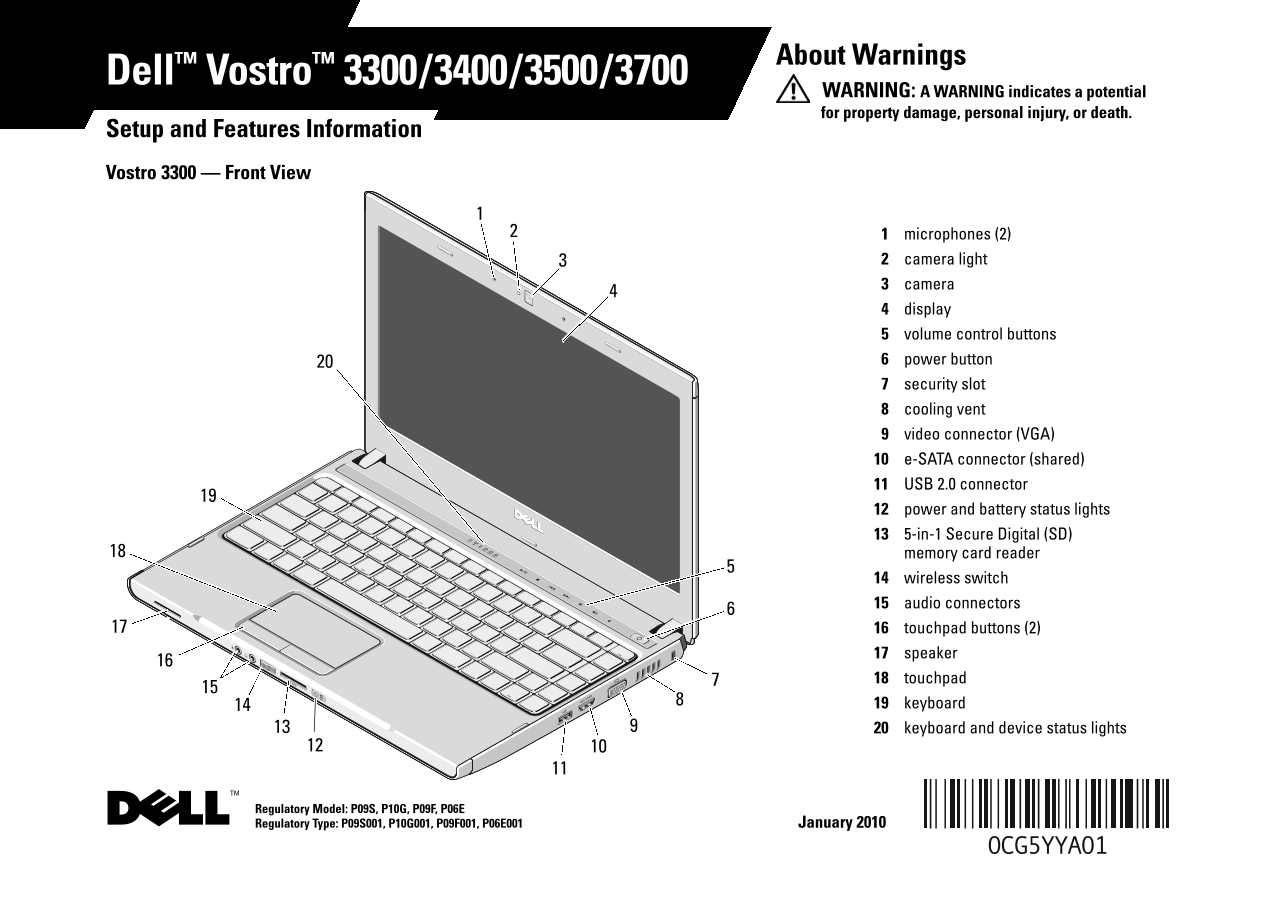
Setup and Features Information Vostro 3300 — Front View
microphones (2) camera light camera display volume control buttons power button security slot cooling vent video connector (VGA) e-SATA connector (shared) USB 2.0 connector power and battery status lights 5-in-1 Secure Digital (SD) memory card reader wireless switch audio connectors touchpad buttons (2) speaker touchpad keyboard keyboard and device status lights
Regulatory Model: P09S, P10G, P09F, P06E Regulatory Type: P09S001, P10G001, P09F001, P06E001 January 2010
FILE LOCATION: C:\Documents and Settings\kandasamy_m\Desktop\Winery_A01\Info Dev Template Last Updated - 01/02/2008
Page Summary Contents For Dell Vostro 3300 Setup Guide and Feature Tech Sheet
Manual Details
| Brand | Dell |
|---|---|
| Pages | 12 |
| File Size | 774.36 KB |
| Published | June 29, 2026 |
Enter the captcha to get the download link:
