Dell Dimension 9150 XPS 400 Installation Charts
Summary
This setup guide for a Dell Dimension desktop computer provides illustrated instructions for connecting the monitor using DVI or VGA cables, attaching a keyboard and mouse, connecting network and modem cables, and powering on the system. It also covers connecting additional devices such as speakers to optional sound cards and USB peripherals. Includes guidance on accessing the Owner's Manual and Windows Help and Support for further assistance. Designed for home users setting up a new Dell desktop PC.
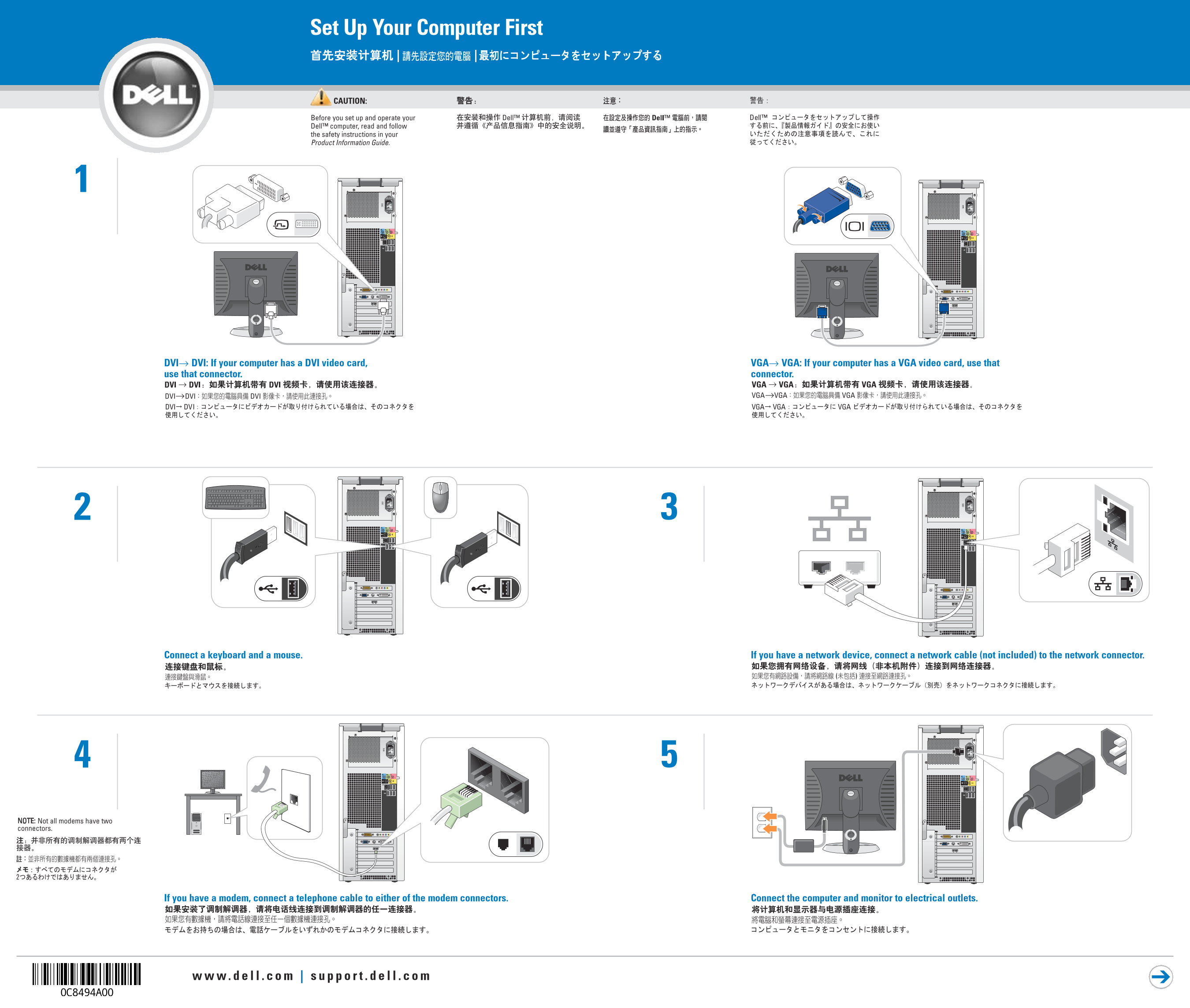
Page 1 Text Content
Set Up Your Computer First | |
CAUTION: Before you set up and operate your Dell™ computer, read and follow the safety instructions in your Product Information Guide.
DVI→ DVI: If your computer has a DVI video card, VGA→ VGA: If your computer has a VGA video card, use that use that connector. connector.
Connect a keyboard and a mouse. If you have a network device, connect a network cable (not included) to the network connector.
NOTE: Not all modems have two connectors.
If you have a modem, connect a telephone cable to either of the modem connectors. Connect the computer and monitor to electrical outlets.
Page Summary Contents For Dell Dimension 9150 XPS 400 Installation Charts
Manual Details
| Brand | Dell |
|---|---|
| Pages | 2 |
| File Size | 3.11 MB |
| Published | July 01, 2026 |
Enter the captcha to get the download link:

Frequently Asked Questions
What should I read before setting up my Dell computer?
Read and follow the safety instructions provided in your Product Information Guide.
How do I connect a modem?
If you have a modem, connect a telephone cable to either of the modem connectors.
Where are support resources for additional setup help?
You can find support and educational tools on the Dell Support website at support.dell.com, or by clicking Help and Support on your computer.