Dell Dimension 4600 Installation Guide
Summary
Setup poster for a Dell desktop computer from June 2003, providing illustrated connection instructions for PS/2 keyboard and mouse, monitor, modem telephone cable with dual connectors, and network cable. Covers additional device setup including integrated and optional sound cards, front/back USB 2.0 connectors, and headphone jack. References the Dell Solution Center and Windows XP Tell Me How help file for expanded setup and usage guidance.
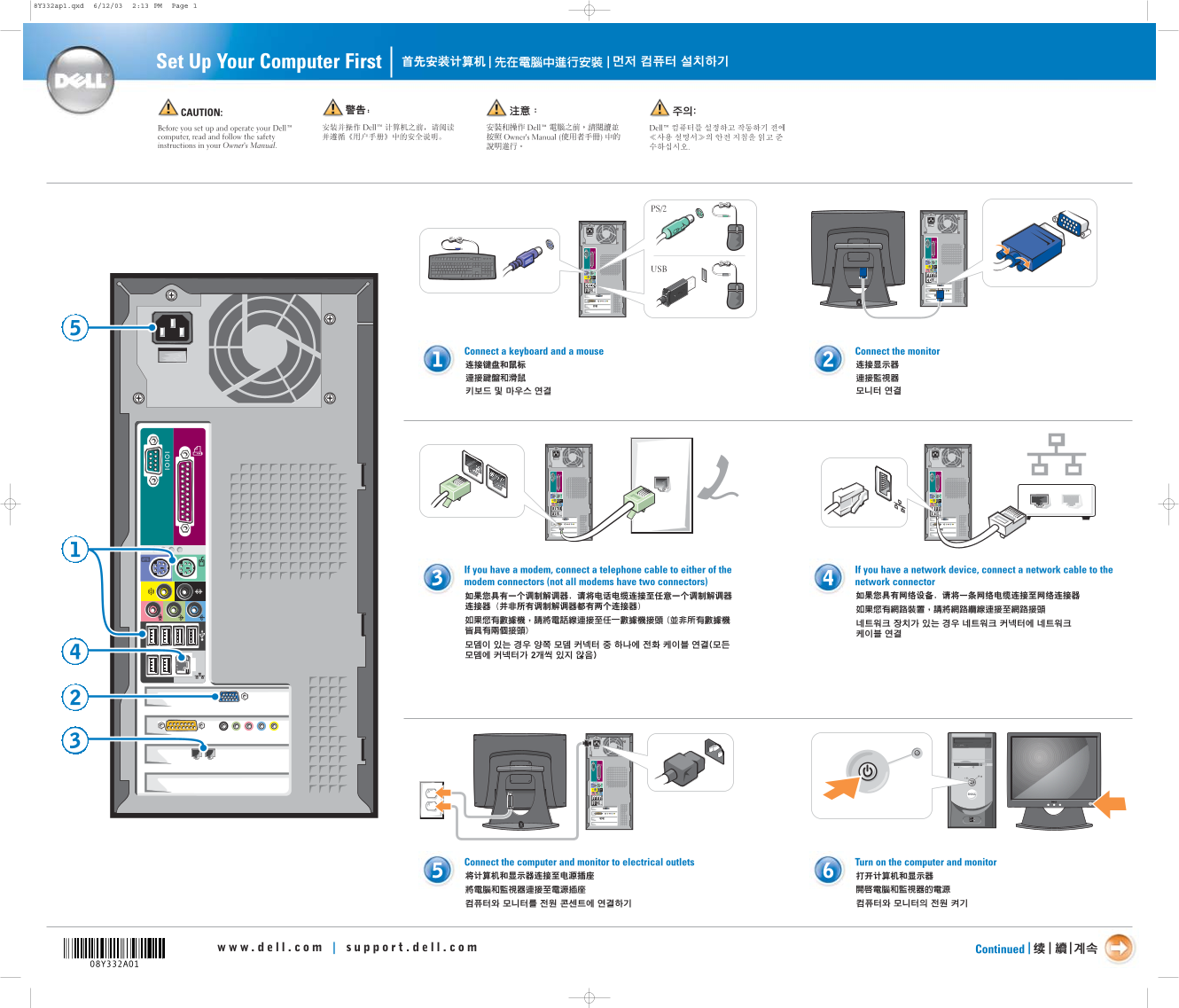
Page 1 Text Content
8Y332ap1.qxd 6/12/03 2:13 PM Page 1
Set Up Your Computer First | |
CAUTION: Before you set up and operate your Dell™ computer, read and follow the safety instructions in your Owner's Manual.
Connect a keyboard and a mouse Connect the monitor
If you have a modem, connect a telephone cable to either of the If you have a network device, connect a network cable to the modem connectors (not all modems have two connectors) network connector
Connect the computer and monitor to electrical outlets Turn on the computer and monitor
Continued | |
Page Summary Contents For Dell Dimension 4600 Installation Guide
Manual Details
| Brand | Dell |
|---|---|
| Pages | 2 |
| File Size | 2.36 MB |
| Published | June 15, 2026 |
Enter the captcha to get the download link:

Frequently Asked Questions
What cables should I use for setting up a modem or network device?
Use a telephone cable for the modem connected to one of its designated connectors, and connect a network cable to the appropriate network connector.
How do I connect speakers when using an optional sound card?
Connect your speakers to the dedicated optimal sound card connectors; do not remove the protective cap.
Where can I find specific setup instructions for additional devices like printers?
See your main Owner's Manual, or access support tools by double-clicking the Dell Solution Center icon on the desktop.