# A B C D E F G H I J K L M N O P Q R S T U V W X Y Z

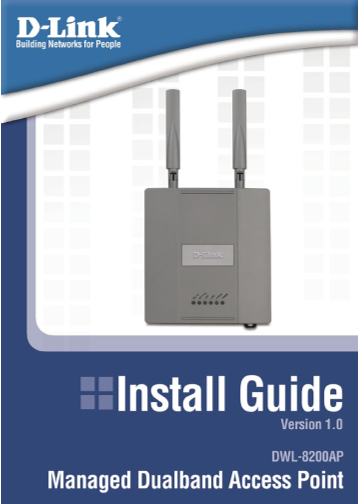
D-Link DWL-8200AP Installation Guide V1.0 User Manual

Summary

This comprehensive guide provides detailed, step-by-step instructions for installing and configuring your DWL-8200AP wireless access point. It walks users through both physical setup—connecting power, antennas, and Ethernet cables in a PoE environment—and advanced digital configuration using a web setup wizard. Whether you are setting up secure WPA/WEP encryption or maximizing connectivity on Windows, Mac, or Linux systems, this manual ensures robust, reliable network deployment for your home or small business.
📄 Preview PAGE OF 16

Page Summary Contents For D-Link DWL-8200AP Installation Guide V1.0 User Manual

Page 2 DWL-8200AP Install Guide System Requirements System Requirements: Minimum System Requirements: • CD-ROM Drive • Computers with Windows, Macintosh, or Linux-based operating systems • Installed Ethernet...
Page 3 DWL-8200AP Install Guide Installing the Hardware Installing the Hardware Antennas Power Cord socket LAN 2 LAN 1 (Po E) Reset D-Link Systems, Inc.
Page 4 DWL-8200AP Install Guide Installing the Hardware Step 1 Connect one end of an Ethernet cable (included with your package) to the LAN 1 (Po E) port on the DWL-8200AP, and the other end of the Ethernet ...
Page 5 DWL-8200AP Install Guide The Setup Wizard Using the Setup Wizard Open your Web browser and type http://192.168.0.50 into the URL address box. Then press the Enter or Return key. The logon pop-up scree...
Page 6 DWL-8200AP Install Guide The Setup Wizard Welcome Screen Follow the steps in order to configure the DWL-8200AP. Click Next Setup your new password You have the option to establish a password. Click Ne...
Page 7 DWL-8200AP Install Guide The Setup Wizard For 802.11a networks please do the following: Set Wireless LAN 802.11a Connection By default the DWL-8200AP SSID is set to default with a Channel setting of 5...
Page 8 DWL-8200AP Install Guide The Setup Wizard For 802.11a networks please do the following: Set Wireless LAN 802.11a Connection By default the DWL-8200AP SSID is set to default with a Channel setting of 5...
Page 9 DWL-8200AP Install Guide The Setup Wizard For 802.11g networks please do the following: Set Wireless LAN 802.11g Connection By default the DWL-8200AP SSID is set to default with a Channel setting of 6...
Page 10 DWL-8200AP Install Guide The Setup Wizard For 802.11a networks please do the following: Set Wireless LAN 802.11a Connection By default the DWL-8200AP SSID is set to default with a Channel setting of 5...
Page 11 DWL-8200AP Install Guide The Setup Wizard For 802.11g networks please do the following: Set Wireless LAN 802.11g Connection By default the DWL-8200AP SSID is set to default with a Channel setting of 6...
Page 12 DWL-8200AP Install Guide The Setup Wizard Security level options for an 802.11g network are as follows:  No Security - current page  WEP - continue to page 13  WPA-Personal - continue to page 14 No...
Page 13 DWL-8200AP Install Guide The Setup Wizard WEP Select WEP for an 802.11g Network. Click Next For 802.11g networks please do the following: WEP Encryption for 802.11g The DWL-8200AP is capable of three ...
Page 14 DWL-8200AP Install Guide The Setup Wizard WPA-Personal Select WPA-Personal for an 802.11g Network. Click Next For 802.11g networks please do the following: WPA Encryption for 802.11g Provide an alphan...
Page 15 DWL-8200AP Install Guide Your Setup is Complete! Your Setup is Complete! When you have completed the steps in this Quick Installation Guide, your connected network should look similar to this: * Maxim...
Page 16 Technical Support D-Link’s website contains the latest user documentation and software updates for D-Link products. D-Link provides free technical support for customers within the United States and Ca...

Manual Details

Brand D-Link
Pages 16
File Size 1.13 MB
Published May 18, 2026
141 views

Enter the captcha to get the download link:

captcha

Frequently Asked Questions

How do I physically connect the DWL-8200AP device initially?

Connect an Ethernet cable from LAN 1 (PoE) to P+DATA OUT on the PoE base unit, and then connect another cable from DATA IN to your existing router or switch.

What is the IP address I need for initial web setup access?

Open a Web browser and type http://192.168.0.50 into the URL address box. Use 'admin' as the username and leave the password field blank to log in.

What encryption security levels are available for 802.11a networks?

The device supports three encryption levels: 64-bit, 128-bit, or 152-bit, all using only Hexadecimal format.

If my data transfer rate is low occasionally, why is that?

Actual data throughput will vary; lower rates can be caused by network conditions, environmental factors, building materials, and the volume of network traffic.