Page 1
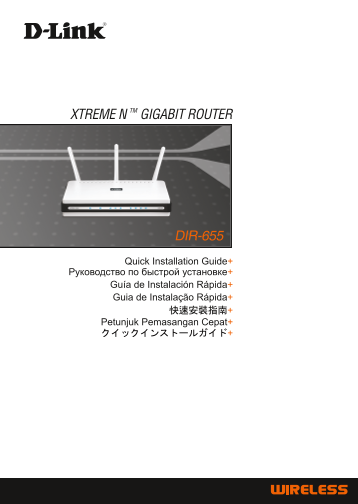
XTREME N TM GIGABIT ROUTER DIR-655 Quick Installation Guide+ Guía de Instalación Rápida+ Guia de Instalação Rápida+ Petunjuk Pemasangan Cepat+ クイックインストールガイド+
Page 2
Quick Installation Guide DIR-655 XTREME NTM GIGABIT ROUTER Package Contents If any of the items are missing, please contact your reseller. DIR-655 CD-ROM Ethernet (CAT5 Power Adapter XTREME NTM (Quick...
Page 3
Troubleshooting 1. How do I configure my DIR-655 router without the CD, or check my Wireless Network Name (SSID) and Wireless Encryption Key? • Connect your PC to the router using an Ethernet cable. •...
Page 4
Technical Support You can find software updates and user documentation on the D-Link website. Tech Support for customers in Australia: Tel: 1300-766-868 Monday to Friday 8:00am to 8:00pm EST Saturday ...
Page 5
Technical Support You can find software updates and user documentation on the D-Link website. Tech Support for customers in Egypt: Tel: +202-2919035 or +202-2919047 Sunday to Thursday 9:00am to 5:00pm...
Page 6
DIR-655 МАРШРУТИЗАТОР XTREME 802.11N TM DIR-655 Компакт-диск Кабель Ethernet Адаптер питания МАРШРУТИЗАТОР (Мастер по быстрой (CAT5)UTP) XTREME 802.11 NTM установке маршрутизатора и руководство пользо...
Page 7
1. Как настроить маршрутизатор DIR-655 при отсутствии компакт-диска, или проверить Имя беспроводной сети (SSID) и ключ беспроводного шифрования? • Подключите компьютер к маршрутизатору с помощью кабел...
Page 8
Техническая поддержка Обновления программного обеспечения и документация доступны на Интернет-сайте D-Link. D-Link предоставляет бесплатную поддержку для Клиенты могут обратиться в группу технической ...
Page 9
NOTES
Page 10
Guía Rápida de Instalación DIR-655 ROUTER XTREME NTM GIGABIT Contenido del Paquete Si alguno de estos artículos no se encuentran, por favor contacte a su vendedor. DIR-655 CD-ROM Cable Ethernet Adapta...
Page 11
Solución de Problemas 1. ¿Cómo puedo configurar mi Router DIR-655 sin el CD, o revisar el nombre de mi Red Inalámbrica (SSID) y Clave de Encriptación? • Conecte su PC al Router usando un Cable Etherne...
Page 12
Asistencia Técnica D-Link Latin América pone a disposición de sus clientes, especificaciones, documentación y software mas reciente a través de nuestro Sitio Web www.dlinkla.com El servicio de soporte...
Page 13
NOTES
Page 14
Guia de Instalação Rápida DIR-655 XTREME NTM GIGABIT ROUTER Conteúdo da Embalagem Se qualquer dos itens estiver faltando, favor contatar o seu revendedor. DIR-655 CD-ROM Cabo Ethernet (UTP Adaptador d...
Page 15
Resolução de Problemas 1. Como eu configuro meu roteador DIR-655 sem o CD, ou verifico meu Nome de Rede Wireless (SSID) e Chave de Criptografia Wireless? • Conecte o seu PC ao roteador utilizando um c...
Page 16
Suporte Técnico Você pode encontrar atualizações de software e documentação de usuário no site da D-Link Brasil www.dlinkbrasil.com.br. A D-Link fornece suporte técnico gratuito para clientes no Brasi...
Page 17
NOTES
Page 18
快速安裝手冊 DIR-655 XTREME NTM GIGABIT 極速寬頻路由器 DIR-655 光碟 Ethernet (CAT5 UTP) 電源供應器 XTREME NTM GIGABIT Cable ROUTER 預設IP:192.168.0.1 預設使用者名稱:Admin Note : A.請確認您的網際網路連線是正常 C. 點選“Install 1 從包裝中取出 D-Link 光碟。 ...
Page 19
Troubleshooting 1. 我該如何直接設定DIR-655的網路組態而不使用光碟,或是檢示我的無線網路名稱(SSID)與無 線加密金鑰? • 請使用網路線將您的電腦與 DIR-655 無線寬頻路由器 LAN埠連接。 • 開啟電腦的網頁瀏覽器並在網址欄位輸入 http://192.168.0.1 • 預設的使用者名稱為‘admin’。不需輸入密碼。 • 假如您改變過密碼或是無法進入設定畫面...
Page 20
D-Link 友訊科技 台灣分公司 技術支援資訊 如果您還有任何本使用手冊無法協助您解決的產品相關問題,台灣 地區用戶可以透過我們的網站、電子郵件或電話等方式與D-Link台灣 地區技術支援工程師聯絡。 D-Link 免付費技術諮詢專線 0800-002-615 服務時間:週一至週五,早上8:30 到 晚上7:00 (不含周六、日及國定假日) 網 站:http://www.dlink.com.tw...
Page 21
NOTES
Page 22
Petunjuk Pemasangan Cepat DIR-655 ROUTER GIGABIT XTREME NTM Isi Paket Hubungi penjual jika isi paket tidak lengkap. DIR-655 CD-ROM Kabel Power Adapter XTREME NTM GIGABIT (Quick Router Setup Ethernet (...
Page 23
Mengatasi Masalah 1. Bagaimana caranya melakukan pengaturan router DIR-655 tanpa CD, atau memeriksa SSID dan Wireless Encryption Key? • Hubungkan PC ke router dengan menggunakan kabel Ethernet. • Jala...
Page 24
Dukungan Teknis Update perangkat lunak dan dokumentasi pengguna dapat diperoleh pada situs web D-Link. Dukungan Teknis untuk pelanggan: Dukungan Teknis D-Link melalui telepon: Tel: +62-21-3851275 Seni...
Page 25
NOTES
Page 26
DIR-655 XTREME NTM 無線LANギガビットルータ DIR-655 CD-ROM イーサネットケーブル 電源アダプタ (クイックルータセットアップ, (UTP カテゴリ5) XTREME NTM 無線LANギガビット ルータ デフォルト IP:192.168.0.1 デフォルトユーザ名:Admin A. 本製品を接続される前に、ご使用のインター C. “Install Router”...
Page 27
1. 付属のCD-ROMを紛失してしまった場合、ルータの設定変更は可能ですか? またワイヤレスネッ トワーク名(SSID)や暗号キーはどのように確認できますか? • イーサネットケーブルでPCとルータを接続します。 • Webブラウザを起動し、アドレスに“http://192.168.0.1”と入力します。 デフォルトのユーザ名は“admin”、パスワードは設定なしです。 • 設定したパスワードを...
Page 28
NOTES
Page 29
NOTES
Page 30
NOTES
Page 31
NOTES
Page 32
Ver.2.00(I) 2007/09/05 29072600D655A23