Page 1
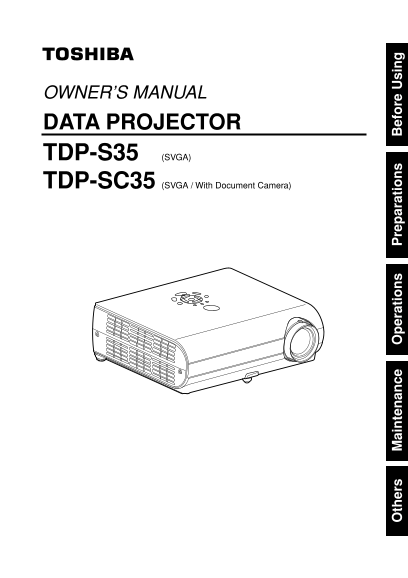
OWNER’S MANUAL DATA PROJECTOR TDP-S35 (SVGA) TDP-SC35 (SVGA / With Document Camera) th er ai te an ce er at io re ar at io ef re si
Page 2
Before Using SAFETY PRECAUTIONS The lightning flash with arrowhead symbol, within an equilateral triangle, is intended - Reorient or relocate the receiving antenna. to alert the user to the presence o...
Page 3
IMPORTANT SAFETY INSTRUCTIONS CAUTION: PLEASE READ AND OBSERVE ALL WARNINGS AND 5. Heat 8. Power-Cord Protection INSTRUCTIONS GIVEN IN THIS OWNER'S MANUAL AND THOSE The product should be situated Powe...
Page 4
IMPORTANT SAFETY INSTRUCTIONS (Continued) 10. Lightning storms 12. Do not place the product 15. Accessories e) If the product has been dropped or damaged in any way. For added protection for this vert...
Page 5
IMPORTANT SAFETY INSTRUCTIONS (Continued) POWER SUPPLY CORD SELECTION 19. Replacement Parts 22. Do not get your hands If your line voltage is 220 to 240V, use one of the following types of cable. When...
Page 6
IMPORTANT PRECAUTIONS (Continued) Avoid Volatile Liquid Disposal Do not use volatile liquids, such as an insect spray, near the unit. Do not leave rubber or This product contains substances which are ...
Page 7
CONTENTS Before Using Others SAFETY PRECAUTIONS Trouble indications IMPORTANT SAFETY INSTRUCTIONS Before calling service personnel POWER SUPPLY CORD SELECTION Specifications IMPORTANT PRECAUTIONS List...
Page 8
Preparations Checking the package contents Names of each part on the main unit Please make sure that the following items are included in the box, along with the main unit. If any item is missing, plea...
Page 9
Parts on the rear panel Names of each part on the control panel and remote control Control panel Remote Control Remote control transmitter CONTROL S-VIDEO MONITOR AUDIO OUT VIDEO COMPUTER 2 IN COMPUTE...
Page 10
Names of each part on the document camera (TDP-SC35) Preparing and using the remote control (1) Loading dry-cell batteries Operating the remote into the remote control control Remove the battery cover...
Page 11
Placement Connection Placement Styles Before connection As shown in the figures below, this device can be placed in 4 different styles. Read the owner’s manual of the device you are connecting to the ...
Page 12
Operations Turning the power on and off ■ Connecting the power cord Notes Insert the power cord connector into the The start-up screen will disappear after a moment. You can dismiss the start-up scree...
Page 13
Basic operations Turn on the power. Projector placement angle adjustments Turn on the power by following the instructions in “Turning on the power” p.22 The placement angle and the height of the proje...
Page 14
Using handy features Using auto setting Manual adjustments and settings Remote The menu items of the Set up menu vary depending on the input type, as shown in This function sets up the projector to th...
Page 15
Using handy features (Continued) Using the menus Cutting off the picture and sound temporarily (Mute) You can call up on-screen menus, and conduct a number of adjustments and settings using the operat...
Page 16
Using the menu (Continued) The image adjustment menu The display setting menu Use this menu to adjust image-related items. Use this menu to set screen display-related items. Items that can be adjusted...
Page 17
Using the menu (Continued) The default setting menu Displaying Information (Status display) This menu shows placement status and other settings. This displays information about the input signal, lamp ...
Page 18
Using the document camera Please read this chapter if the model you purchased is TDP-SC35 which includes a Using the camera removed from the projector document camera. How to use the document camera S...
Page 19
Using the document camera (Continued) Image projection with the document camera If the screen is too dark or too bright, use the CAMERA GAIN (+/–) buttons to make it easier to see. Place the document....
Page 20
Maintenance About lamp The product’s light source is a mercury lamp that lights at increased internal pressure. Be sure Unplug power cord. to fully understand the following characteristics of the lamp...
Page 21
Others Lamp replacement (Continued) Trouble indications Used Lamps The indicator lights inform you of internal abnormalities. This projector’s lamps contain trace amounts of environmentally harmful in...
Page 22
Before calling service personnel If you think something is wrong, check the followings before contacting customer service. If This Happens Check Please see “Trouble indications” p.41 as well. TDP-SC35...
Page 23
Specifications on ne ct io te rm in al List of general specifications List of supported signals (RGB signals) Item Specification This projector supports the following RGB signals. Note, however, that ...
Page 24
Specifications (Continued) List of supported signals (Y/PB/PR signals) CONTROL terminal Signal format fh(k Hz) fv(Hz) Pin assignment 480i(525i)@60Hz 15.73 59.94 Pin No. Signal Name Description 480p(52...