SIEMENS iPath 3000 optiPoint 500 Entry & Reference Guide - Economy, Basic, Standard, Advanced Short Manual
Summary
Optimize your business communication with this comprehensive guide for Siemens HiPath 3000 and optiPoint series systems. This manual is designed for administrators and end-users who need detailed knowledge of advanced VoIP features, including call waiting, transfers, conferencing, and system setup codes. Quickly reference operational functions, troubleshoot common issues, and maximize the efficiency of your corporate communication solutions to ensure seamless daily operations worldwide.
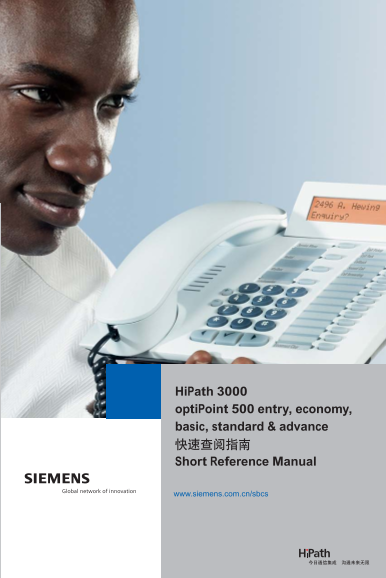
Page 1 Text Content
Siemens - Your Partner in Business Communications Siemens is committed to deliver innovative state-of-the-art solutions to our customers from all over the world. Through our own experience and the various partnerships with other global technology leaders, we are able to set the standards in communication solutions and applications. Solutions which combine innovative technology with investment protection. Solutions that bring value-add to your business and help you to do your business better and more efficient. Your profitability and success is our highest priority.
www.siemens.com.cn/sbcs
(SBCS)
E-mail: [email protected] 800 : 800 8200656
Hi Path 3000: A31003-H8400-SR-3
Hi Path 3000
opti Point 500 entry, economy,
020-87320088 020-87320118 510095 basic, standard & advance 029-3238888-3342 029-3249160 710048
Siemens Business Communication Systems Ltd. Short Reference Manual
Siemens Business Communication Systems Ltd. 2004
E-mail: [email protected]
Reference No.Hi Path 3000: A31003-H8400-SR-3
Free 800 Hotline: 800 8200656
The information provided in this document contains general descriptions or characteristics of performance, which in case of actual use do not always apply as described or which may change as a result of further de-
Shanghai Office: www.siemens.com.cn/sbcs
velopment of the products. An obligation to provide the respective characteristics shall only exist if expressly agreed in the terms of contract. Availability and technical specifications are subject to change without no- 931 Ning Qiao Rd. Pu Dong Jin Qiao Export Processing Zone tice. Siemens may also make improvements and/or changes in the products and/or the programs described in
this information at any time without notice. Tel: 021-58547733 Fax: 021-58549803 Post Code: 201206
Beijing Office:
The document may contain other proprietary notices and copyright information, the terms of which must be observed and followed. All other trademarks and company names are the property of their respective own- No. 14, Jiuxianqiao Lu, Chaoyang District, Beijing ers.
Mail Box: 100016-14, Jiuxianqiao Post Office, Chaoyang District, Beijing
In no event will Siemens be liable to any party for any direct, indirect, special or other consequential dam- Tel: 010-64721888 Fax: 010-64728160 Post Code: 100016 ages for any use of the document. Including, without limitation, any lost profits, business interruption, loss
of property or other data on your information handling system or otherwise, even if we are expressly advised Guangzhou Office:
of the possibility of such damages.
16-17F Dongshan Plaza No.69 Xianlie Zhong Rd.
Printed in the People's Republic of China for marketing promotion purpose only. Tel: 020-87320088 Fax: 020-87320118 Post Code: 510095
Page Summary Contents For SIEMENS iPath 3000 optiPoint 500 Entry & Reference Guide - Economy, Basic, Standard, Advanced Short Manual
Manual Details
| Brand | Siemens |
|---|---|
| Pages | 27 |
| File Size | 1.66 MB |
| Published | May 29, 2026 |
Enter the captcha to get the download link:

Frequently Asked Questions
How do I initiate a conference call via phone?
To start a conference call, dial *3. You can then add parties using the appropriate code and end by dialing #3.
What codes are used to manage the Call Waiting tone?
You can turn off waiting tones with *55 and enable them using *87. To activate or deactivate wait terms, use specific codes like #490.
Where can I find instructions on changing my PIN or associated services?
The document includes specific codes and sections dedicated to changing the PIN (*93) and managing associated services (like calling waiting).