Page 1
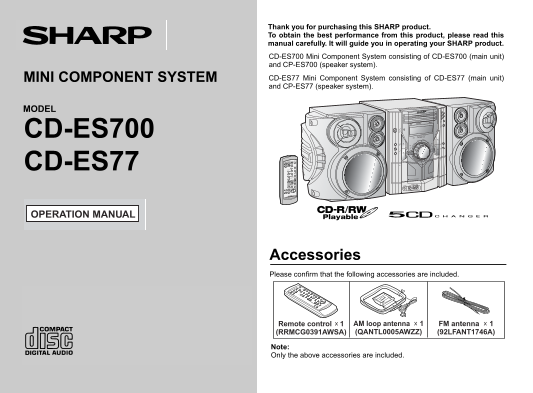
CD-ES700_77(U) TINSEA011AWZZ Thank you for purchasing this SHARP product. To obtain the best performance from this product, please read this manual carefully. It will guide you in operating your SHARP...
Page 2
CD-ES700 CD-ES77 SPECIAL NOTES Im rt an In st ru ct io NOTE This equipment has been tested and found to comply with the limits for a Class B digital device, pursuant to Part 15 of the FCC Rules. These...
Page 3
CD-ES700_77(U) TINSEA011AWZZ CD-ES700 IMPORTANT SAFETY INSTRUCTIONS CD-ES77 Read Instructions - All the safety and operating instructions should Ventilation - Slots and openings in the cabinet are pro...
Page 4
CD-ES700 CD-ES77 Im rt an In st ru ct io IMPORTANT SAFETY INSTRUCTIONS (continued) Outdoor Antenna Grounding - If an outside antenna or cable system Object and Liquid Entry - Never push objects of any...
Page 5
CD-ES700 Contents CD-ES77 General Information ENERGY STAR® Program Information Precautions . . . . . . . . . . . . . . . . . . . . . . . . . . . . . . . . . . . . . . . . . 6 Controls and indicators ....
Page 6
CD-ES700 CD-ES77 Precautions en er al In fo rm at io General Hold the AC power plug by the head when Please ensure that the equipment is positioned in a well-venti- removing it from the AC outlet, as ...
Page 7
CD-ES700 Controls and indicators CD-ES77 Front panel Reference page 1. Disc Trays . . . . . . . . . . . . . . . . . . . . . . . . . . . . . . . . . . . . . . . 16 2. Timer Indicator . . . . . . . . . ...
Page 8
CD-ES700 CD-ES77 Controls and indicators (continued) en er al In fo rm at io Display Reference page 1. Disc Number Indicators . . . . . . . . . . . . . . . . . . . . . . . . . . . . 18 2. CD Play Indi...
Page 9
CD-ES700 CD-ES77 Remote control Reference page 1. Remote Control Transmitter . . . . . . . . . . . . . . . . . . . . . . . . 13 2. Disc Number Select Buttons . . . . . . . . . . . . . . . . . . . . . ...
Page 10
CD-ES700 CD-ES77 System connections re ar at io fo se Make sure to unplug the AC power cord before any connections. Antenna connection (see page 11) FM antenna AM loop antenna Left speaker Right speak...
Page 11
CD-ES700_77(U) TINSEA011AWZZ CD-ES700 CD-ES77 Antenna connection Speaker connection Supplied FM antenna: Connect the black wire to the minus (-) terminal, and the red wire to Connect the FM antenna wi...
Page 12
CD-ES700 CD-ES77 System connections (continued) re ar at io fo se AC power connection Demonstration mode After checking all the connections have been made correctly, plug The first time the unit is pl...
Page 13
CD-ES700 Remote control CD-ES77 Battery installation Notes concerning use: Replace the batteries if the operating distance is reduced or if the Use 2 "AA" size batteries (UM/SUM-3, R6, HP-7 ...
Page 14
CD-ES700 CD-ES77 General control as ic er at io Volume control Main unit operation: When the VOLUME control is turned clockwise, the volume will increase. When it is turned counterclockwise, the volum...
Page 15
CD-ES700 Setting the clock CD-ES77 Press the or button to adjust the hour and then press the MEMORY/SET button. Press the or button once to advance the time by 1 hour. Hold it down to advance continuo...
Page 16
CD-ES700 CD-ES77 Listening to a CD (CDs) la yb ac This system can play audio CD, CD-R and CD-RW discs, but cannot CD playback record. Some audio CD-R and CD-RW discs may not be playable due to the Pre...
Page 17
CD-ES700 CD-ES77 Playback will begin from track 1 on disc 1. After that disc finishes Various CD functions playing, the next disc will automatically play. Function Main unit Remote Operation After the...
Page 18
CD-ES700 CD-ES77 Advanced CD playback la yb ac To specify a disc to play Direct track search You can play a disc by specifying the disc number. By using the direct search buttons, the desired tracks o...
Page 19
CD-ES700 CD-ES77 Repeat play Random play Repeat play can play all 5 discs, all tracks on a chosen disc, or a The tracks on the disc(s) can be played in random order automatically. programmed sequence ...
Page 20
CD-ES700 CD-ES77 Advanced CD Playback (continued) la yb ac Programmed play You can choose up to 32 selections for playback in the order you like. To clear the programmed selections: Press the CLEAR/DI...
Page 21
CD-ES700 Listening to the radio CD-ES77 Tuning Press the ON/STAND-BY button to turn the power on. Press the TUNER (BAND) button repeatedly to select the desired frequency band (FM or AM). Press the TU...
Page 22
CD-ES700 CD-ES77 Listening to the radio (continued) ad io Memorizing a station To recall a memorized station You can store 40 AM and FM stations in memory and recall them at Press the PRESET ( or ) bu...
Page 23
CD-ES700 Listening to a cassette tape (TAPE 1 or TAPE 2) CD-ES77 Tape playback Before playback: For playback, use normal or low-noise tapes for the Press the ON/STAND-BY button to turn the power on. b...
Page 24
CD-ES700 CD-ES77 Ta la yb ac Recording on a cassette tape Various tape functions Before recording: Function Main unit Remote Operation When recording important selections, make a preliminary test to c...
Page 25
CD-ES700 CD-ES77 Recording from a CD (CDs) You can record the desired CD using the DIRECT PLAY button. Press the ON/STAND-BY button to turn the power on. Press the CD button. Load a cassette into the ...
Page 26
CD-ES700 CD-ES77 Recording on a cassette tape (continued) Ta ec rd in Recording from several CDs continuously: Dubbing from tape to tape Perform steps 1 - 5 in "Recording from a CD (CDs)" on...
Page 27
CD-ES700 Timer and sleep operation CD-ES77 Timer playback: The unit turns on and plays the desired source (CD, tuner, tape) at the preset time. Timer recording: The unit turns on and starts recording ...
Page 28
CD-ES700 CD-ES77 Timer and sleep operation (continued) dv an ce ea tu re Within 10 seconds, press the or button to se- Switch input with the or button, and then lect "ONCE SET" or "DAIL...
Page 29
CD-ES700 CD-ES77 Checking the timer setting in the timer stand-by mode: 12When the preset time is reached, playback or recording will Press the CLOCK/TIMER button. start. Within 10 seconds, press the ...
Page 30
CD-ES700 CD-ES77 Timer and sleep operation (continued) dv an ce ea tu re Sleep operation To cancel the sleep operation: The radio, compact disc and cassette tape can all be turned off Press the ON/STA...
Page 31
CD-ES700 Enhancing your system CD-ES77 The connection cord is not included. Purchase a commercially avail- Listening to playback sounds of Game, VCR, able cord as shown below. DVD, etc. Connect a vide...
Page 32
CD-ES700 CD-ES77 dv an ce ea tu re Troubleshooting chart Many potential problems can be resolved by the owner without call- Headphones ing a service technician. Before plugging in or unplugging the he...
Page 33
CD-ES700 CD-ES77 Cassette deck Tuner Symptom Possible cause Symptom Possible cause Cannot record. Is the erase-prevention tab re- The radio makes unusual Is the unit placed near the TV or moved? noise...
Page 34
CD-ES700 CD-ES77 ef er en ce Maintenance Condensation Cleaning the tape-handling parts Sudden temperature changes, storage or operation in an extremely Dirty heads, capstans or pinch rollers can cause...
Page 35
CD-ES700 Specifications CD-ES77 As part of our policy of continuous improvement, SHARP reserves Tuner the right to make design and specification changes for product improvement without prior notice. T...
Page 36
CONSUMER LIMITED WARRANTY SHARP ELECTRONICS CORPORATION warrants to the first consumer purchaser that this Sharp brand product (the “Product”), when shipped in its original con- tainer, will be free f...