SHARP CD-BA200 Operation Manual
Summary
This comprehensive operating manual details everything you need to know about your CD-BA200 Mini Component System. It is designed for new owners and users, providing step-by-step instructions on optimal use and safe operation of your audio system. Within these pages, you will find essential safety warnings, proper setup guidelines (including grounding techniques), troubleshooting tips, and care instructions to ensure a reliable listening experience for years to come.
Page 1 Text Content
HK <P=001>
MODEL
MINI COMPONENT SYSTEM
CD-BA200
OPERATION MANUAL
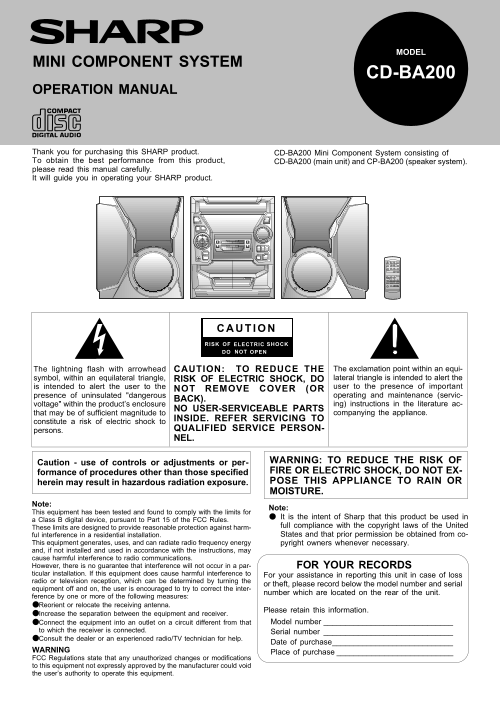
Thank you for purchasing this SHARP product. CD-BA200 Mini Component System consisting of To obtain the best performance from this product, CD-BA200 (main unit) and CP-BA200 (speaker system). please read this manual carefully. It will guide you in operating your SHARP product.
RISK OF ELECTRIC SHOCK
DO NOT OPEN
The lightning flash with arrowhead CAUTION: TO REDUCE THE The exclamation point within an equi- symbol, within an equilateral triangle, RISK OF ELECTRIC SHOCK, DO lateral triangle is intended to alert the is intended to alert the user to the user to the presence of important
NOT REMOVE COVER (OR
presence of uninsulated "dangerous operating and maintenance (servic-
BACK).
voltage" within the product’s enclosure ing) instructions in the literature ac-
NO USER-SERVICEABLE PARTS
that may be of sufficient magnitude to companying the appliance.
INSIDE. REFER SERVICING TO
constitute a risk of electric shock to
persons. QUALIFIED SERVICE PERSON- NEL.
Caution - use of controls or adjustments or per- WARNING: TO REDUCE THE RISK OF formance of procedures other than those specified FIRE OR ELECTRIC SHOCK, DO NOT EX- herein may result in hazardous radiation exposure. POSE THIS APPLIANCE TO RAIN OR MOISTURE.
Note:
Note:
This equipment has been tested and found to comply with the limits for
It is the intent of Sharp that this product be used in
a Class B digital device, pursuant to Part 15 of the FCC Rules.
These limits are designed to provide reasonable protection against harm- full compliance with the copyright laws of the United ful interference in a residential installation. States and that prior permission be obtained from co-
This equipment generates, uses, and can radiate radio frequency energy pyright owners whenever necessary. and, if not installed and used in accordance with the instructions, may cause harmful interference to radio communications. However, there is no guarantee that interference will not occur in a par- FOR YOUR RECORDS ticular installation. If this equipment does cause harmful interference to For your assistance in reporting this unit in case of loss radio or television reception, which can be determined by turning the
or theft, please record below the model number and serial
equipment off and on, the user is encouraged to try to correct the inter-
number which are located on the rear of the unit.
ference by one or more of the following measures: ●Reorient or relocate the receiving antenna.
Please retain this information.
Increase the separation between the equipment and receiver.
●Connect the equipment into an outlet on a circuit different from that Model number _ _ _ _ _ _ _ _ _ _ _ _ _ _ _ _ _ _ _ _ _ _ _ _ _ _ _ _ _ _
to which the receiver is connected. Serial number _ _ _ _ _ _ _ _ _ _ _ _ _ _ _ _ _ _ _ _ _ _ _ _ _ _ _ _ _ _ ●Consult the dealer or an experienced radio/TV technician for help.
Date of purchase _ _ _ _ _ _ _ _ _ _ _ _ _ _ _ _ _ _ _ _ _ _ _ _ _ _ _ _
WARNING
Place of purchase _ _ _ _ _ _ _ _ _ _ _ _ _ _ _ _ _ _ _ _ _ _ _ _ _ _ _
FCC Regulations state that any unauthorized changes or modifications to this equipment not expressly approved by the manufacturer could void the user’s authority to operate this equipment.
CD-BA200(SEC) TINSE0276AWZZ
Page Summary Contents For SHARP CD-BA200 Operation Manual
Manual Details
| Brand | Sharp |
|---|---|
| Pages | 18 |
| File Size | 675.48 KB |
| Published | May 29, 2026 |
Enter the captcha to get the download link:

Frequently Asked Questions
How do I achieve the best performance with this system?
For optimal operation, use the CD-BA200 main unit in conjunction with the CP-BA200 speaker system.
What safety precautions should I take regarding water and electricity?
Do not operate the appliance near wet locations such as a bathtub, washbowl, or kitchen sink. Grounding is also required if an outside antenna is connected.
My reception signal is weak; what troubleshooting steps can I try?
You can reorient or relocate the receiving antenna, increase separation between the equipment and receiver, or connect it to a different circuit outlet.
What does the current warranty coverage entail?
The product includes one year of warranty covering parts and labor from the date of purchase. Service must be obtained at an Authorized Servicer.