SHARP CD-CDHS1050P Operation Manual
Summary
Experience comprehensive home entertainment with this robust mini component system, featuring integrated CD, USB, and radio playback for all your music needs. This complete audio setup includes a main unit, front speakers, and a dedicated subwoofer, delivering studio-quality sound optimized for modern living. The manual provides full instructions on operation, connectivity, advanced settings (like X-BASS tuning), crucial safety precautions, and detailed specifications, making it perfect for home enthusiasts or those upgrading their stereo system seeking high performance and reliability.
Page 1 Text Content
ENGLISH
MODEL
CD-DHS1050P MINI COMPONENT SYSTEM
OPERATION MANUAL
CD-DHS1050P Mini Component System consisting of CD-DHS1050P (main unit), CP-S1050P (front speaker) and CP-SW1050P (subwoofer).
ON/STAND-BY
DISPLAY (TV OUT) MENU
TUNER(BAND) TAPE
AUDIO IN USB
X-BASS
TUNING BASS/TREBLE VOL
FOLDER PLAY MODE
PRESET
ENTER
CLOCK/TIMER PRESET MEMORY
DEMO DIMMER CLEAR SLEEP
i Phone, i Pod, i Pod classic, i Pod nano, and i Pod touch are trademarks of Apple Inc., registered in the U.S. and other countries.
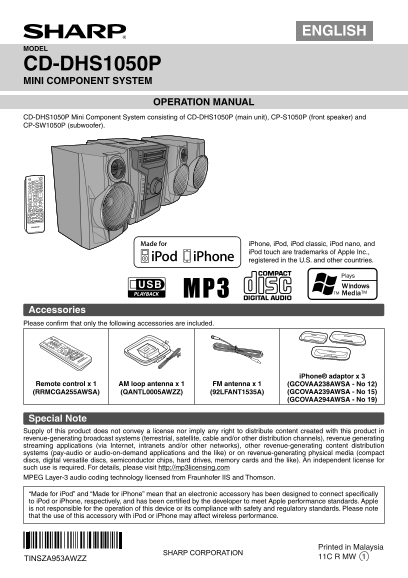
Accessories Please confi rm that only the following accessories are included.
i Phone® adaptor x 3
Remote control x 1 AM loop antenna x 1 FM antenna x 1 (GCOVAA238AWSA - No 12)
(RRMCGA255AWSA) (QANTL0005AWZZ) (92LFANT1535A) (GCOVAA239AWSA - No 15) (GCOVAA294AWSA - No 19)
Special Note Supply of this product does not convey a license nor imply any right to distribute content created with this product in revenue-generating broadcast systems (terrestrial, satellite, cable and/or other distribution channels), revenue generating streaming applications (via Internet, intranets and/or other networks), other revenue-generating content distribution systems (pay-audio or audio-on-demand applications and the like) or on revenue-generating physical media (compact discs, digital versatile discs, semiconductor chips, hard drives, memory cards and the like). An independent license for such use is required. For details, please visit http://mp3licensing.com MPEG Layer-3 audio coding technology licensed from Fraunhofer IIS and Thomson.
“Made for i Pod” and “Made for i Phone” mean that an electronic accessory has been designed to connect specifi cally to i Pod or i Phone, respectively, and has been certifi ed by the developer to meet Apple performance standards. Apple is not responsible for the operation of this device or its compliance with safety and regulatory standards. Please note that the use of this accessory with i Pod or i Phone may affect wireless performance.
Printed in Malaysia TINSZA953AWZZ 11C R MW 1
CD-DHS1050P_US_EN_cover.indd 1 3/23/2011 10:34:21 AM
Page Summary Contents For SHARP CD-CDHS1050P Operation Manual
Manual Details
| Brand | Sharp |
|---|---|
| Pages | 16 |
| File Size | 977.54 KB |
| Published | June 05, 2026 |
Enter the captcha to get the download link:

Frequently Asked Questions
What input sources can the Mini Component System connect to?
It supports CD players, cassette decks, and USB storage devices formatted with FAT 12, FAT 16, or FAT 32 file systems.
What are the recommended speaker impedances for proper operation?
Front speakers should be connected to a 6 ohm load. Headphones recommend an impedance of 32 ohms, and the subwoofer is rated for 4 ohms.
What safety precautions must I follow when using this unit?
Do not expose the appliance to moisture or rain, clean it only with a dry cloth, and ensure that all ventilation openings remain unobstructed.