Replacing the System Board tech sheet - Dell Support Manual
Summary
This technical guide provides instructions for replacing the system board and setting the Intel AMT (Active Management Technology) manageability mode on Dell Latitude E5400, E5500, and Dell Precision M6400 systems. It covers configuration-mode label identification, initialization screen navigation, and proper management mode selection during system board replacement. The manual emphasizes correct configuration to ensure proper remote management capabilities. Target users are certified service technicians performing system board replacements on Dell business laptops and mobile workstations.
Page 1 Text Content
R939Ham1-edited.fm Page 1 Tuesday, November 3, 2009 4:59 PM
Replacing the System Board About Warnings WARNING: A WARNING indicates a potential for property damage, personal injury, or death.
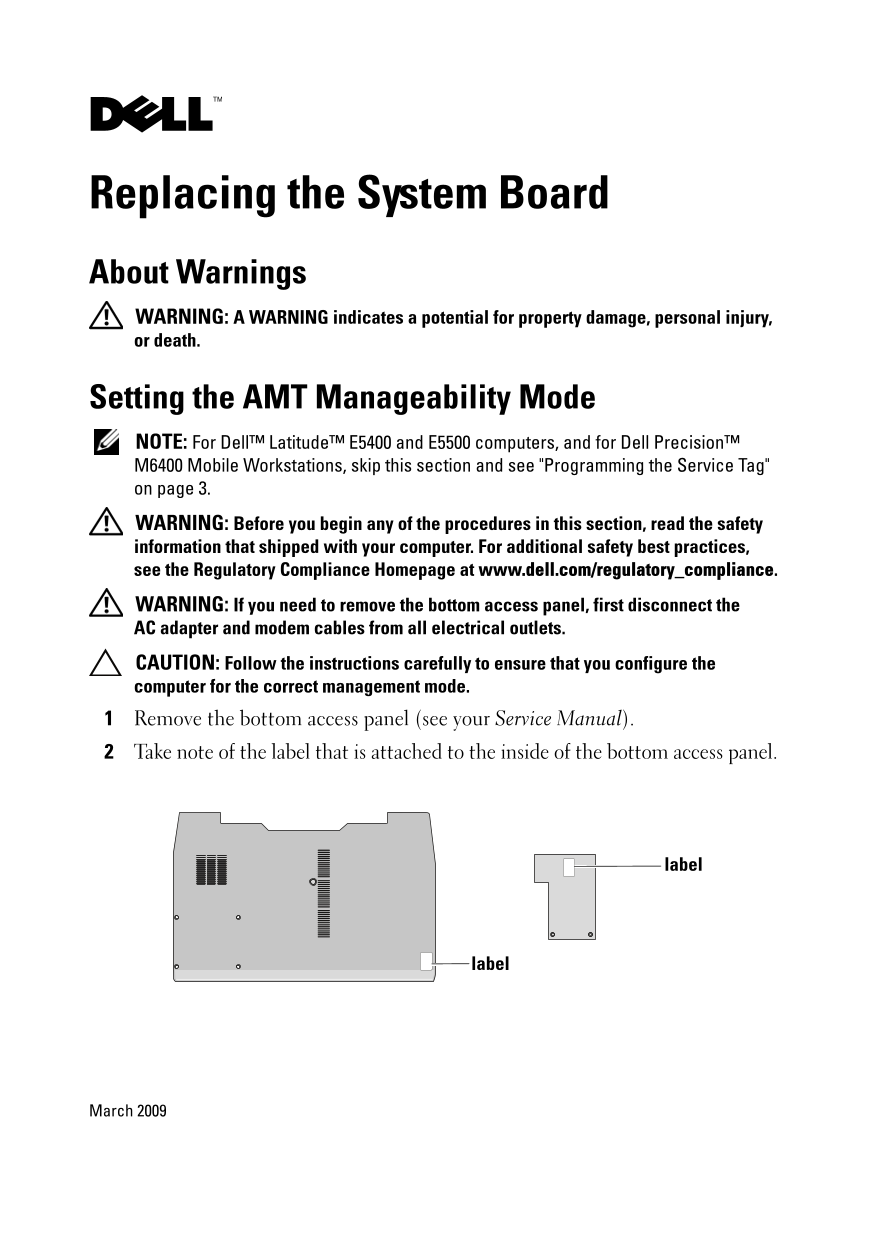
Setting the AMT Manageability Mode NOTE: For Dell™ Latitude™ E5400 and E5500 computers, and for Dell Precision™ M6400 Mobile Workstations, skip this section and see "Programming the Service Tag" on page 3. WARNING: Before you begin any of the procedures in this section, read the safety information that shipped with your computer. For additional safety best practices, see the Regulatory Compliance Homepage at www.dell.com/regulatory_compliance. WARNING: If you need to remove the bottom access panel, first disconnect the AC adapter and modem cables from all electrical outlets. CAUTION: Follow the instructions carefully to ensure that you configure the computer for the correct management mode. Remove the bottom access panel (see your Service Manual). Take note of the label that is attached to the inside of the bottom access panel.
label
label
March 2009
Page Summary Contents For Replacing the System Board tech sheet - Dell Support Manual
Manual Details
| Brand | Dell |
|---|---|
| Pages | 4 |
| File Size | 300.73 KB |
| Published | June 29, 2026 |
Enter the captcha to get the download link:

Frequently Asked Questions
What safety steps must be taken before removing the bottom access panel?
Disconnect the AC adapter and modem cables from all electrical outlets first, and always read the shipped safety information.
How do I select the correct management mode for a newly replaced system board?
Connect the AC adapter and turn on the computer. When prompted, enter the configuration-mode number found on the label inside the bottom access panel and select Y.
What should I do if my Service Tag is not programmed after replacing the system board?
Press <F2> to open the setup program, enter the correct Service Tag, and then reboot the computer (or follow instructions for AC adapter connection).
Which systems require special steps for FIPS 201 compliance?
The FIPS 201 compliance steps apply only to Latitude E4300, E6400, E6500, M2400, M4400, and M6400 models.