Dell OptiPlex 990 System Board Mode Configuration User's Manual
Summary
Technical guide for configuring Dell OptiPlex and Precision desktop system board modes after replacement. Covers reading the configuration label, entering mode numbers during initialization, and selecting management modes (AMT, ME, Lockout). Mode selection is permanent. Target users: Dell service technicians replacing system boards in desktop computers.
Page 1 Text Content
R418KA01.fm Page 1 Thursday, March 17, 2011 3:46 PM
About Warning WARNING: A WARNING indicates a potential for property damage, personal injury, or death.
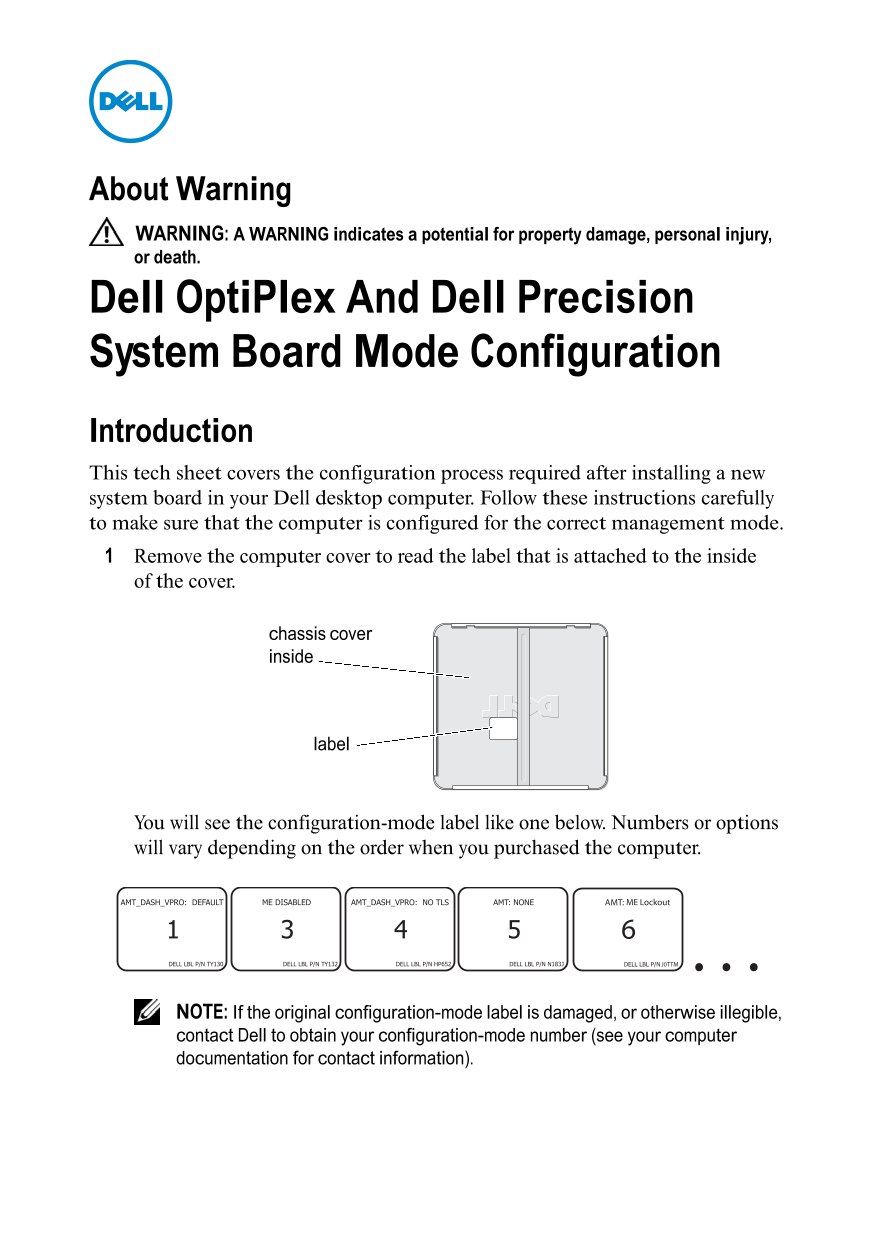
Dell Opti Plex And Dell Precision System Board Mode Configuration Introduction This tech sheet covers the configuration process required after installing a new system board in your Dell desktop computer. Follow these instructions carefully to make sure that the computer is configured for the correct management mode. Remove the computer cover to read the label that is attached to the inside of the cover.
chassis cover inside
label
You will see the configuration-mode label like one below. Numbers or options will vary depending on the order when you purchased the computer.
AMT ME Lockout
J0TTM . . .6
NOTE: If the original configuration-mode label is damaged, or otherwise illegible, contact Dell to obtain your configuration-mode number (see your computer documentation for contact information).
Page Summary Contents For Dell OptiPlex 990 System Board Mode Configuration User's Manual
Manual Details
| Brand | Dell |
|---|---|
| Pages | 2 |
| File Size | 77.27 KB |
| Published | June 27, 2026 |
Enter the captcha to get the download link:

Frequently Asked Questions
What is required before configuring a new system board?
First, locate the configuration-mode label attached inside the computer chassis cover.
How do I configure the management mode after replacement?
Turn the computer on and when the initialization screen appears, enter the specific mode number obtained from the label.
What devices should be disconnected during setup?
You must disconnect all USB mass storage devices (like hard drives or flash keys) and the network cable before starting the process.
Can I change the management mode after selecting it?
No, once you select the management mode, you cannot change it. If wrong, the computer may not function correctly.